—title: Observations in Construction and Architecturedescription: “These domains are real-life sandboxes.”image: ./thumbnail.jpegauthor: Salman Naqvidate: ’2026-10-12’categories: [Python, Programming]lightbox: true—
An Inspection of Kwong Fuk Estate
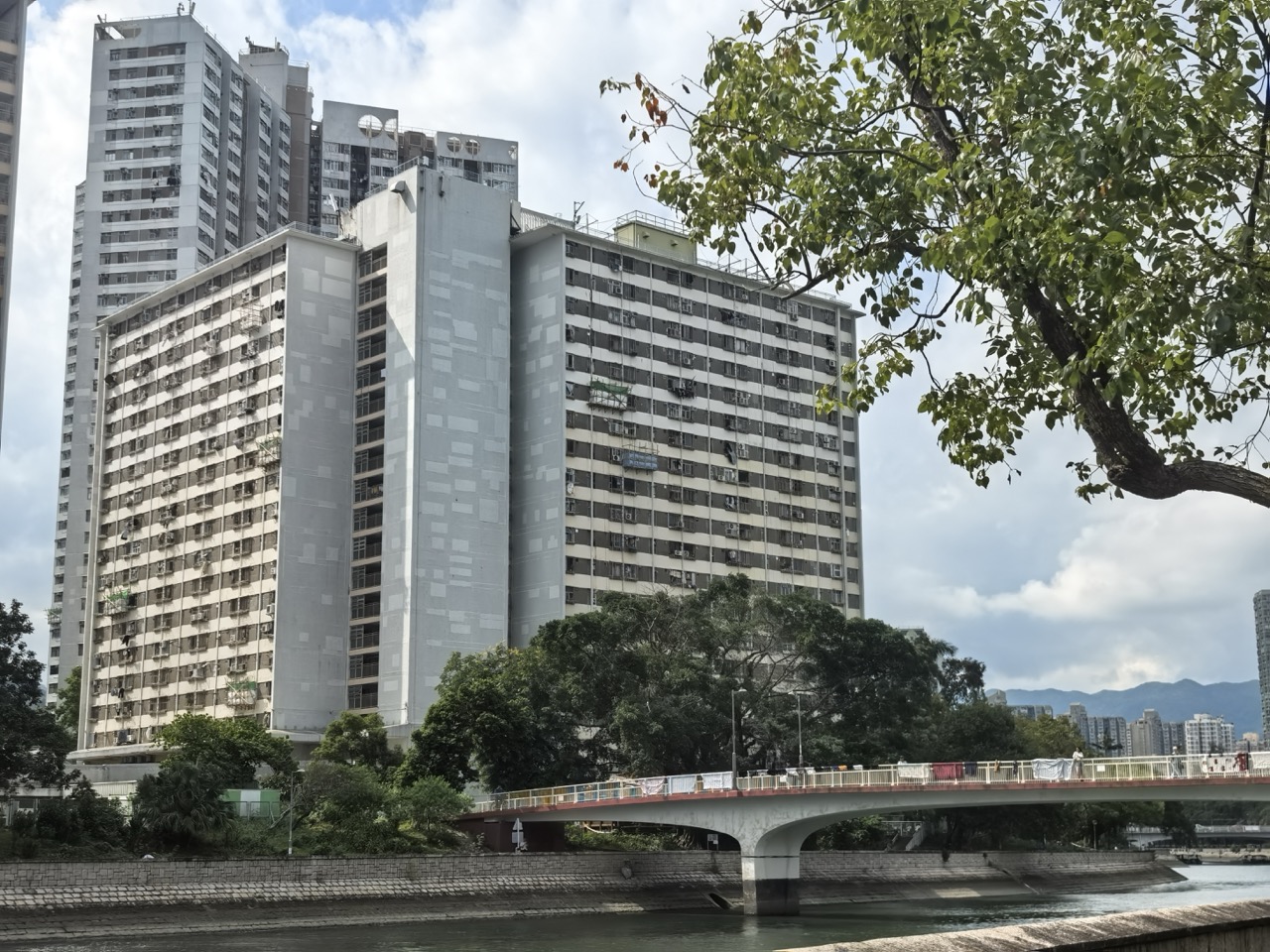
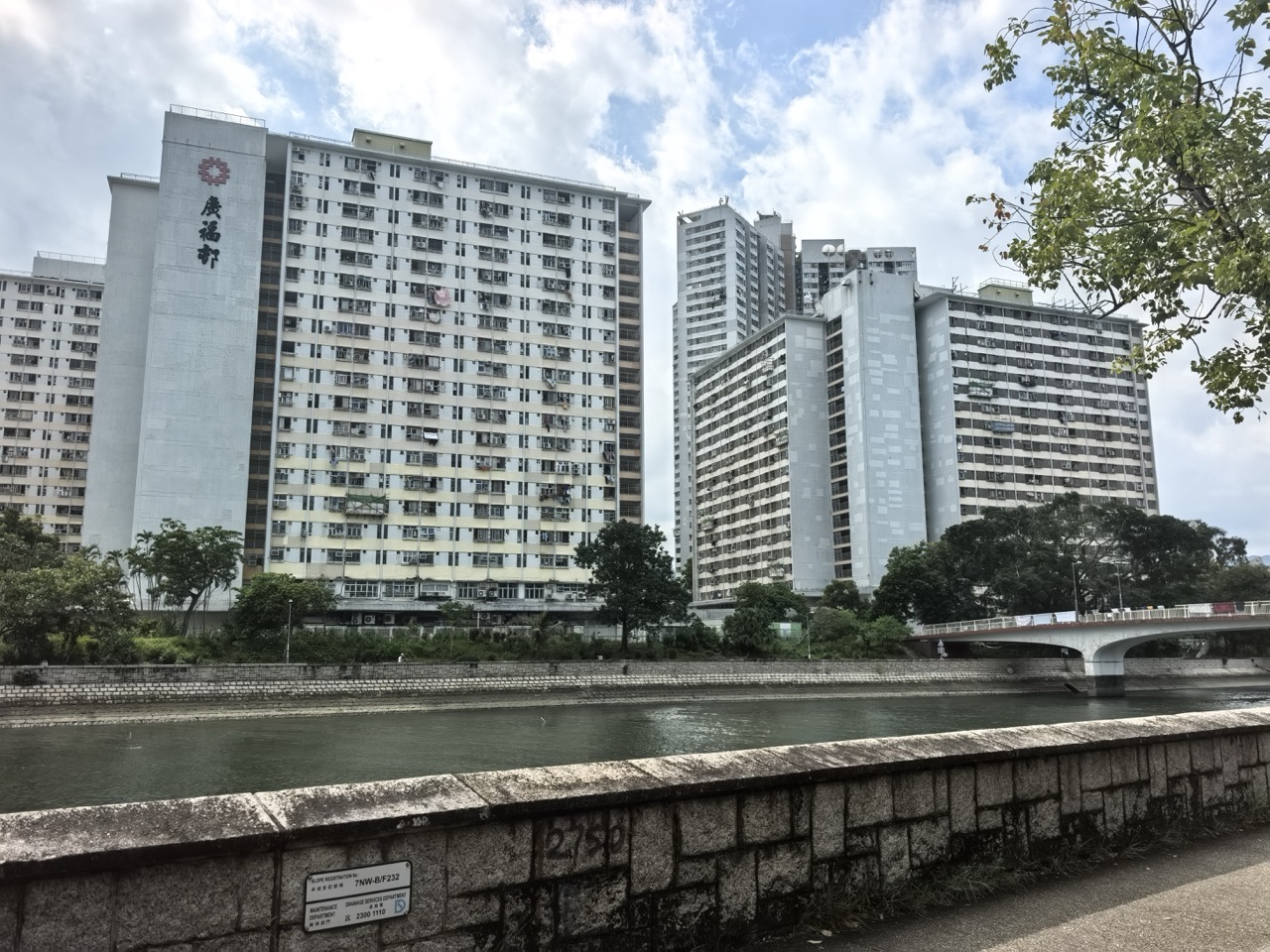
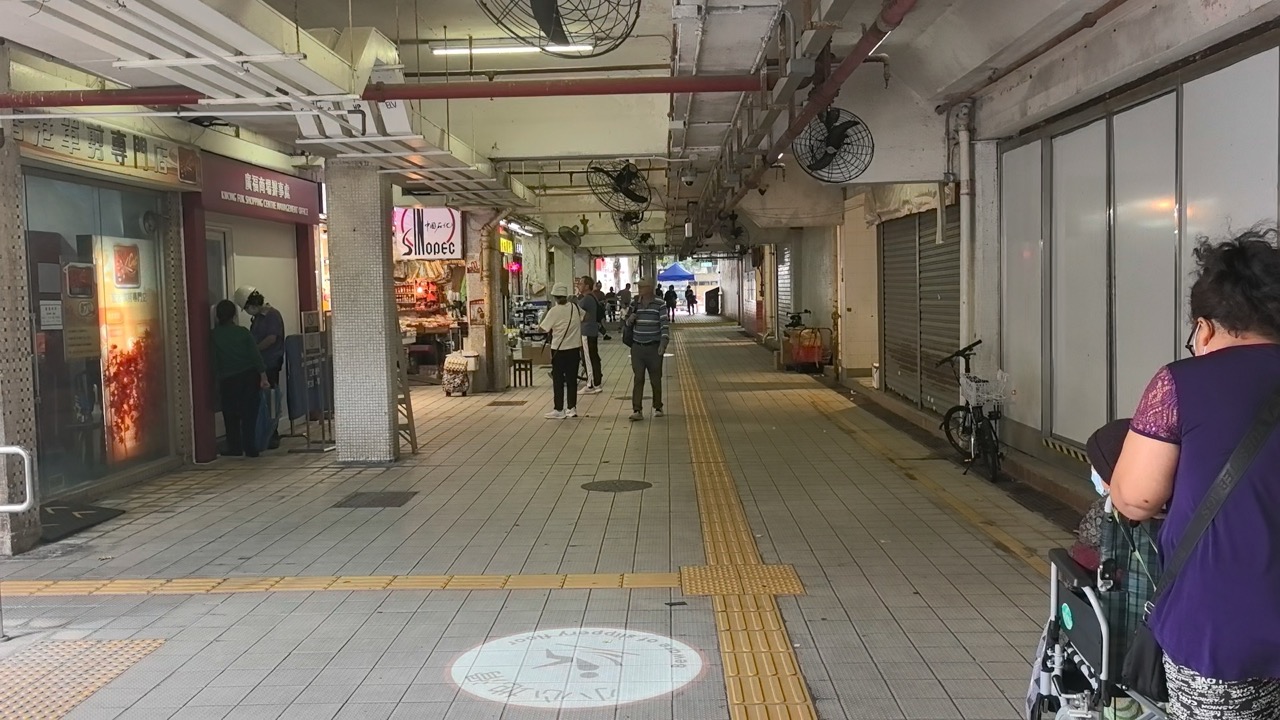
A pretask of this bootcamp was to directly visit and observe some of Hong Kong’s 30+ yeaer old apartments. I visited Kwong Fuk Estate, and specifically inspected Kwong Chi House. Kwong Fuk Estate’s planning began around 1978, construction began in 1979, and the first buildings were completed in 1983 and that last in 1985. Kwong Chi House was one of two completed in 1985. The entire estate is built on reclaimed land, and phase 3 of construction utilized a construction system imported from France.I found there’s actually quite a lot of aspects to be considered for any construction or architectural task.
Location
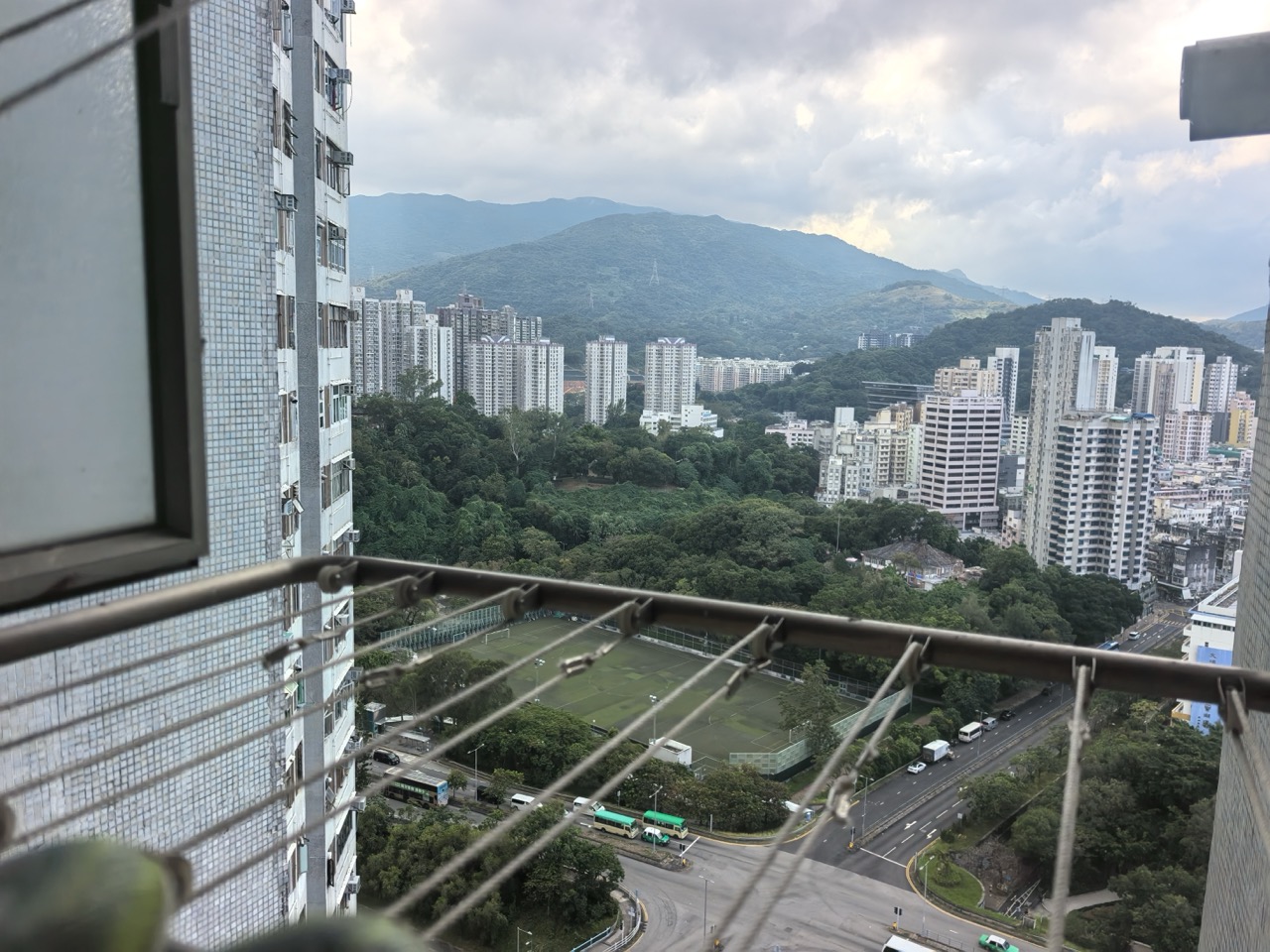
The location here is the physical location. Kwong Fu Village is surrounded by water on three sides: one being an inland sea and the other two sides being canals. The fourth side is a highway interchange.
Ameneties
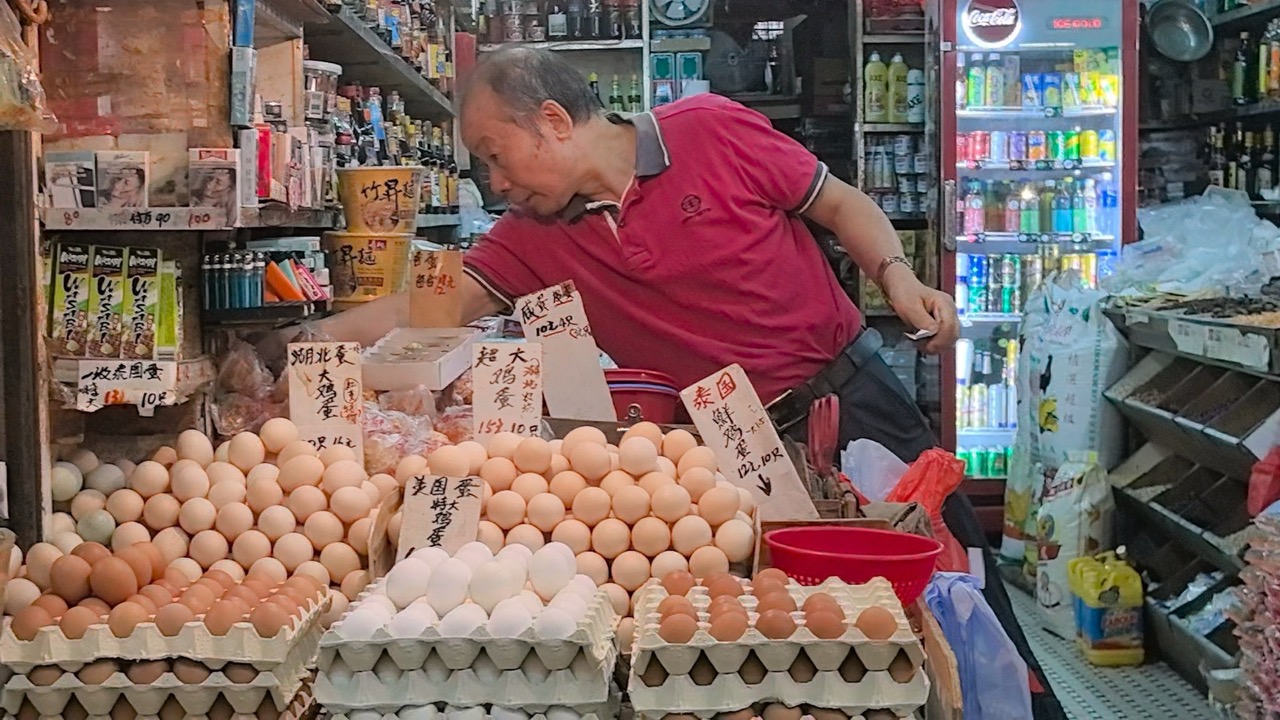
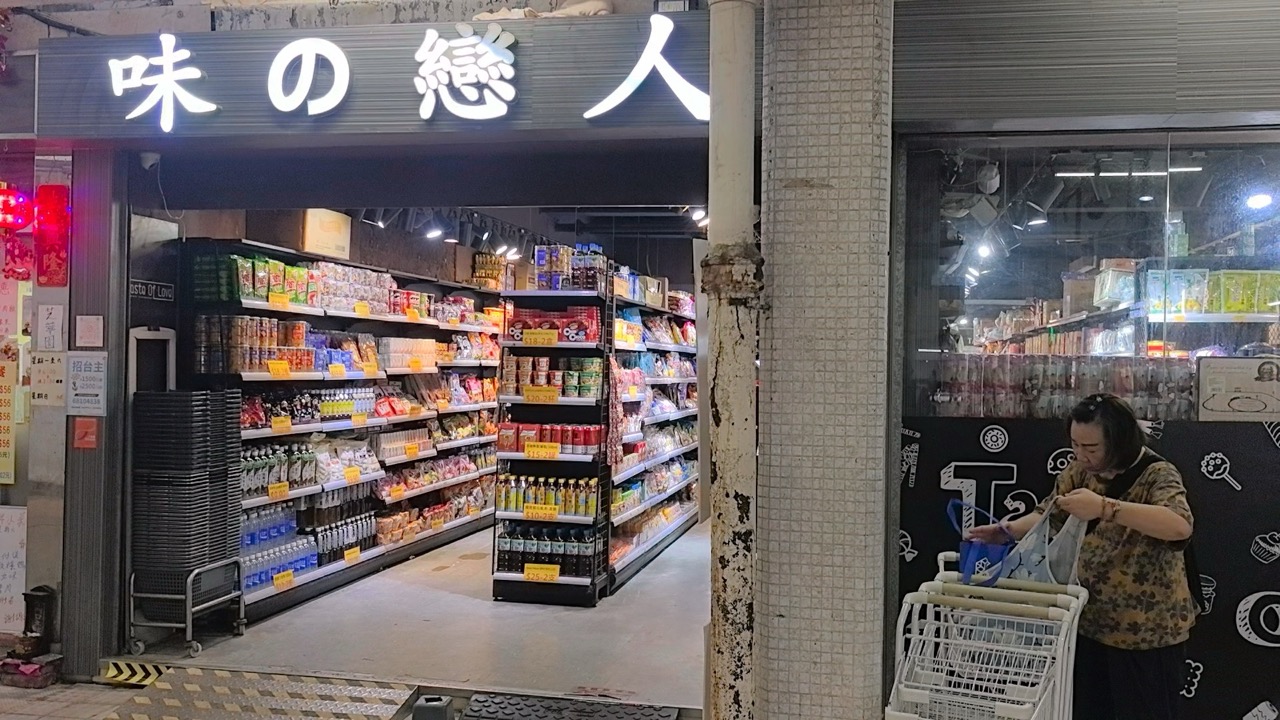
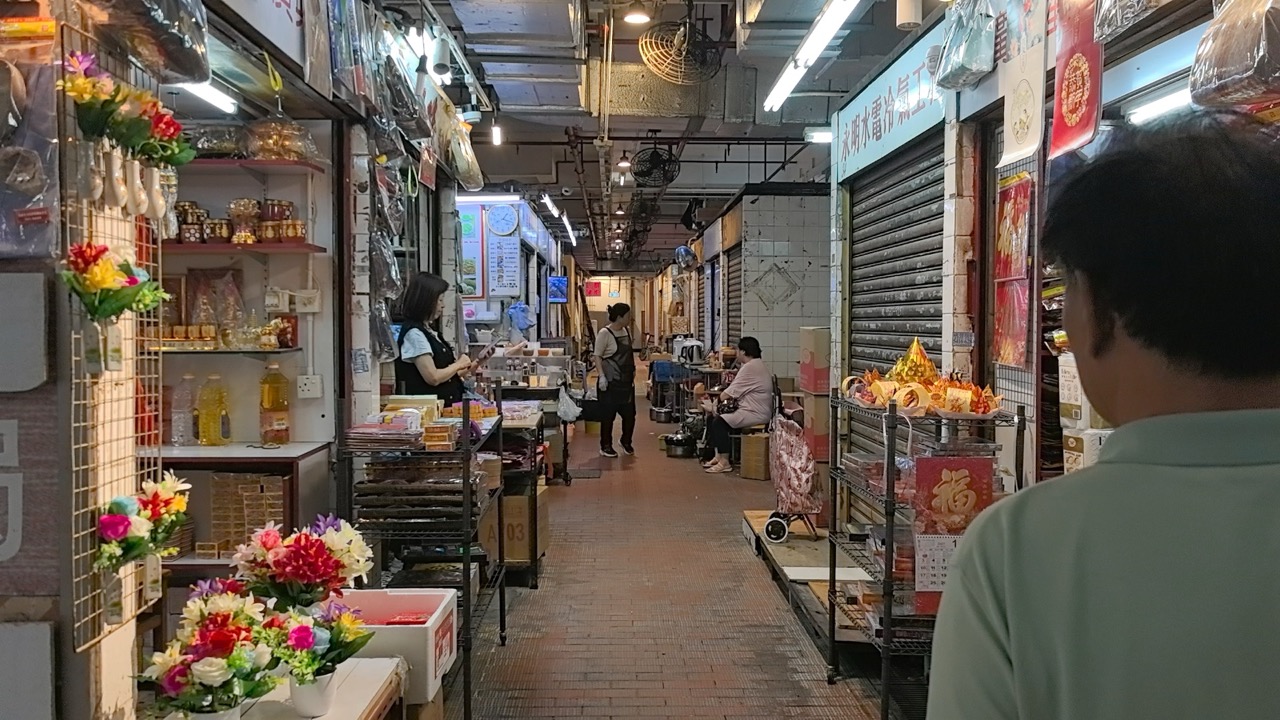
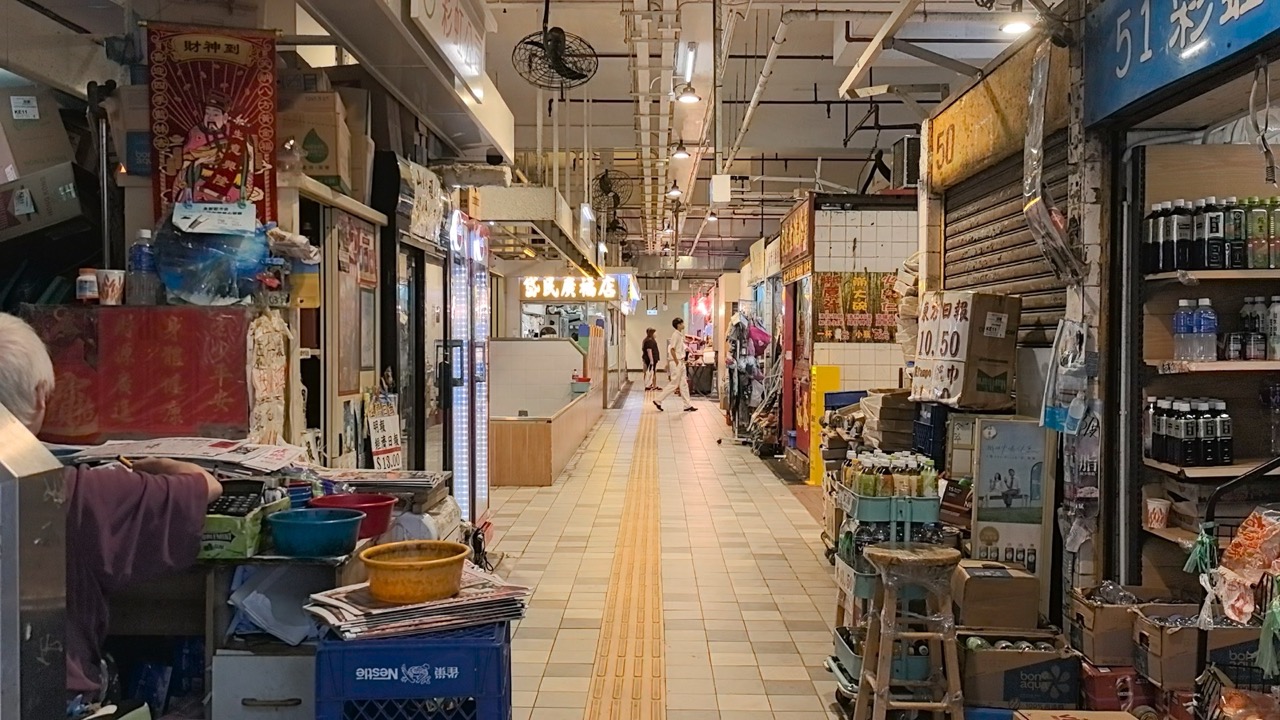
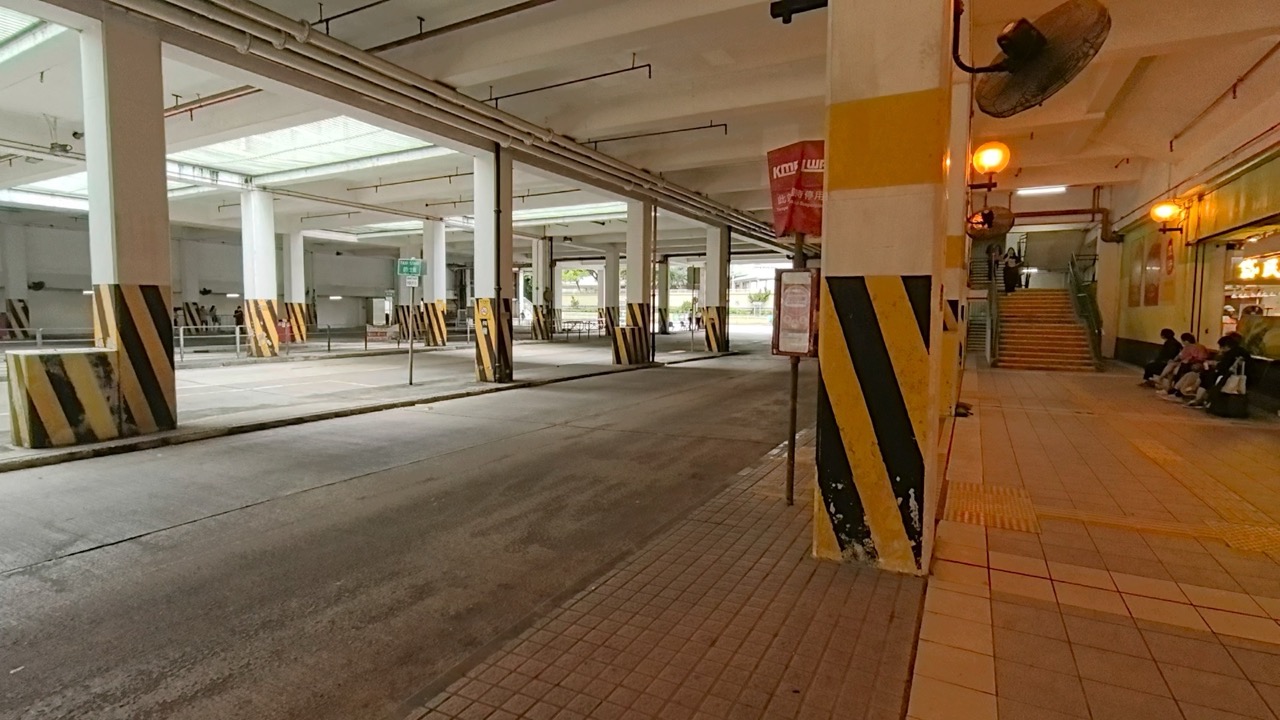
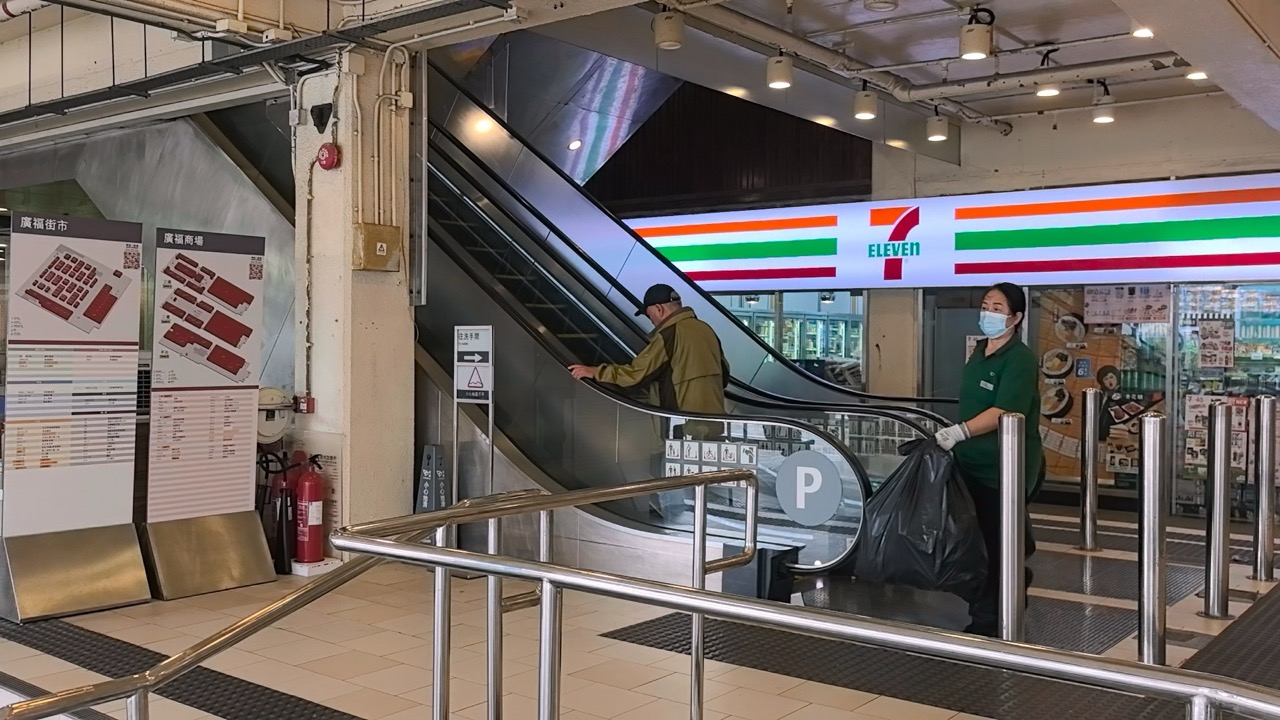
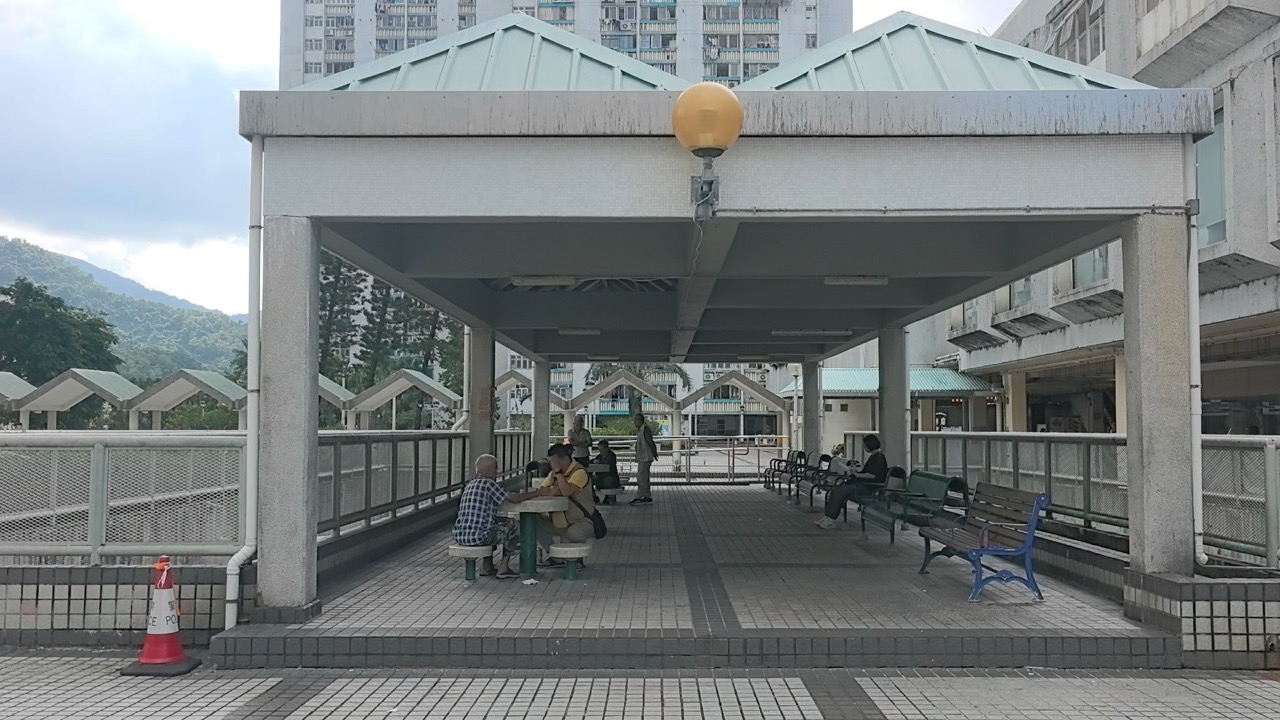
Amenities can include daily necessities from food to living supplies to transport. Kwong Fuk Estate’s ground and basement levels have a wet market. Inside are fruit and vegetable stores, butcheries, bakeries, barber shops, hardware stores, convenience stores, and what not. Adjacent to this market is a bus-to-bus interchange. On the floor above is a mall with restaurants and other stores. Adjacent to the mall is a courtyard.All in all, this estate is quite self-contained.
Structure
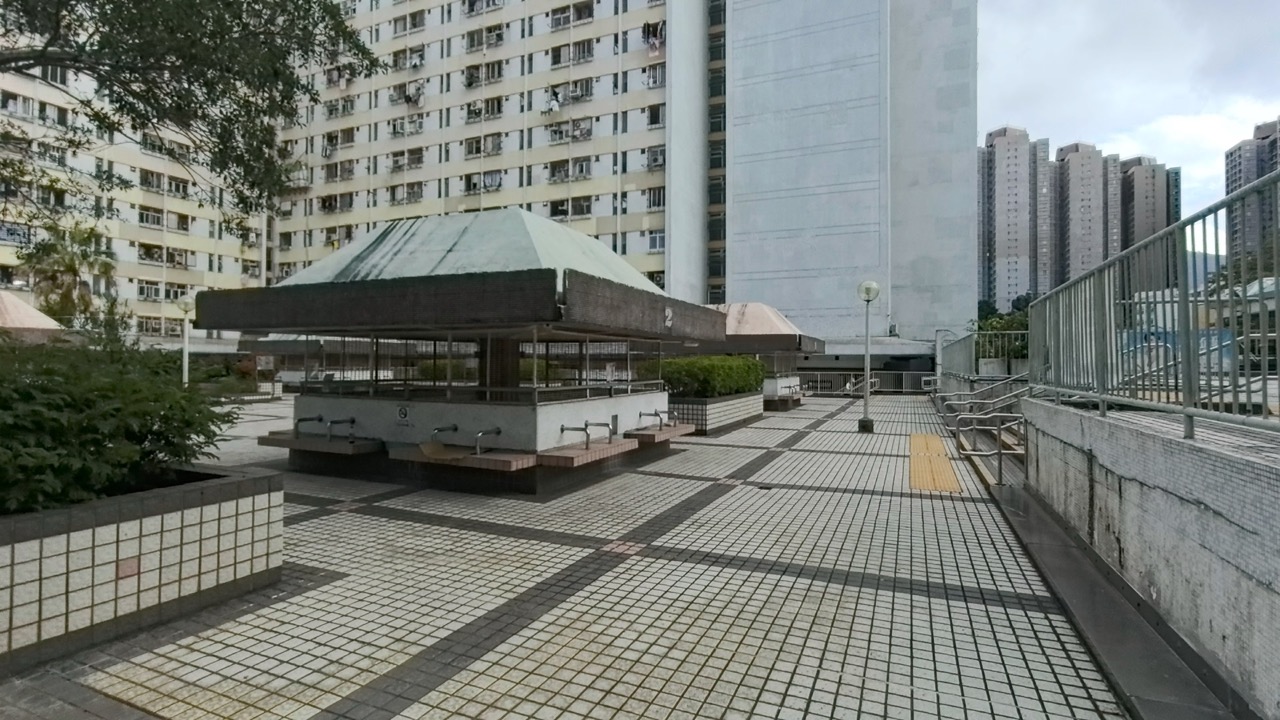
Kwong Fuk Estate is an arrangement of 8 buildings, some Y shaped, some L shaped, and some 8 shaped. These 8 buildings can support about 6200 households for a population totalling about 16,000 persons. Divided amongst the 8 buildings, each building can support roughly 2,000 persons.Between these buildings are courtyards with massive concrete structures. “Concrete” is one of the most striking elements of the complex.
Exterior
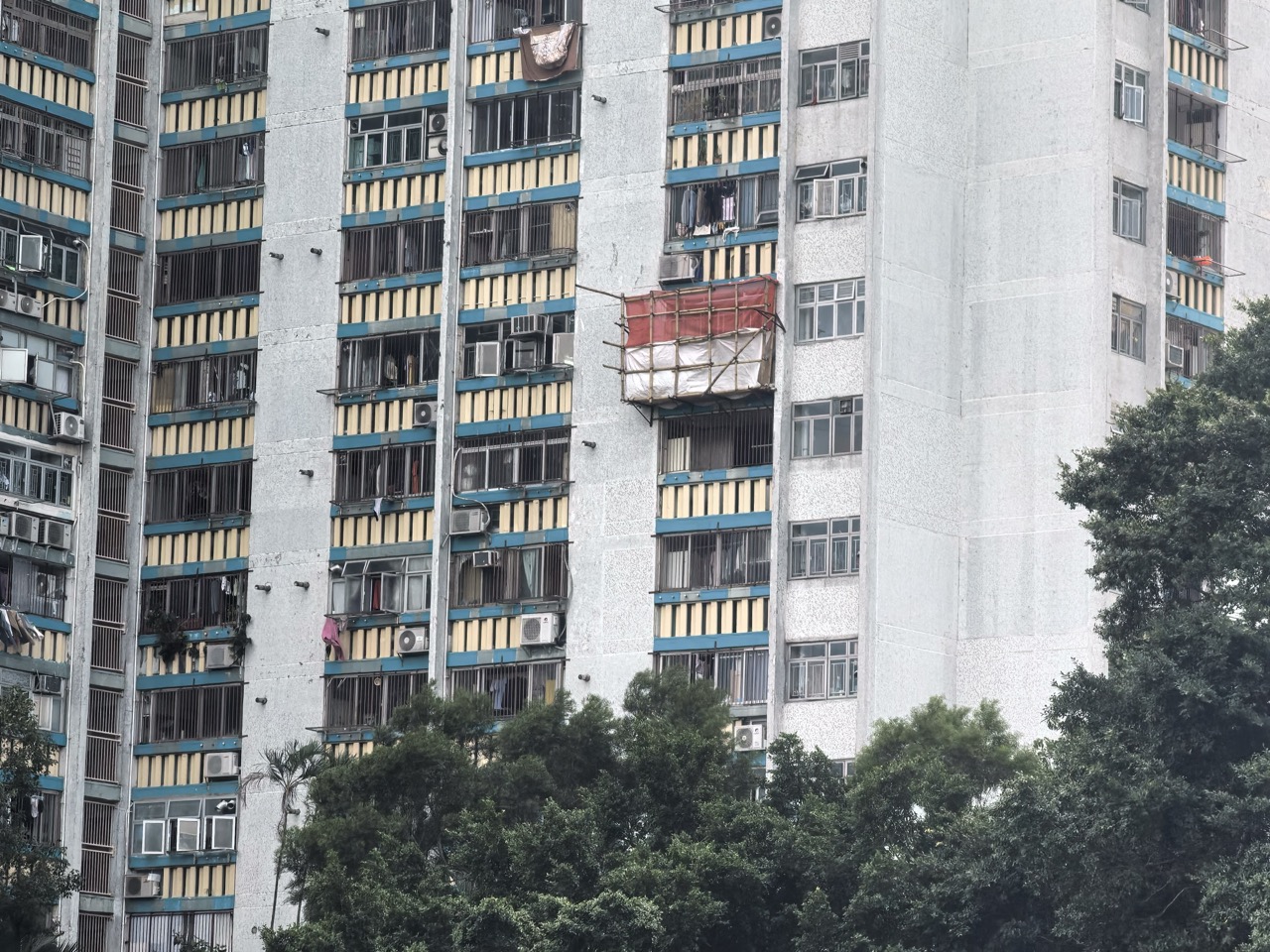
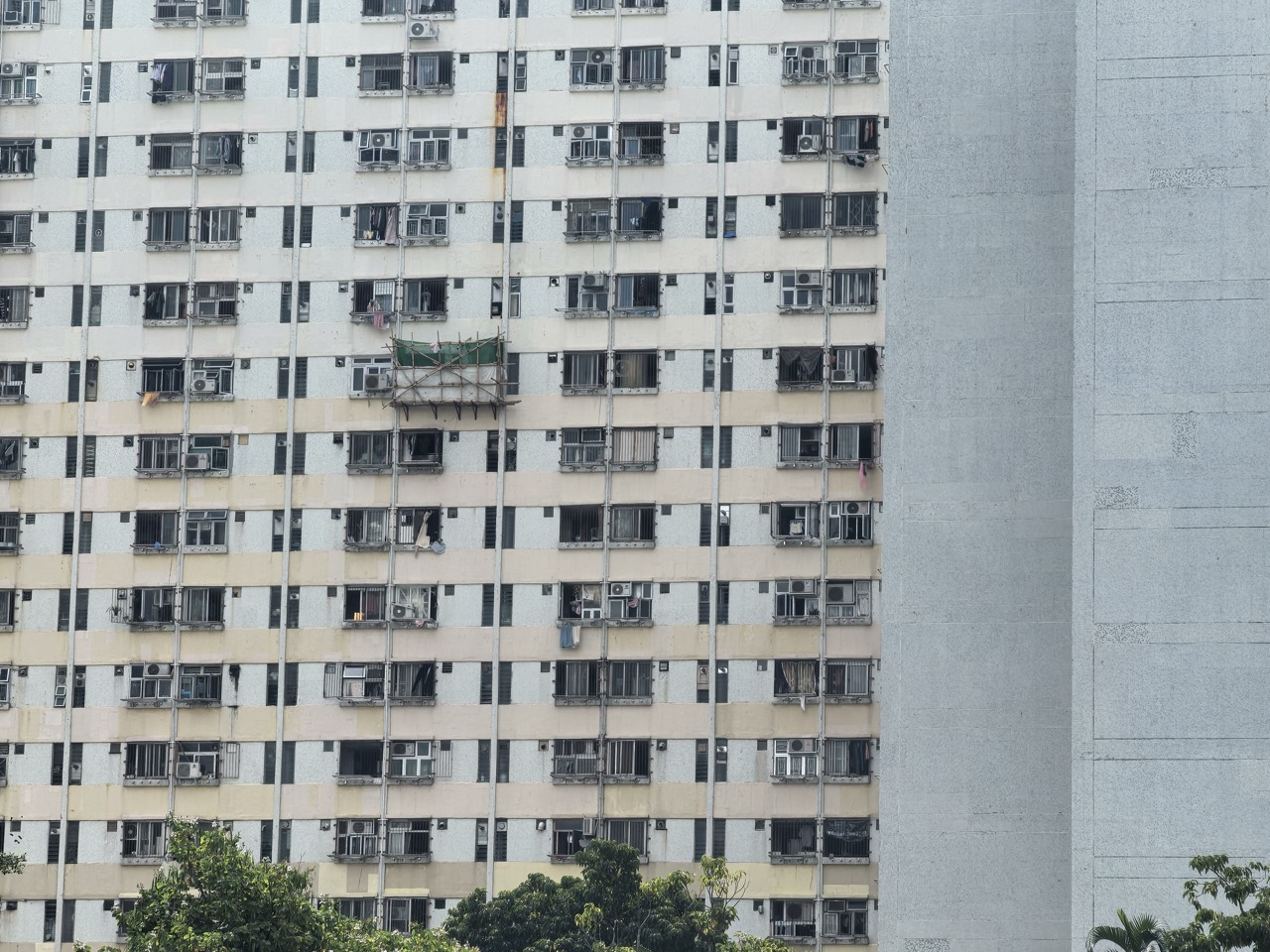
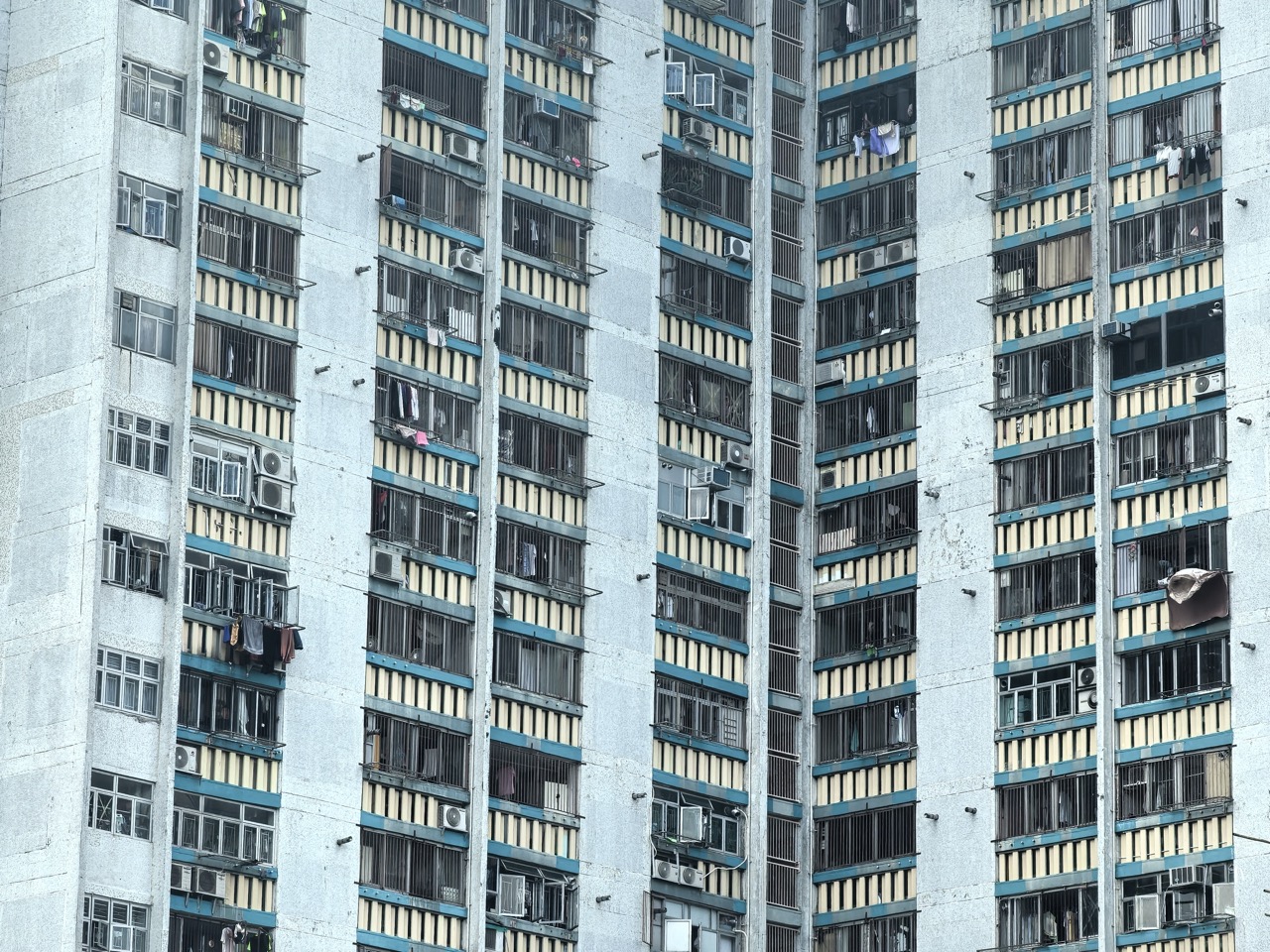
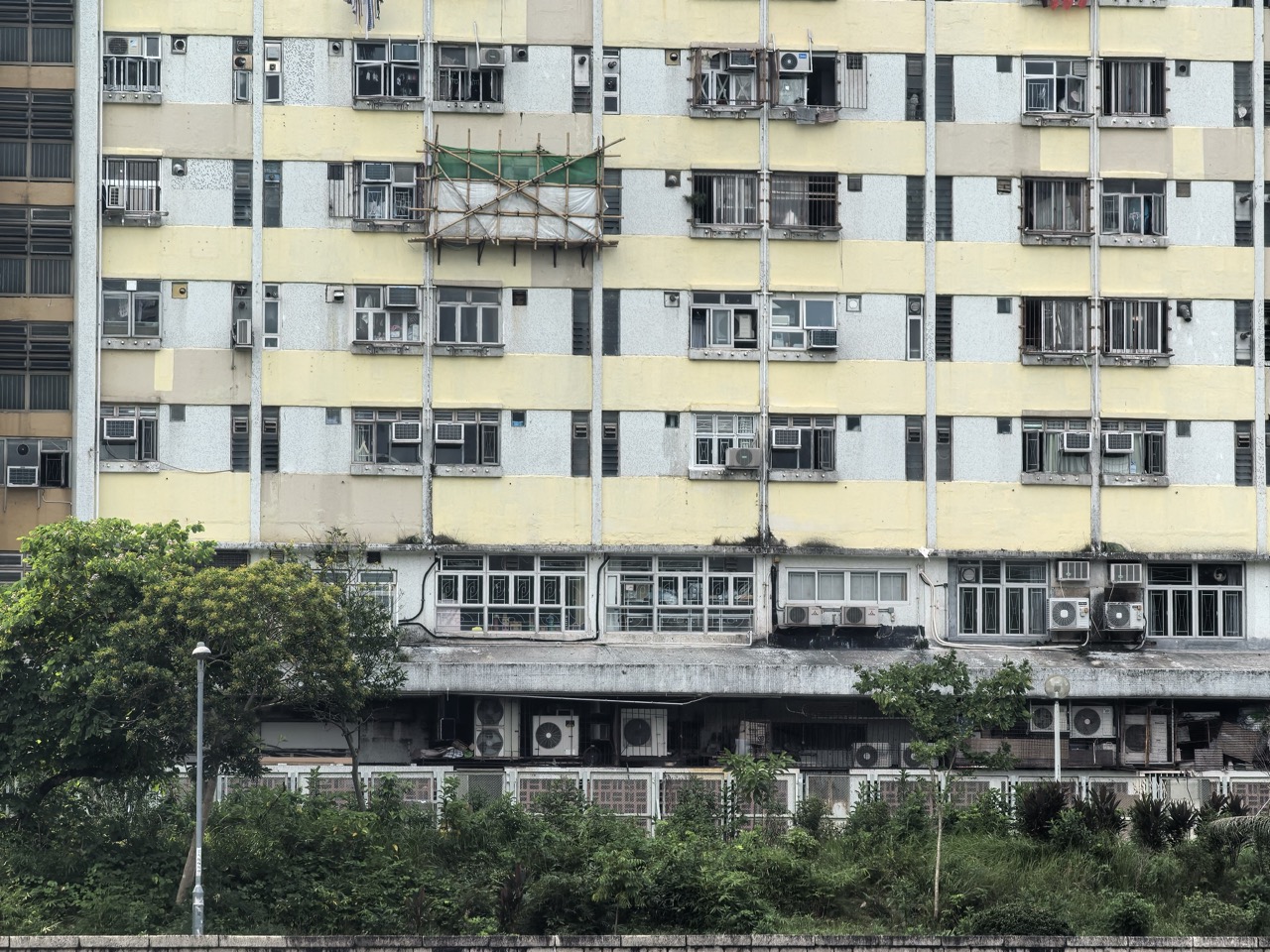
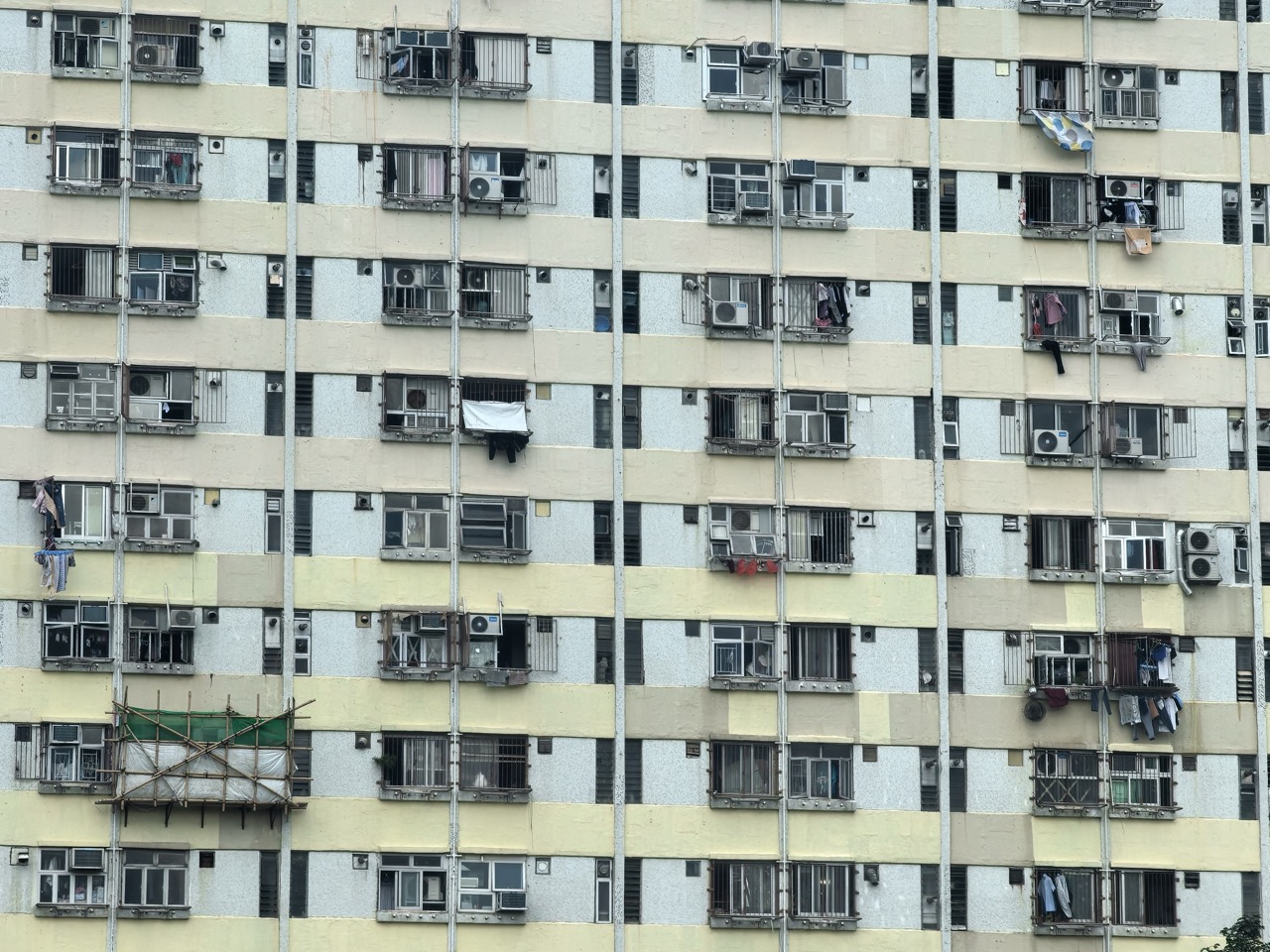
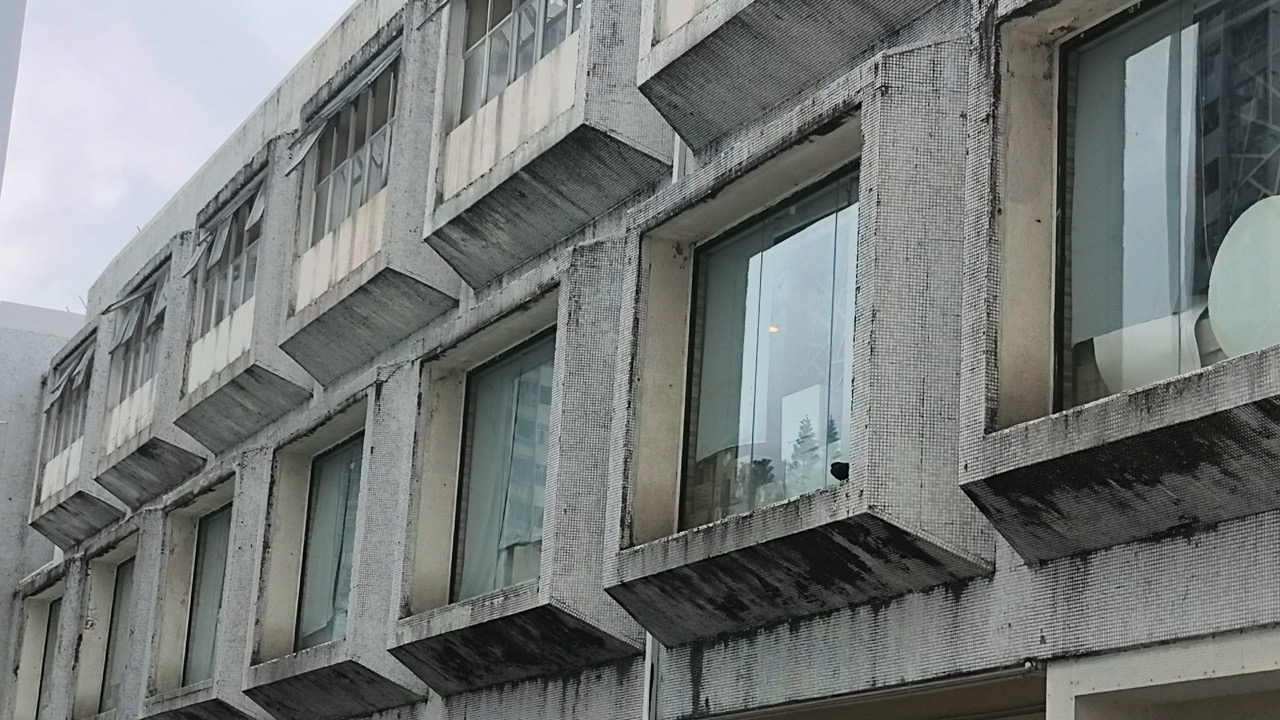
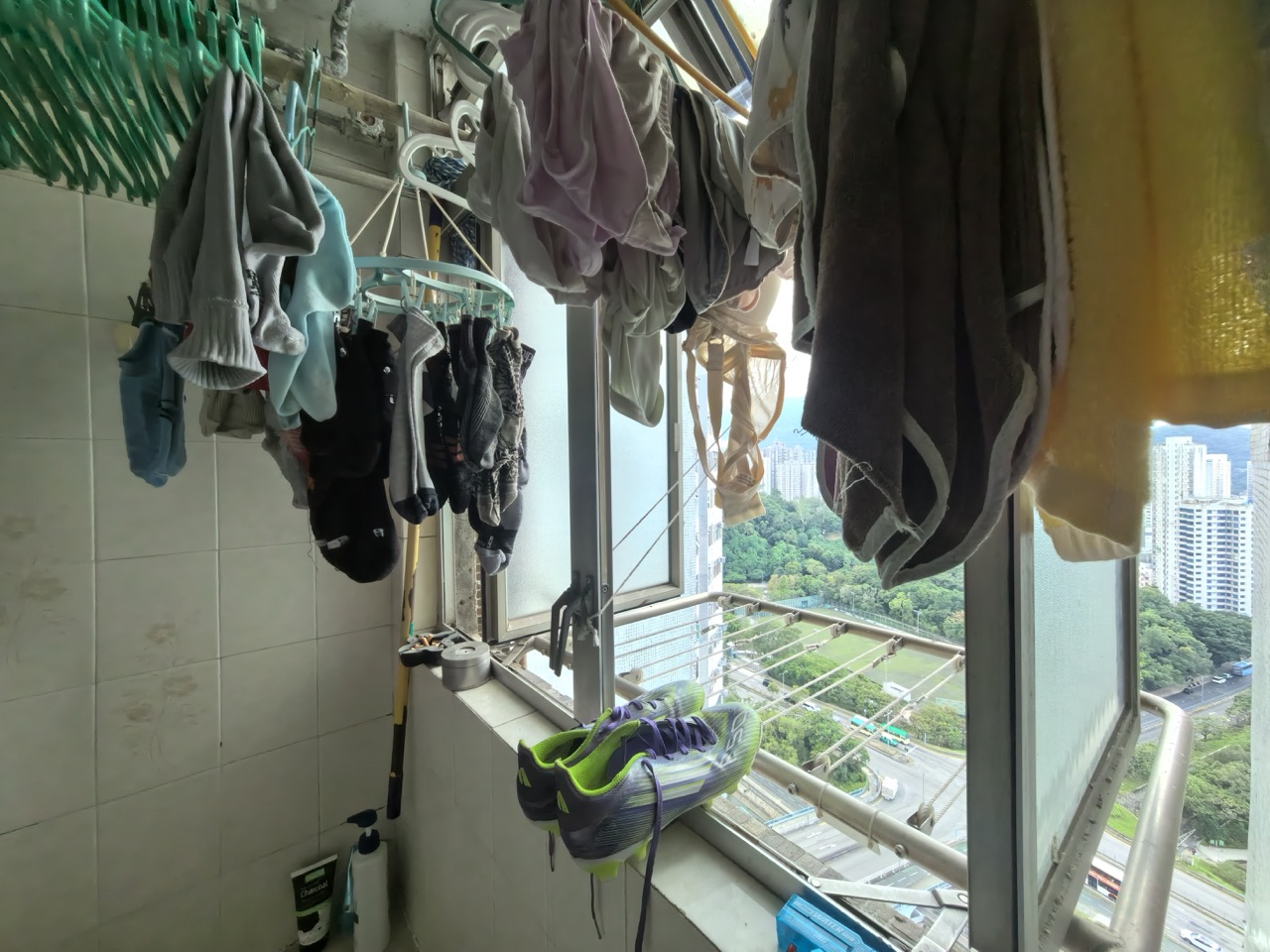
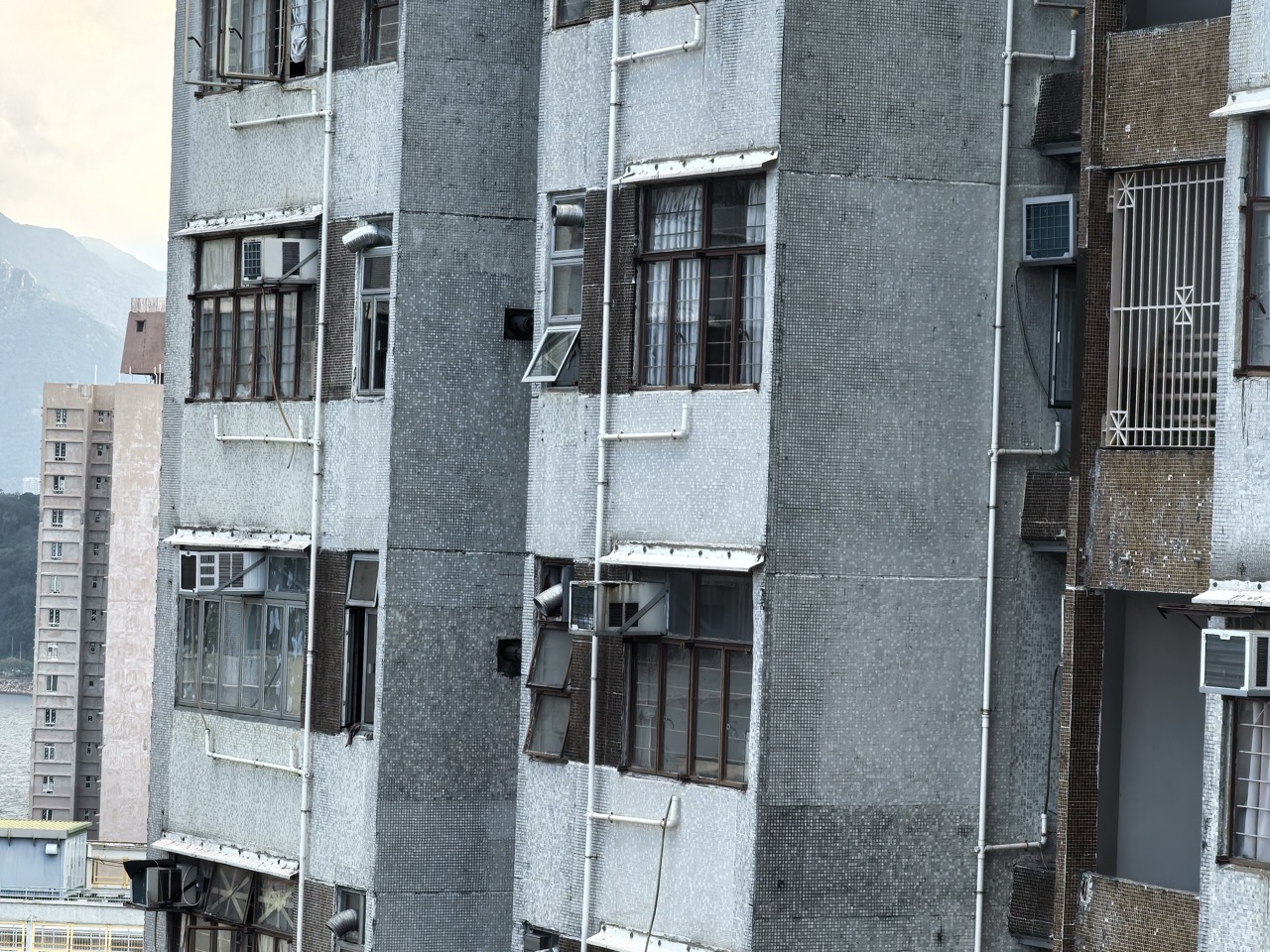
Once more, concrete is one of the most striking elements. Raw concrete. Many of the sections are decked with mini-tiles. The templated nature is another striking aspect. Also visible on the exterior are A/C units and decked rods. Some units also had scaffolding covering the windows. Clothing is also hung outside. The top of these apartments have boxed structures. I presume these are added to make the buildings earthquake resistant.Another striking element is the dirtyness of the overall estate. Not dirty in a repulsive way. Dirty in a well-used, well-worn sort of way.
%%prompthow do i properly enable quarto lightbox gallery for these images here? when i render this file, the images just appear sequentially; my understand is it would be rendered as a gallery in which i clik on the first image and then i can scroll through the rest; my implementation looks correct?
Your YAML and {group=...} attributes look right to me, but let me verify the exact expected behavior against the current Quarto docs before answering, since the distinction between “gallery layout” and “lightbox group” matters here.
{"id":"srv_0a27506619e71bbb4b141fbe9056b8d9","name":"web_search","args":{"qs":["quarto lightbox group attribute gallery images","quarto lightbox: true group images navigate arrows","quarto-ext lightbox extension group gallery"],"pr":"How does Quarto's lightbox feature work: does lightbox: true apply automatically to all images, how does the group attribute create a navigable gallery, and does it change the on-page layout of images or only the click-to-open lightbox behavior?"},"result":"<TRUNCATED>…ightbox feature (built into Quarto since v1.4, originally developed as the `quarto-ext/lightbox` extension) provides modal overlays and image cycling powered by the [GLightbox JavaScript library](https://github.com/quarto-ext/lightbox).\n\n---\n\n### 1. Does `lightbox: true` apply automatically to all images?\n* **Block/Figure images vs. Inline images:** Setting `lightbox: true` (or `lightbox: auto`) in document YAML does **not** indiscriminately apply to every single image. According to the [Quarto Lightbox Figures documentation](https://quarto.org/docs/output-formats/html-lightbox-figures.html), automatic lightboxing targets **block-level images** (an image appearing alone in its own paragraph) and images marked as figures. Images that appear inline within surrounding text are ignored by default.\n* **Exclusions and inclusions:**\n * You can prevent an otherwise matching block image from receiving lightbox treatment by adding the class `{.nolightbox}`.\n * If `lightbox` is not enabled globally, individual images can be selectively opted in by attaching the class `{.lightbox}`.\n\n---\n\n### 2. How does the `group` attribute create a navigable gallery?\n* **Defining groups:** Adding the `group` attribute to image Markdown (e.g., `{group=\"my-gallery\"}`) or through computational chunk options (`#| lightbox:` / `#| group: my-gallery`) links those images under a shared gallery name.\n* **Navigation behavior:** When rendered to HTML, Quarto attaches a common gallery identifier (such as `data-gallery=\"my-gallery\"`). \n* When a reader clicks any image in that group, GLightbox opens an interactive modal showing navigation arrows, counter indicators, and keyboard controls (left/right arrow keys or swipe gestures on mobile), allowing readers to cycle through all images in that group without exiting back to the main page.\n\n---\n\n### 3. Does it change the on-page layout of images?\n* **No, it only affects click-to-open behavior:** The `group` attribute and `lightbox` options alter the interactive modal overlay when an image is clicked; they do **not** reorganize how the images are arranged on the web page.\n* **How to arrange images on-page:** To display images side-by-side or in a visual grid, you must combine the lightbox attributes with Quarto’s built-in layout div syntax (such as `::: {layout-ncol=3}` or `::: {layout=\"[[1, 1], [1]]\"}`), or apply custom CSS grid/flexbox styling.\n\n---\n\n### Worth reading further\n* [GLightbox Documentation & Demos](https://biati-digital.github.io/glightbox/): Details the underlying JavaScript library that powers Quarto’s lightbox, explaining how animations, touch gestures, video embeds, and UI navigation controls behave under the hood.\n* [Quarto Figure Layout Documentation](https://quarto.org/docs/authoring/figures.html#complex-layouts): Covers the layout attributes (`layout-ncol`, custom grid matrices, and subfigures) needed to control the on-page visual positioning of images alongside lightbox galleries.\n\ngithub.com: https://vertexaisearch.cloud.google.com/grounding-api-redirect/AUZIYQHOi9JUyFn6vFaqyWKXESwLcAZPO2orFmy_TfRgVXmgH8UfGp8iFtUQERqxI0TzOhFshXM4Ywa5Ar9uWULF3cqL9HFiTwwrPV0-WRPv6uN1ZVdW3dtAuJGWGDnb\nquarto.org: https://vertexaisearch.cloud.google.com/grounding-api-redirect/AUZIYQHP4p2J9Kuw4DMbBT_KcEQtmFC9TJaYUJ03rFPPOdP4s6FMcACtT7pZYLKpuicKKIF8miI3mtWVAaTtTTp7kSk8eOKpVl7Y-JRTxC7Sz_9TOlhp3r6XncsxxFGOBbp3Dpg6m1LTE3XEWq-_ms5S4srvVP0FypRj\ngithub.com: https://vertexaisearch.cloud.google.com/grounding-api-redirect/AUZIYQHlPKdL117rCG6FZWoDw8X0CAzpoWnOutCBUjbVsTBRpJ0yIkq0uTmFqlcbxtTc-soXy2RC5VuaLUAVX2P_9kgh6qqrTzdqmTMdbWNCUMHxzMBiFoP5UqOLvFN95U2ULh5uPA8Ju0eU5UcgtNnnFm4dZQ==\ngithub.com: https://vertexaisearch.cloud.google.com/grounding-api-redirect/AUZIYQGPQt-_A_4ajCjN0-3jOr08zDfUrMPvvR6eXeAB1_OBOwe_D74RJyyQ8Vgofx5BTchVOpy-mC25VqivqOEFGIF1yeDDK4bYWP4WGQ-h1mc3p7W3knbn-ch_9-dIAIrQNVLG694eXMps4apd\ngithub.io: https://vertexaisearch.cloud.google.com/grounding-api-redirect/AUZIYQFrXghkdNWHNpMcSe3xsxVaivYH2_Mml6Q0_QBBJRbeqZVBJ0F_sdsFNPpB1RW8fpm-osCEWGqDPT-kVs9773LA5Qjp9xc3NhVcqxjT-5yWFgY75JZiCKYg4-5V\ngithub.com: https://vertexaisearch.cloud.google.com/grounding-api-redirect/AUZIYQHkYFso-UatHksU3huG_xVi1T72eW9xjZxx2ozzKgj4riuTAXFYFNJgXnb-gARn-0hBU-UGOzp5UGU0DXTe0vFOVCsM1lSYHzn2xCCxaMT7jto6G-ixP01m_HCrlIXsg0EnzMazP7lZJA==\ngithub.com: https://vertexaisearch.cloud.google.com/grounding-api-redirect/AUZIYQHkYFso-UatHksU3huG_xVi1T72eW9xjZxx2ozzKgj4riuTAXFYFNJgXnb-gARn-0hBU-UGOzp5UGU0DXTe0vFOVCsM1lSYHzn2xCCxaMT7jto6G-ixP01m_HCrlIXsg0EnzMazP7lZJA==\nSearch suggestion: [quarto ext lightbox extension group gallery](https://www.google.com/search?q=quarto+ext+lightbox+extension+group+gallery&client=app-vertex-grounding&safesearch=active)\nSearch suggestion: [quarto lightbox group attribute gallery images](https://www.google.com/search?q=quarto+lightbox+group+attribute+gallery+images&client=app-vertex-grounding&safesearch=active)\nSearch suggestion: [quarto lightbox true group images na…</TRUNCATED>","server":true,"md":true}
Your implementation is correct — and the behavior you’re seeing is what Quarto actually does.
Lightbox groups never change the on-page layout. Images in a group still render sequentially in the document body; the gallery only exists inside the modal. Click any image in the group and a fullscreen overlay opens with prev/next arrows, a counter, and keyboard/swipe navigation through the other five images in that group — that’s the “click then scroll through” experience you described, just launched from a click rather than from a collapsed first image.
So: render the page and click one of the six images. If the modal opens with arrows, it’s working.
If clicking does nothing, check:
Quarto version — lightbox is built in since v1.4. On an older version, lightbox: true is silently ignored; install the extension instead: quarto add quarto-ext/lightbox.
Rendered HTML — the filter should have stamped the images with data-gallery="carousel-1". If that attribute is missing, the lightbox filter never ran.
Two optional refinements:
Add loop: true so the gallery wraps from last image back to first:
lightbox:auto:trueloop:true
 sets “a” as a visible figure caption under each image — use  if you don’t want that.
%%promptthe thing is though: the images that don't have a gallery attribute, clicking on them displays a lightbox; for these gallery images, a lightbox isn't even displayed
That symptom points to the images being treated as inline rather than block content. Let me verify against the docs and check for known issues before giving you a fix.
{"id":"srv_dc7967594def5a8f53036083ac4e5e31","name":"web_search","args":{"pr":"In Quarto, why would images with a group attribute fail to open a lightbox when clicked, while other block images work? Does automatic lightboxing skip inline images (multiple images in one paragraph), and is the fix to separate images with blank lines or add the .lightbox class?","qs":["quarto lightbox group images not working click does nothing","quarto lightbox auto inline images skipped multiple images same paragraph","quarto-ext lightbox group attribute fix blank lines"]},"result":"In Quarto, images with a `group` attribute fail to open a lightbox when clicked because **the `group` attribute only defines gallery membership—it does not itself enable lightbox behavior on an image**.\n\n---\n\n### Why Automatic Lightboxing Skips These Images\n\n1. **Automatic lightboxing only targets block-level figures:**\n When `lightbox: auto` (or `lightbox: true`) is configured, Quarto only selects images that appear as a figure or as a block element on their own within a paragraph. By default, any image that appears inline with other content is skipped.\n2. **Consecutive image lines without blank lines are inline:**\n In Pandoc Markdown, if multiple image lines are written without blank lines separating them, Pandoc parses them as multiple inline images within a single paragraph rather than individual block elements. \n3. **The result:**\n Because the images are inline, Quarto's auto-lightbox filter ignores them. Furthermore, because `group=\"<name>\"` only tells Quarto which gallery to group an image into *if* the image receives lightbox treatment, Quarto does not wrap the images in the required `<a>` anchor tags or initialize the GLightbox listener for them. Clicking them does nothing.\n\n---\n\n### The Fixes\n\nEither approach resolves the issue:\n\n#### 1. Separate the images with blank lines (Recommended for galleries)\nAdding an empty line between image tags signals to Pandoc that each image belongs to its own paragraph. This turns them into block-level elements, which `lightbox: auto` will automatically match and link:\n\n```markdown\n{group=\"my-gallery\"}\n\n{group=\"my-gallery\"}\n```\n\nIf you want them displayed side-by-side on the page while maintaining the lightbox gallery, place them inside a layout container (ensuring blank lines remain between items):\n\n```markdown\n::: {layout-ncol=2}\n{group=\"my-gallery\"}\n\n{group=\"my-gallery\"}\n:::\n```\n\n#### 2. Explicitly add the `.lightbox` class\nYou can override the automatic block-level filtering by explicitly tagging each image with the `.lightbox` class. Explicitly targeted images receive lightbox treatment even if they are inline:\n\n```markdown\n{.lightbox group=\"my-gallery\"}\n{.lightbox group=\"my-gallery\"}\n```\n\n---\n\n### Worth reading further\n\n* [Quarto Guide: Figures](https://quarto.org/docs/authoring/figures.html) — Explains Pandoc's parsing rules distinguishing inline images from standalone block figures, subfigures, and multi-column layouts requiring blank lines.\n* [quarto-ext/lightbox Repository](https://github.com/quarto-ext/lightbox) — The original extension repository providing gallery layout patterns (`layout-ncol`), computational code chunk options, and metadata configurations that were integrated into Quarto core.\n\nquarto.org: https://vertexaisearch.cloud.google.com/grounding-api-redirect/AUZIYQE4NkmNDgfxS5a3OHdmyAa9P2IH2P2OUYuW3zHfpDPrY2Cni8huAexmrhAca3mH_kmSaqnVsHPil23yw6bGKTOiZ-N5F5KzdDQkMDMwf3mOxF2j_EJLb_xe00IHsRHjwkE-to-W2Nts-uQ6H5hsOo8wRKrdEPRGfQ==\nquarto.org: https://vertexaisearch.cloud.google.com/grounding-api-redirect/AUZIYQE4NkmNDgfxS5a3OHdmyAa9P2IH2P2OUYuW3zHfpDPrY2Cni8huAexmrhAca3mH_kmSaqnVsHPil23yw6bGKTOiZ-N5F5KzdDQkMDMwf3mOxF2j_EJLb_xe00IHsRHjwkE-to-W2Nts-uQ6H5hsOo8wRKrdEPRGfQ==\nquarto.org: https://vertexaisearch.cloud.google.com/grounding-api-redirect/AUZIYQF9QyW1-xDrewuk-eVO6RrZmliWJSn4BzWO4vS_WhFXrig0gKMoJp-NJUZ5RZQQZPeQyfU1qGXh-FEbA7Oh8IBUhKGr2bWVFc0OGcrwxnzuhbQvlTN2v0CKu39ATT5uPp2lemie\ngithub.com: https://vertexaisearch.cloud.google.com/grounding-api-redirect/AUZIYQFrM7Eq4cH_P4zT5HNihg7GOvw4dnHAWTMwOsR-Aqb9MUv92Mz6EZb6NFO8VwedWScub5Dlh_tL-Hbb62Oh2iMOBmnjcFSFkMGzB-1V2sYUT5RIMjFX0HD2n4a1YaTfJ_8ELC-TxGZ_JPT2r_7asxYJLsk=\nquarto.org: https://vertexaisearch.cloud.google.com/grounding-api-redirect/AUZIYQE4NkmNDgfxS5a3OHdmyAa9P2IH2P2OUYuW3zHfpDPrY2Cni8huAexmrhAca3mH_kmSaqnVsHPil23yw6bGKTOiZ-N5F5KzdDQkMDMwf3mOxF2j_EJLb_xe00IHsRHjwkE-to-W2Nts-uQ6H5hsOo8wRKrdEPRGfQ==\nSearch suggestion: [quarto ext lightbox group attribute fix blank lines](https://www.google.com/search?q=quarto+ext+lightbox+group+attribute+fix+blank+lines&client=app-vertex-grounding&safesearch=active)\nSearch suggestion: [site:github.com/quarto-ext/lightbox \"group\"](https://www.google.com/search?q=site:github.com/quarto-ext/lightbox+%22group%22&client=app-vertex-grounding&safesearch=active)\nSearch suggestion: [quarto lightbox group images not working click does nothing](https://www.google.com/search?q=quarto+lightbox+group+images+not+working+click+does+nothing&client=app-vertex-grounding&safesearch=active)\nSearch suggestion: [quarto lightbox auto inline images skipped multiple images same paragraph](https://www.google.com/search?q=quarto+lightbox+auto+inline+images+skipped+multiple+images+same+paragraph&client=app-vertex-grounding&safesearch=active)","server":true,"md":true}
Found it. Your group images are being skipped as inline images, and the cause is the missing blank lines.
The docs state auto-lightbox “will match any image used as a figure or which appears as a block (by itself within a paragraph). By default, images that appear inline with other content will not receive lightbox treatment.”
Your six images sit on consecutive lines with no blank lines between them, so Pandoc parses them as one paragraph containing six inline images — not six block images. Auto-lightbox skips them, and since group only assigns gallery membership to images that receive lightbox treatment, clicking does nothing. Your other images (e.g. 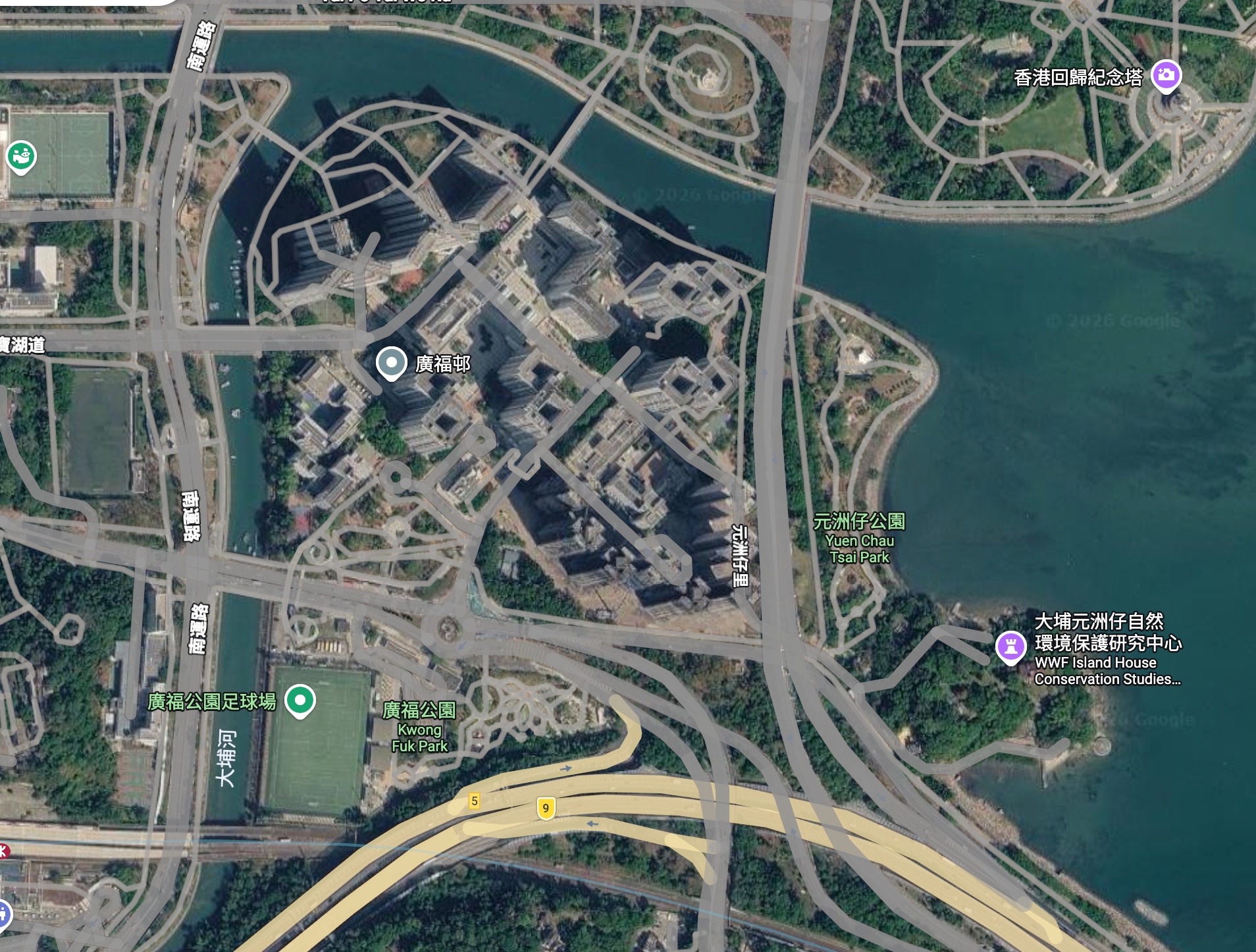) are alone in their paragraphs, hence they work.
The fix — blank line between each image (note this is exactly how the docs’ own gallery example is written):
Alternatively, keep the compact lines and add the class to each: {.lightbox group="carousel-1"} — explicit .lightbox treatment works even on inline images.
Apply that to both carousel blocks (fc58f2e4 and 526ee53c), re-render, and clicking any image should open the gallery with arrows.
%%promptthat doesn't solve it either; here's the relevant genreated source```<p><img src="images/3.jpeg"class="img-fluid" data-group="carousel-1" alt="a"><img src="images/4.jpeg"class="img-fluid" data-group="carousel-1" alt="b"><img src="images/5.jpeg"class="img-fluid" data-group="carousel-1" alt="c"><img src="images/6.jpeg"class="img-fluid" data-group="carousel-1" alt="d"><img src="images/7.jpeg"class="img-fluid" data-group="carousel-1" alt="e"><img src="images/8.jpeg"class="img-fluid" data-group="carousel-1" alt="f"></p>```and here's the source for an individual image for which lightbox is working```<p><a href="https://snqv.dev/posts/draft/images/1.jpeg" class="lightbox" data-gallery="quarto-lightbox-gallery-1" data-original-href="https://snqv.dev/posts/draft/images/1.jpeg"><img src="images/1.jpeg" class="img-fluid"></a></p>```
The HTML you pasted is actually the smoking gun — let me confirm what the correct output should look like from the docs source, and check for known bugs, before walking you through it.
{"id":"srv_6c4b14d98458c707f5e307527668d9d1","name":"read_url","args":{"url":"https://raw.githubusercontent.com/quarto-dev/quarto-web/main/docs/output-formats/html-lightbox-figures.qmd"},"result":"<TRUNCATED>…: \"Lightbox Figures\" lightbox: true aliases: \\- /docs/prerelease/1.4/lightbox.html \\--- {{< include /docs/_require-1.4.qmd >}} ## Overview Quarto uses the [GLightbox javascript library](https://biati-digital.github.io/glightbox/) to add lightbox styling and behavior to images in your HTML documents. Lightbox images allow a reader to click to see a larger version of the image (including any caption). For example, the following images have lightbox treatment: ::: {layout-ncol=3}  on [Unsplash](https://unsplash.com/photos/white-flower-in-clear-glass-vase-SutAduhzdRQ?utm_content=creditCopyText&utm_medium=referral&utm_source=unsplash)](images/lightbox/hush-naidoo-jade-photography-SutAduhzdRQ-unsplash.jpg){group=\"lightbulbs\" fig-alt=\"A photo of a lightbulb with a flower growing inside against a black background.\"}  on [Unsplash](https://unsplash.com/photos/light-bulb-illustration-_kdTyfnUFAc?utm_content=creditCopyText&utm_medium=referral&utm_source=unsplash)](images/lightbox/alessandro-bianchi-_kdTyfnUFAc-unsplash.jpg){group=\"lightbulbs\" fig-alt=\"A photo of a lightbulb with a glowing filament against a black background.\"}  on [Unsplash](https://unsplash.com/photos/powered-on-edison-light-bulbs-peFHn8r4t1o?utm_content=creditCopyText&utm_medium=referral&utm_source=unsplash)](images/lightbox/joshua-melo-peFHn8r4t1o-unsplash.jpg){group=\"lightbulbs\" fig-alt=\"A photo of a lightbulb with a glowing filament in front of a background of other lightbulbs.\"} ::: To enable lightbox treatment for all images in a document add `lightbox: true` in the YAML header: ``` markdown \\--- title: Simple Lightbox Example lightbox: true \\---  ``` ## Enabling Lightbox You can enable lightbox either for all images within a document, or for only selected images within a document. To enable lightbox for all images within a document, use the following yaml: ``` yaml \\--- lightbox: true \\--- ``` When lightbox is set to automatically select images, it will match any image used as a figure or which appears as a block (by itself within a paragraph). By default, images that appear inline with other content will not receive lightbox treatment. ### Applying Lightbox to Specific Images You can select specific images to receive the lightbox treatment by applying the `lightbox` class on the images you'd like to receive the treatment. In this case, there is no need to include `lightbox` in the front matter, the use of the `lightbox` class will automatically enable lightbox. For example: ``` markdown \\--- title: Simple Lightbox Example \\--- {.lightbox}  ``` will result in the first image receiving a lightbox treatment, while the second image will not. ## Disabling Lightbox Treatment You can disable lightbox for the whole document using the following yaml: ``` yaml \\--- lightbox: false \\--- ``` When lightbox is explicitly disabled, no images will receive the lightbox treatment, even if the image is marked with a `lightbox` class (as described above). ### Disabling Lightbox for Specific Images If automatic lightboxing of images is enabled, you can select specific images to not receive the treatment by marking them with a `nolightbox` class. For example: ``` markdown \\--- title: Simple Lightbox Example lightbox: auto \\---  {.nolightbox} ``` In this example, the first image will receive the lightbox treatment, while the second image will not. ## Galleries In addition to simply providing a lightbox treatment for individual images, you can also group images into a 'gallery'. When the user activates the lightbox, they will be able to page through the images in the gallery without returning to the main document. To create galleries of images, apply a `group` attribute (with a name) to the images that you'd like to gather into a gallery. Images with the same group name will be placed together in a gallery when given a lightbox treatment. For example, the following three images will be treated as a gallery: ``` markdown {group=\"my-gallery\"} {group=\"my-gallery\"} {group=\"my-gallery\"} ``` ## Options Quarto supports a number of options to customize the lightbox behavior for a document. Options include: | Option | Description | |---------------------|---------------------------------------------------| | `match` | Set this to `auto` if you'd like any image to be given lightbox treatment. If you omit this, only images with t…</TRUNCATED>","server":true,"md":true}
{"id":"srv_3b4d64ac7449193beeec824ce54453a7","name":"read_url","args":{"url":"https://github.com/quarto-ext/lightbox"},"result":"<TRUNCATED>…ntent\n\n## Navigation Menu\n\n[](/)\n\n[Sign in](/login?return_to=https%3A%2F%2Fgithub.com%2Fquarto-ext%2Flightbox)\n\n * Products\n\n * Platform\n * [GitHubRepository hosting, code review, and collaboration](https://github.com/platform)\n * [CopilotAI coding agent for tasks, projects, and automated work](https://github.com/features/copilot)\n\n * Build & Ship\n * [ActionsCI/CD and automation](https://github.com/features/actions)\n * [Code QualityQuality analysis, fixes, and enforcement](https://github.com/features/code-quality)\n * [CodespacesCloud development environments](https://github.com/features/codespaces)\n\n * Secure\n * [Code SecurityVulnerability detection and remediation](https://github.com/security/advanced-security/code-security)\n * [Secret ProtectionSecret scanning and leak prevention](https://github.com/security/advanced-security/secret-protection)\n\n[All Features](https://github.com/features)\n\n * Developers\n\n * Learn\n * [Documentation](https://docs.github.com/en)\n * [Training](https://learn.github.com/skills)\n * [Certifications](https://learn.github.com/credentials)\n\n * Build\n * [Build with Copilot](https://github.com/features/ai)\n * [Customize Copilot](https://docs.github.com/en/copilot/how-tos/copilot-on-github/customize-copilot/customize-copilot-overview)\n * [Integrations](https://github.com/marketplace)\n\n * Explore\n * [Trending repos](https://github.com/trending)\n * [GitHub Sponsors](https://github.com/open-source/sponsors)\n * [Developer articles](https://github.com/resources/articles)\n\n * Changelog\n * [ChangelogYour source for the latest features, improvements, and fixes across GitHub products, all in one place.](https://github.blog/changelog/)\n\n * Businesses\n\n * By Stage\n * [Enterprises](https://github.com/enterprise)\n * [Team](https://github.com/team)\n * [Startups](https://github.com/enterprise/startups)\n * [Nonprofits](https://github.com/solutions/industry/nonprofits)\n\n * By Industry\n * [Healthcare](https://github.com/solutions/industry/healthcare)\n * [Financial services](https://github.com/solutions/industry/financial-services)\n * [Manufacturing](https://github.com/solutions/industry/manufacturing)\n * [Government](https://github.com/solutions/industry/government)\n * [See all industries](https://github.com/solutions/industry)\n\n * Evaluate GitHub\n * [Why GitHub](https://github.com/why-github)\n * [Customer Stories](https://github.com/customer-stories)\n * [Business insights](https://github.com/solutions/executive-insights)\n * [Trust Center](https://github.com/trust-center)\n\n * Add-ons\n * [GitHub Advanced SecurityEnterprise-grade code security](https://github.com/security/advanced-security)\n * [Copilot for businessEnterprise-grade AI features](https://github.com/features/copilot/copilot-business)\n * [Premium SupportEnterprise-grade 24/7 support](https://github.com/enterprise/premium-support)\n\n * Resources\n\n * Learn & Connect\n * [Documentation](https://docs.github.com/en)\n * [Resource center](https://github.com/resources)\n * [Blog](https://github.blog/)\n * [Events & webinars](https://github.com/resources/events)\n * [Community Forum](https://github.com/orgs/community/discussions)\n * [Customer Stories](https://github.com/customer-stories)\n * [Integrations](https://github.com/marketplace)\n\n * Support\n * [Customer support](https://help.github.com/)\n * [Training](https://learn.github.com/skills)\n * [GitHub Status](https://www.githubstatus.com/)\n\n * Company\n * [About](https://github.com/about)\n * [Partners](https://github.com/partners)\n * [Changelog](https://github.blog/changelog/)\n\n * GitHub Universe\n * [GitHub UniverseThe event for developers, by developers — talks, workshops, and what’s next for GitHub.](https://githubuniverse.com/)\n\n * [Pricing](https://github.com/pricing)\n\n\n\nSearch`/`\n\n[Sign in](/login?return_to=https%3A%2F%2Fgithub.com%2Fquarto-ext%2Flightbox)\n\n[Sign up](/signup?ref_cta=Sign+up&ref_loc=header+logged+out&ref_page=%2F%3Cuser-name%3E%2F%3Crepo-name%3E&source=header-repo&source_repo=quarto-ext%2Flightbox)\n\nAppearance settings\n\nYou signed in with another tab or window. [Reload]() to refresh your session. You signed out in another tab or window. [Reload]() to refresh your session. You switched accounts on another tab or window. [Reload]() to refresh your session. Dismiss alert\n\n{{ message }}\n\n 1. [quarto-ext](/quarto-ext)\n 2. [lightbox](/quarto-ext/lightbox)\n\n\n\n## Repository navigation\n\n * * [Code](/quarto-ext/lightbox)\n * [Issues6 (6)](/quarto-ext/lightbox/issues)\n * [Pull requests](/quarto-ext/lightbox/pulls)\n * [Actions](/quarto-ext/lightbox/actions)\n * [Projects](/quarto-ext/lightbox/projects)\n * [Security and quality](/quarto-ext/lightbox/security)\n * [Insights](/quarto-ext/lightb…</TRUNCATED>","server":true,"md":true}
{"id":"srv_9d3ca23a168bf3884318c364bae69b2c","name":"web_search","args":{"pr":"Are there known bugs or GitHub issues in quarto-dev/quarto-cli where images with a lightbox group attribute are not wrapped in an anchor and get a data-group attribute instead, and clicking does nothing? Any version-specific bugs or fixes related to lightbox groups and inline images?","qs":["quarto-cli issue lightbox group not working data-group","quarto lightbox group attribute images not clickable bug","quarto-dev quarto-cli lightbox inline images group gallery issue"]},"result":"<TRUNCATED>…-dev/quarto-cli`, this behavior is a common pitfall that stems from Markdown figure-parsing rules and how Pandoc serializes attributes, rather than an unhandled defect in the anchor renderer.\n\n---\n\n### Why images get `data-group`, lack an `<a>` wrapper, and cannot be clicked\n\n1. **Inline vs. Block Figure Detection**:\n According to [Quarto’s Lightbox Figures documentation](https://quarto.org/docs/output-formats/images/lightbox/), when lightbox treatment is enabled document-wide (`lightbox: auto` or `lightbox: true`), Quarto only auto-detects images that appear as **block figures** (i.e., an image isolated on its own line separated by blank lines). By default, **images appearing inline with other content do not receive automatic lightbox treatment**.\n2. **Missing `.lightbox` Class**:\n If images are placed consecutively in Markdown without blank lines between them (or inside an inline span/margin context), Pandoc treats them as inline elements within a single paragraph rather than block figures. Because they are inline, providing only `{group=\"my-gallery\"}` is insufficient; the internal filter (`lightbox.lua`) ignores them.\n3. **Pandoc Attribute Serialization**:\n When the Quarto lightbox filter ignores an image, it leaves the Pandoc AST `Image` node unmodified. When Pandoc's HTML writer outputs an unhandled `Image` containing custom attributes, it prefixes any non-standard HTML attributes with `data-` (turning `group=\"my-gallery\"` into `<img src=\"...\" data-group=\"my-gallery\">`).\n4. **GLightbox Inactivity**:\n Because the image was never wrapped in the expected anchor tag (`<a class=\"lightbox\" data-gallery=\"my-gallery\" href=\"...\">`), the underlying GLightbox script has no trigger element to bind to, so clicking the image does nothing.\n\n---\n\n### Related Issues and Version-Specific Behaviors\n\n#### 1. [Issue #8738: Margin Lightbox images in margin won't open](https://github.com/quarto-dev/quarto-cli/issues/8738)\n* **The Problem**: A user placed multiple images in the margin using `{.column-margin group=\"my-gallery\"}` without blank lines between the image tags. In the rendered HTML, the images were not clickable and did not open in a lightbox.\n* **The Finding/Fix**: Quarto maintainers clarified that consecutive image tags without blank lines are parsed as inline Markdown images. For inline images to receive lightbox handling, the `.lightbox` class must be explicitly added:\n ```markdown\n {.lightbox group=\"my-gallery\"}\n {.lightbox group=\"my-gallery\"}\n ```\n Alternatively, separating images with blank lines allows `lightbox: auto` to treat them as block figures.\n\n#### 2. [Issue #14432: Lightbox cell option ignored when using Jupyter engine](https://github.com/quarto-dev/quarto-cli/issues/14432)\n* **The Problem**: When using `engine: jupyter`, specifying `#| lightbox: group: figs` via YAML chunk options was silently ignored. Unlike `knitr` (which reads options directly from cell options via `getDivAttributes()`), Quarto’s Jupyter engine serialized chunk options into `.ipynb` cell metadata under a private namespace (`quarto-private-*`), discarding the `lightbox` key before the Lua filter could read it.\n* **The Result**: Instead of sharing the specified group (`data-gallery=\"figs\"`), each plot generated its own isolated auto-generated gallery (`quarto-lightbox-gallery-1`, `quarto-lightbox-gallery-2`), preventing cross-figure gallery navigation.\n\n#### 3. Transition from Extension to Core (Quarto v1.4)\n* Prior to Quarto v1.4, lightbox functionality required the [`quarto-ext/lightbox`](https://github.com/quarto-ext/lightbox) extension.\n* In Quarto v1.4 and later, lightbox was integrated directly into the core CLI. If documents continue importing the external `quarto-ext/lightbox` filter alongside Quarto 1.4+, duplicate filtering and configuration conflicts can arise.\n\n#### 4. [Issue #15393: `lightbox: auto` removes the link around a linked image](https://github.com/quarto-dev/quarto-cli/issues/15393)\n* In development versions, `lightbox: auto` caused standalone images already wrapped in Markdown links (e.g., `[](url)`) to lose their outer anchor tag without gaining a lightbox anchor, leaving the image non-clickable.\n\n---\n\n### Solution / Workaround\n\nTo ensure images are correctly wrapped in `<a class=\"lightbox\" data-gallery=\"...\">` anchors:\n\n1. **For Inline Images**: Always include `.lightbox` explicitly alongside the `group` attribute:\n ```markdown\n {.lightbox group=\"gallery-name\"}\n {.lightbox group=\"gallery-name\"}\n ```\n2. **For Block Figures**: Ensure blank lines separate each image so Pandoc recognizes them as standalone blocks:\n ```markdown\n {group=\"gallery-name\"}\n\n {group=\"gallery-name\"}\n ```\n\n---\n\n### Worth reading further\n\n* [Quarto Documentation: Lightbox Figures](https://quarto.org/docs/output-formats/images/lightbox/) — Full specification of the dif…</TRUNCATED>","server":true,"md":true}
The docs source and GitHub issues confirm the diagnosis — and your pasted HTML is the key evidence here.
What your HTML proves: all six images are still inside a single<p>, with no <a class="lightbox"> wrapper, and the attribute passed through as data-group. That’s the signature of images that were inline at render time:
When the lightbox filter processes an image, it wraps it in an anchor and renames the group to data-gallery — exactly what your working image shows (data-gallery="quarto-lightbox-gallery-1").
When it skips an image, the unconsumed group attribute passes through pandoc with a data- prefix — what your six images show.
This exact symptom (consecutive image lines parsed as inline, skipped by auto-lightbox) is confirmed in quarto-dev/quarto-cli#8738.
The catch: if your blank-line edit had been in the source for that render, pandoc would have emitted six separate <p> tags. One <p> means the render was built from the pre-edit source — the blank lines never reached pandoc.
The bulletproof fix — skip the paragraph question entirely. The .lightbox class forces treatment even on inline images (this is the fix the Quarto maintainers gave in #8738):
Or verify the blank-line version is actually being rendered. Open the notebook and check the cell’s raw source (the dialog preview shows blank lines, but confirm what’s on disk — e.g. view the cell in Jupyter or the .ipynb JSON), then do a fresh quarto render and inspect the newly written HTML — not a stale preview tab or the deployed page.
If you confirm the cell on disk truly has blank lines, re-render, and still get a single <p>, then the blank lines are being lost somewhere between the notebook and pandoc — paste that cell’s raw JSON plus your quarto --version output and that’ll pinpoint it.
Courtyard
The living areas inside are quite tiny, with little privacy between household members. Open spaces are a way to compensate for that breathing room. However, I noticed these courtyards are full of artificial material! That said, there are parks surrounding the estate with plenty of greenery and nature. I wonder if this has to do with maintenance costs. I wasn’t aware of any floors with communal spaces within these buildings.
Entrance
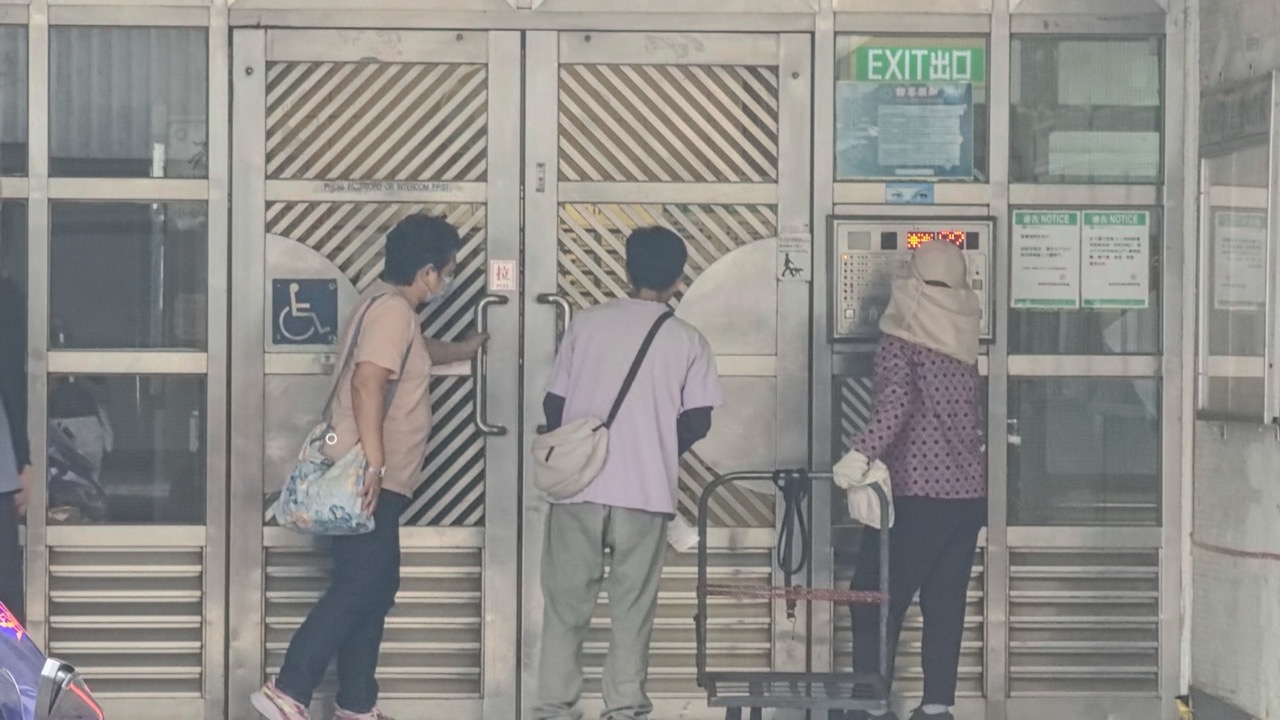
Building on to the concrete aesthetic were the metal entrances. These entrances are passcode based, and I noticed many a time residents rushing to enter if the door was already opened by another resident. Entering the buildings isn’t as convenient as it looks?
Stairways & Elevators
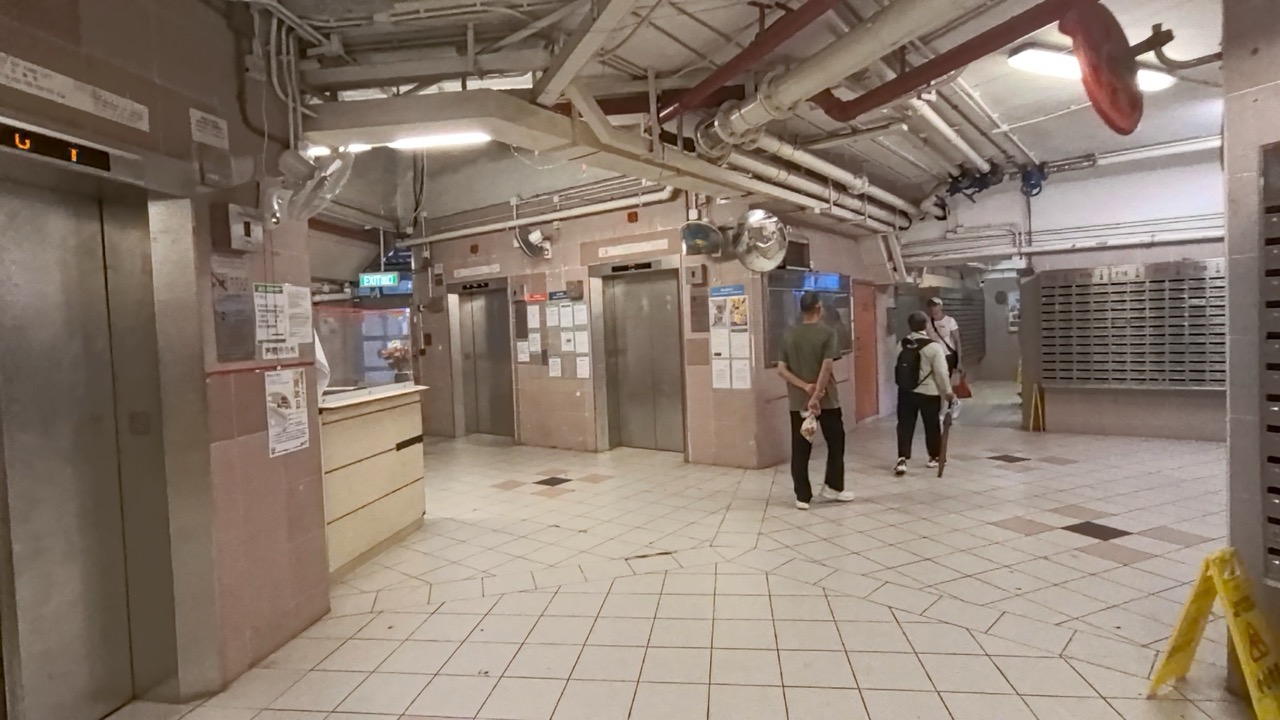
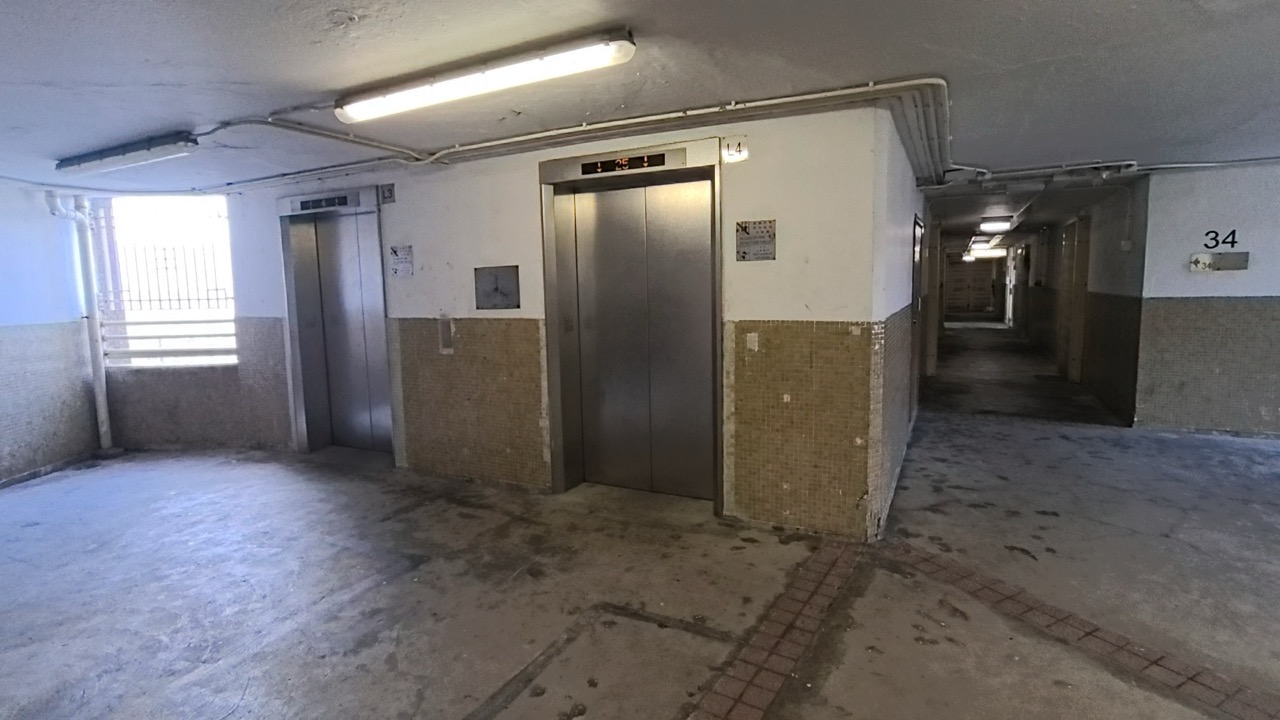
Different elevators serve different floors. Here, the elevators served floors in intervals of 3. In total, Kwong Chi House has 35 floors, of which the second to the thirty fourth floor are residential.
Passageways
Unit Entranceways
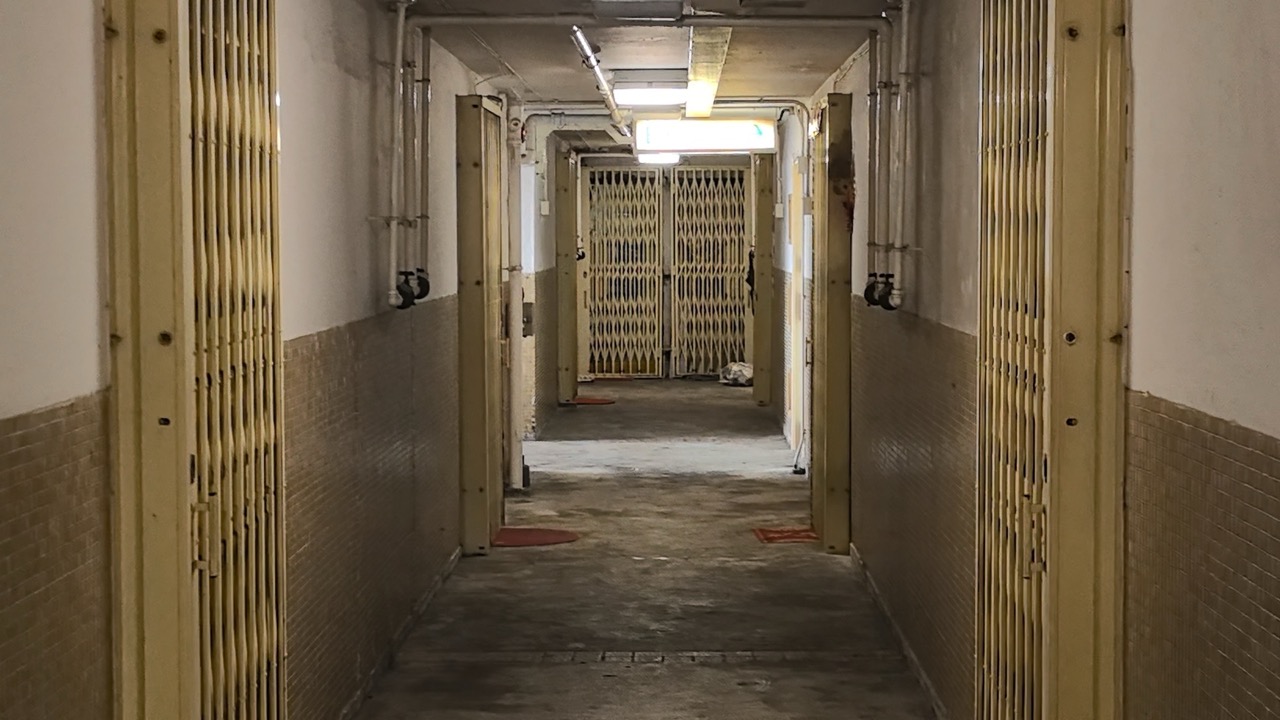
Foldable metal grating cover the entrances of every household door.
Rooms
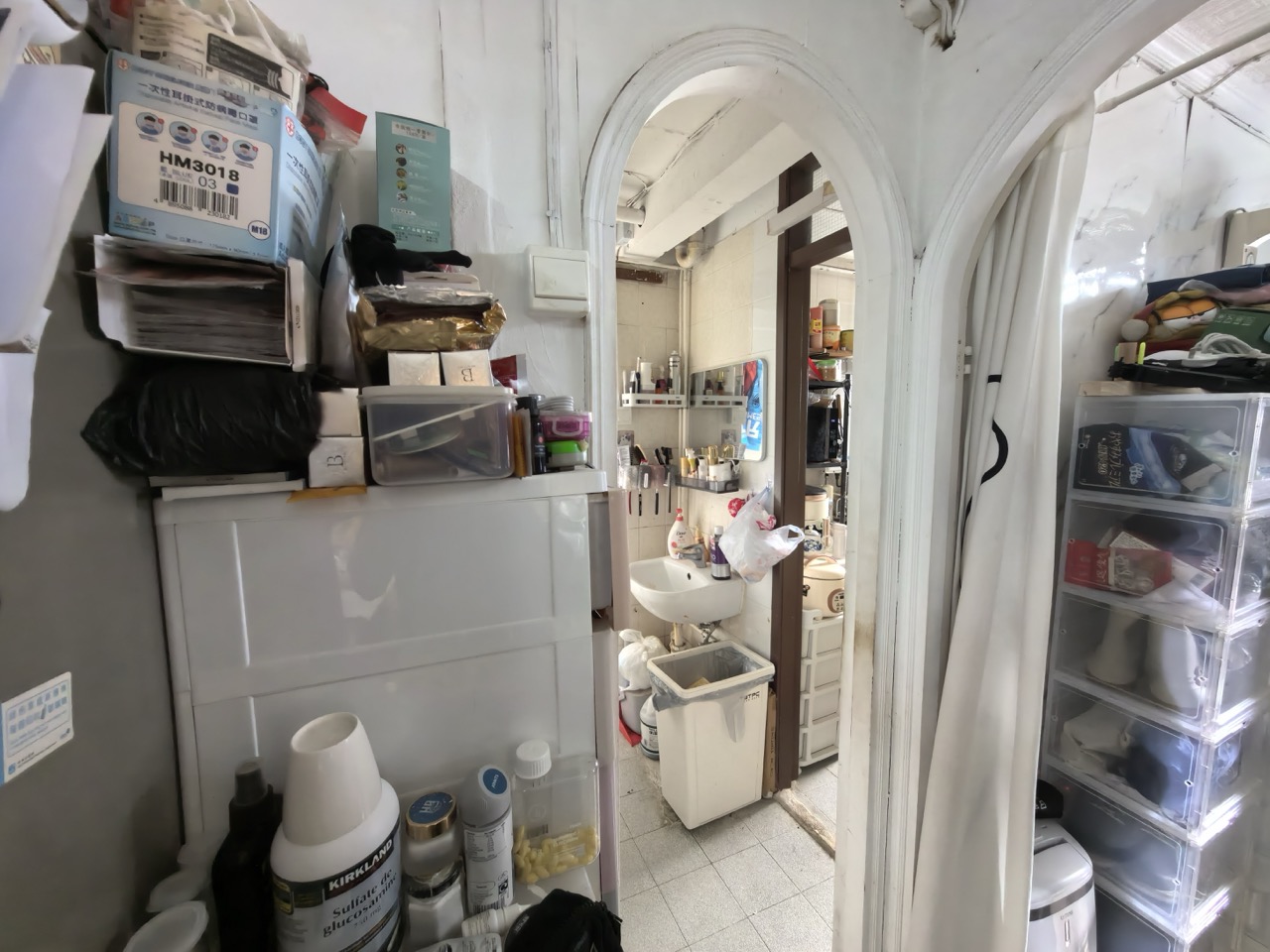
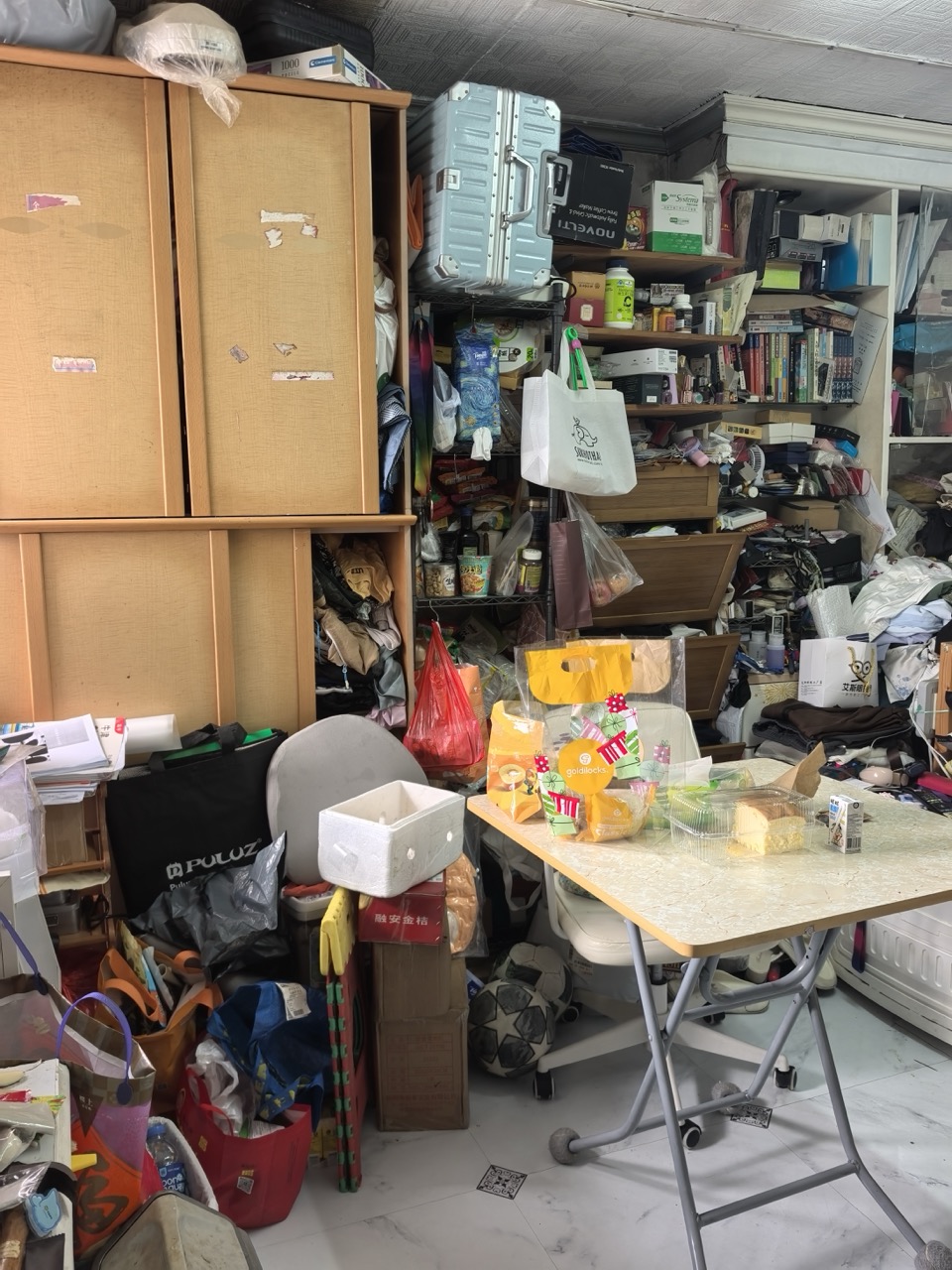
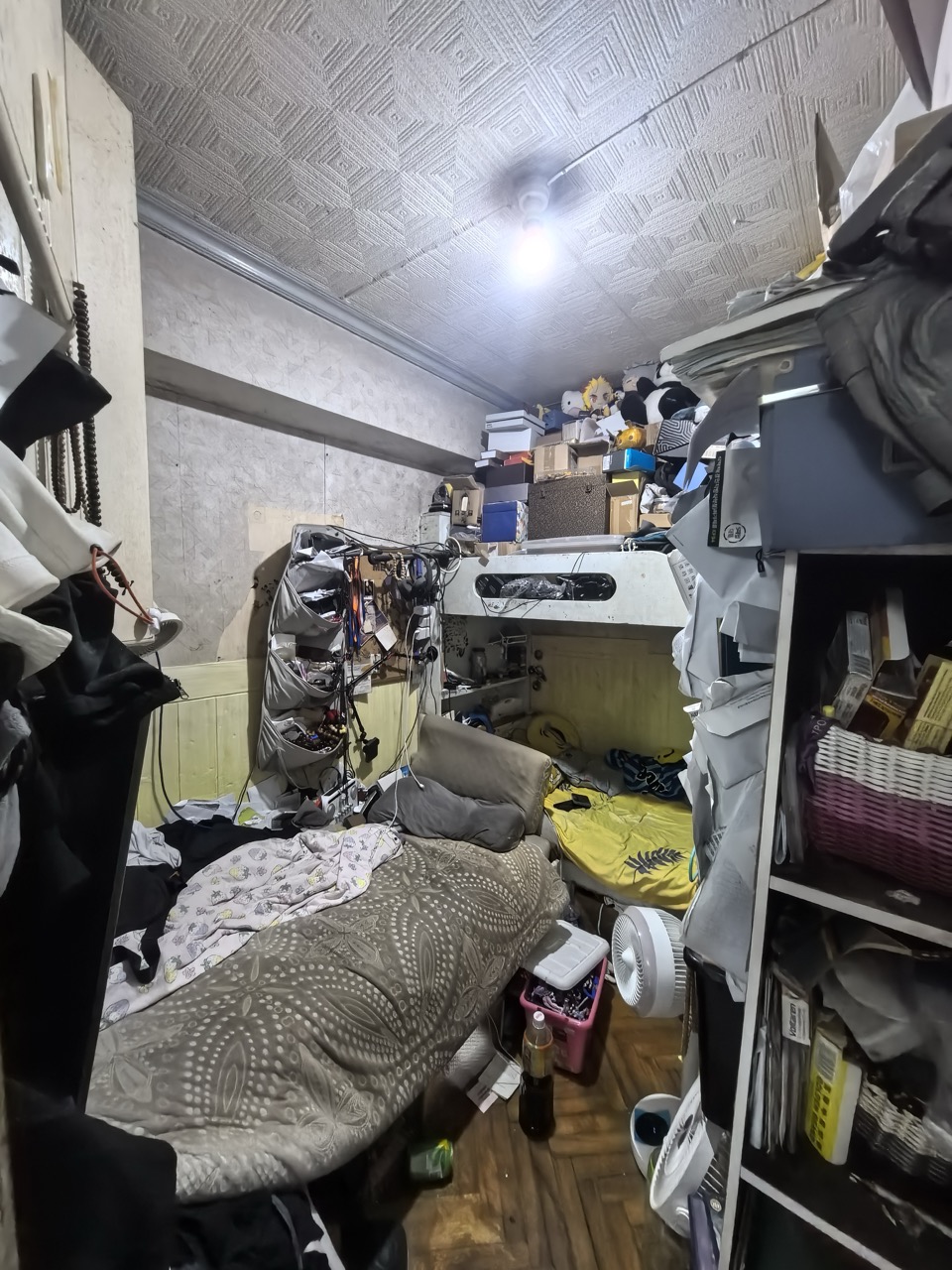
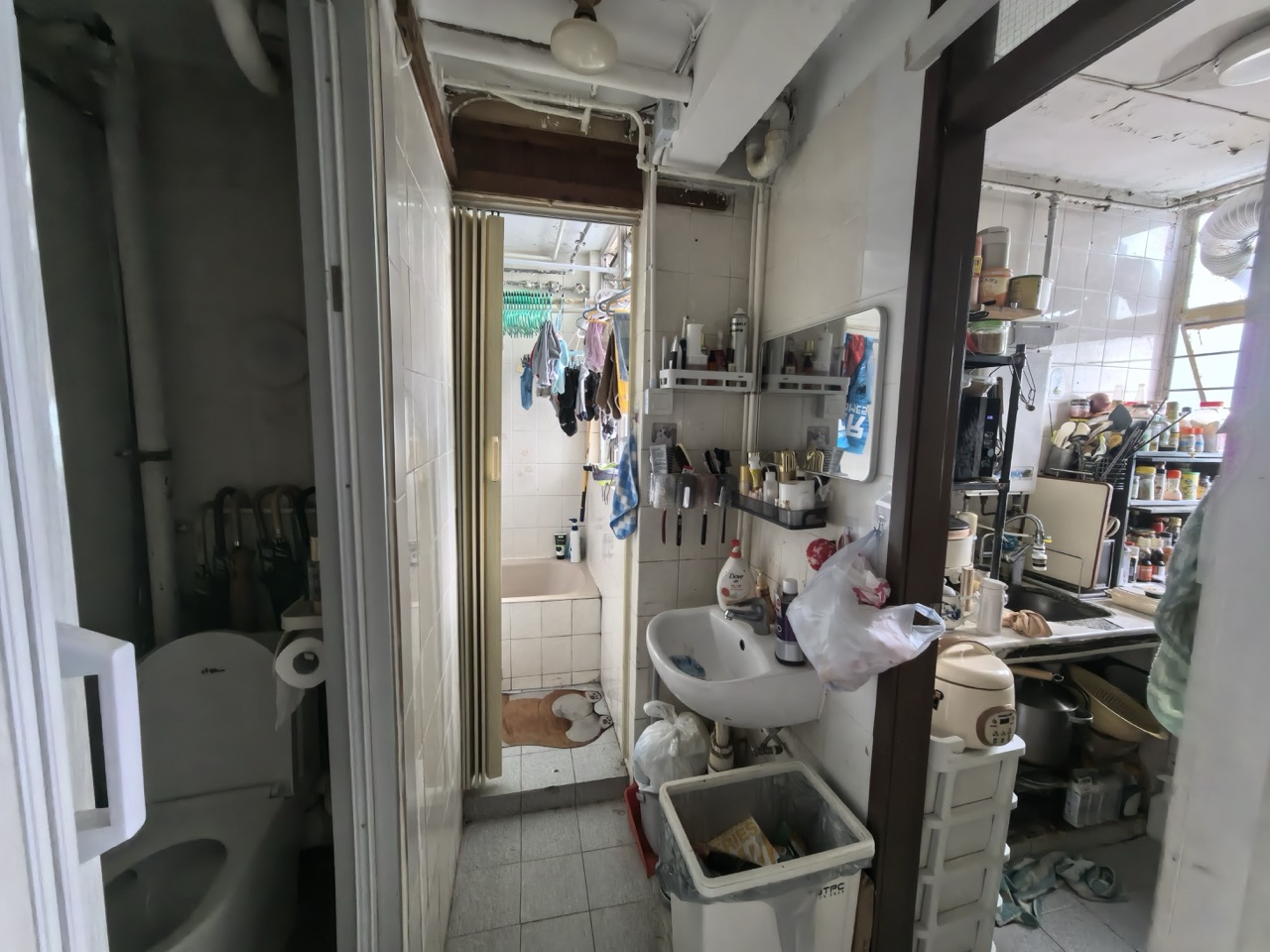
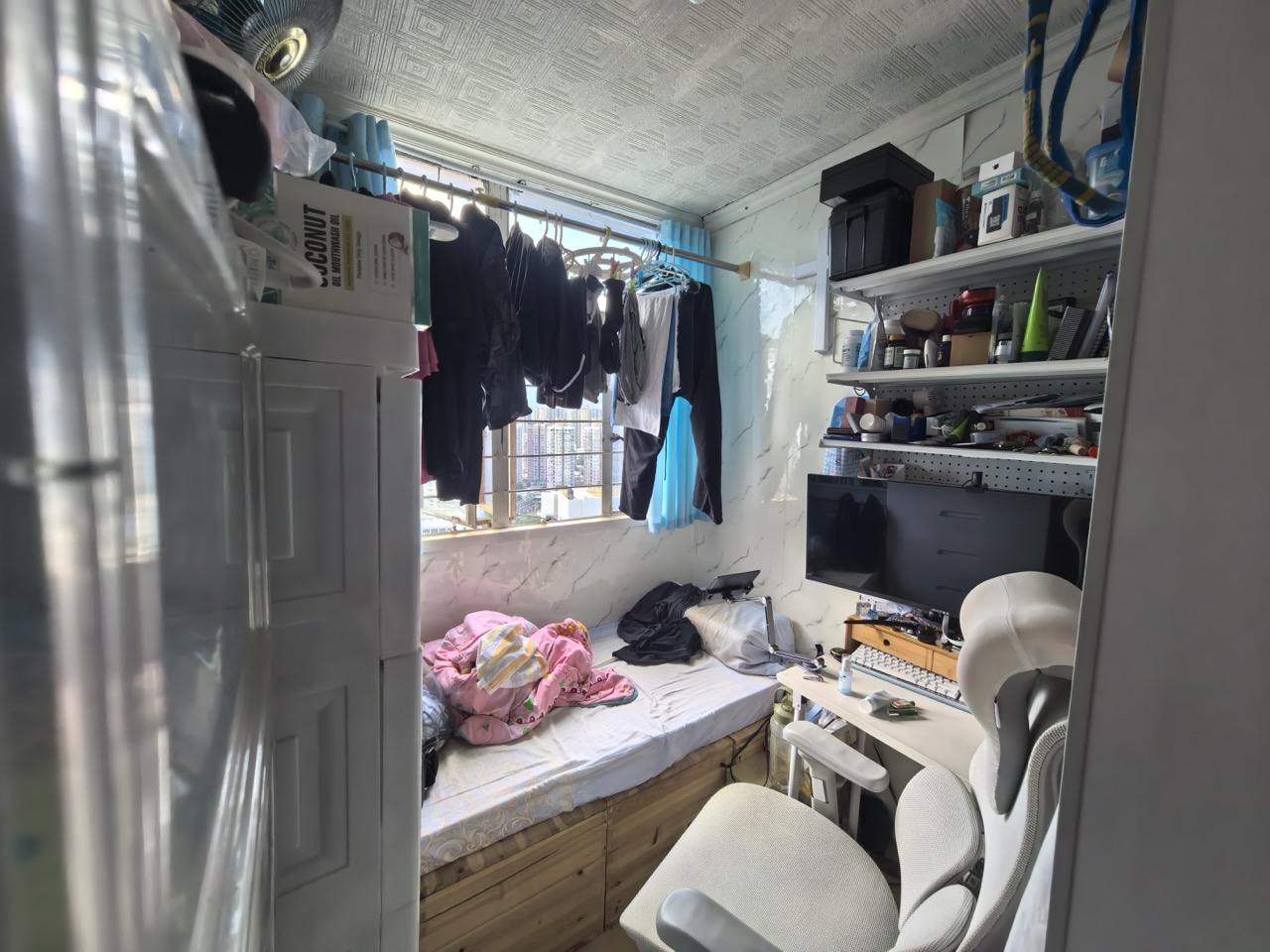
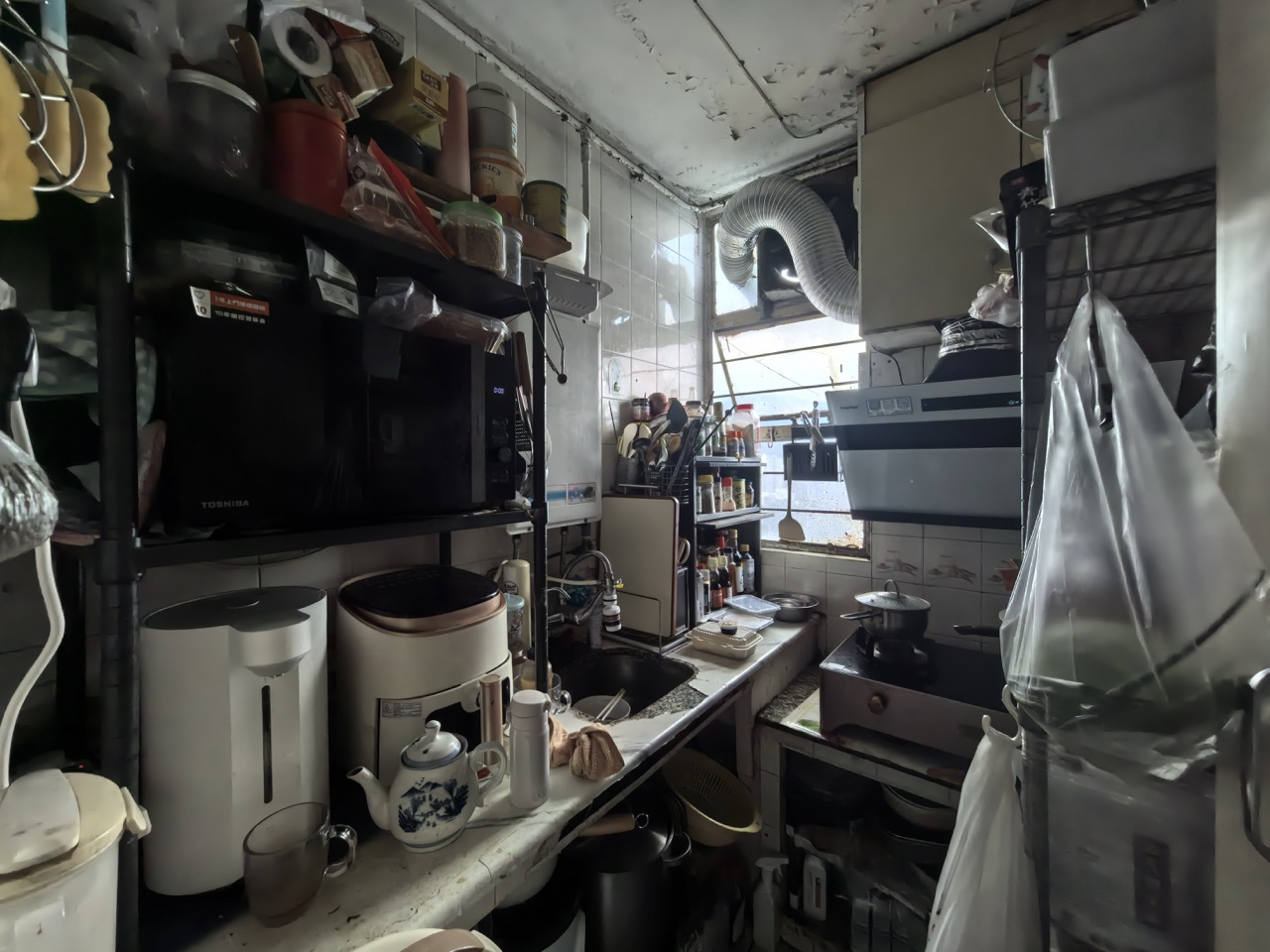
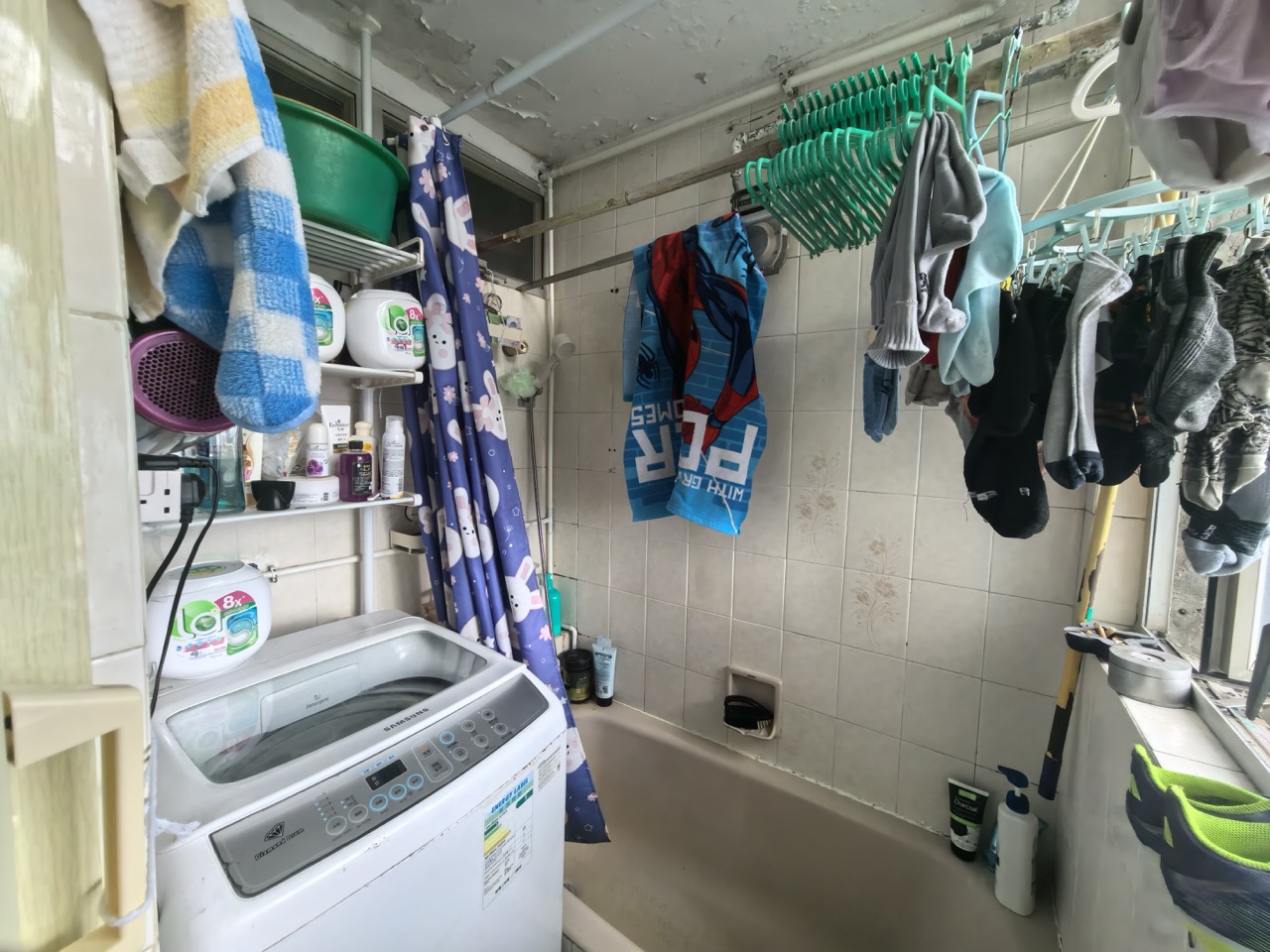
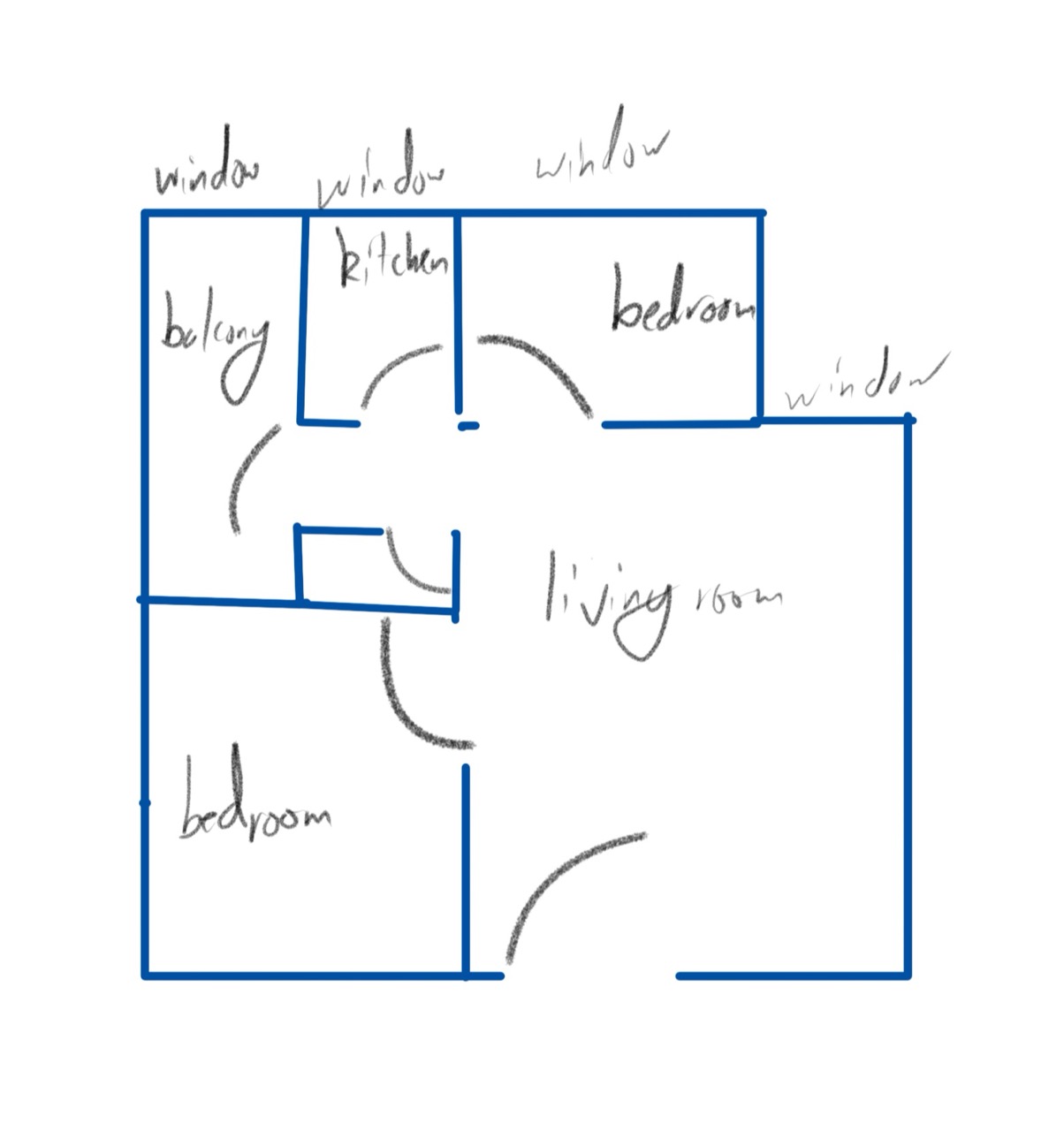
This unit is a medium sized one. Every wing on a given floor has 6 medium sized units and 2 large sized ones. A medium unit consists of 2 bedrooms, 1 living room, 1 kitchen, 1 toilet, and 1 “balcony” area. While the number of rooms may be many, the size of each is not.
Physical Environment
Noise
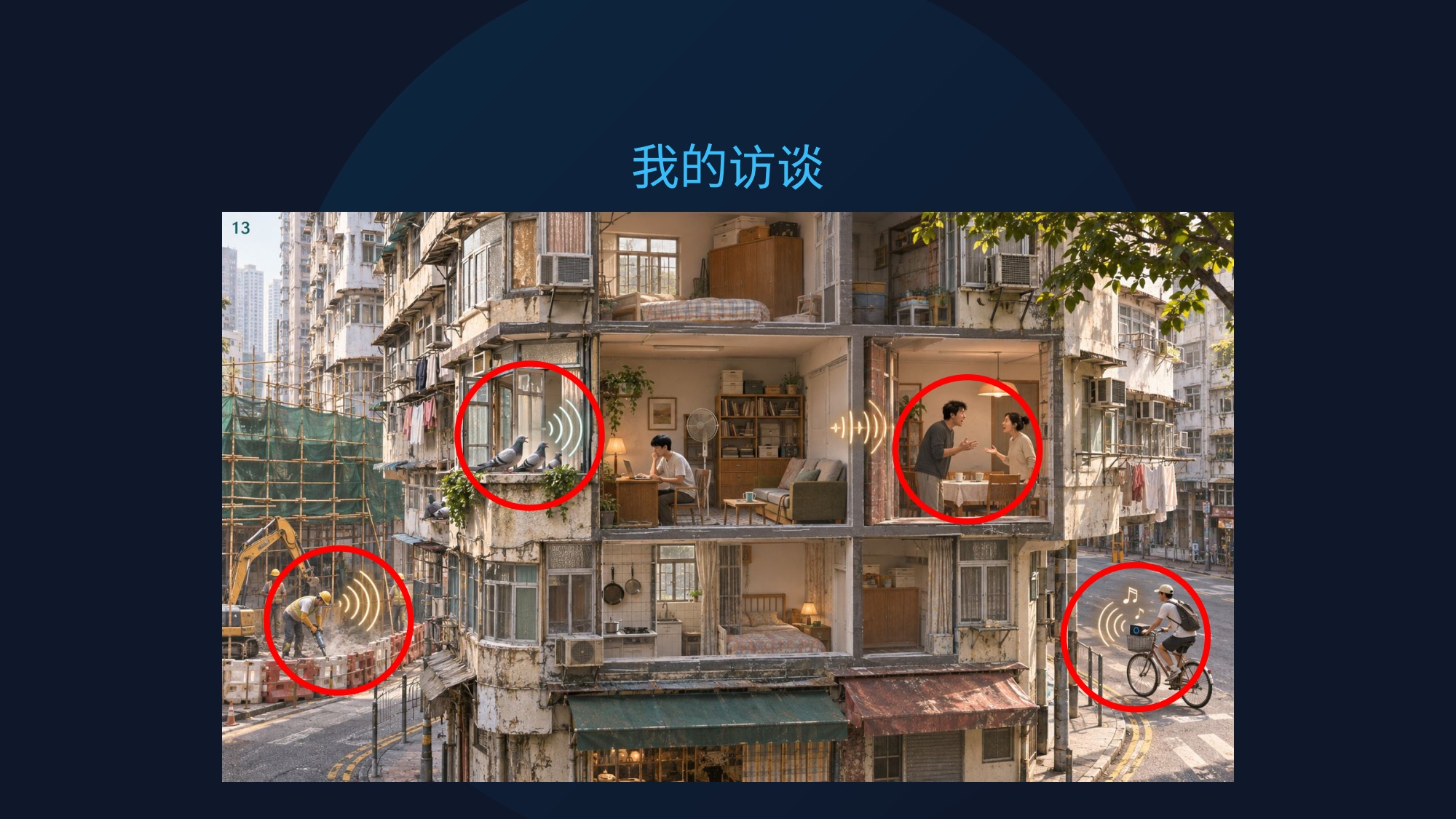
Despite this family living living on a high floor, they still mentioned noise as a sizeable issue. While the natural wind noise was mentioned to be pleasant, pigeons, bicycles playing music, arguments from neighboring households (including above/below), and construction works were reported to be common sources of noise.
Humidity
Humidity and moisture was mentioned as a nonproblem. The family told me this was probably due to their specific unit not facing the sea.
Ventilation
Closing windows during the winter helped maintain warmth to an extent, but the windows are not sealed well. Despite this, the family mentioned their unit never get too cold to be a problem regardless.One thing I wondered afterward was CO2 ventilation. I recently got a CO2 monitor at my place, and it’s only then I realized good ventilation makes a massive difference!
Natural Light
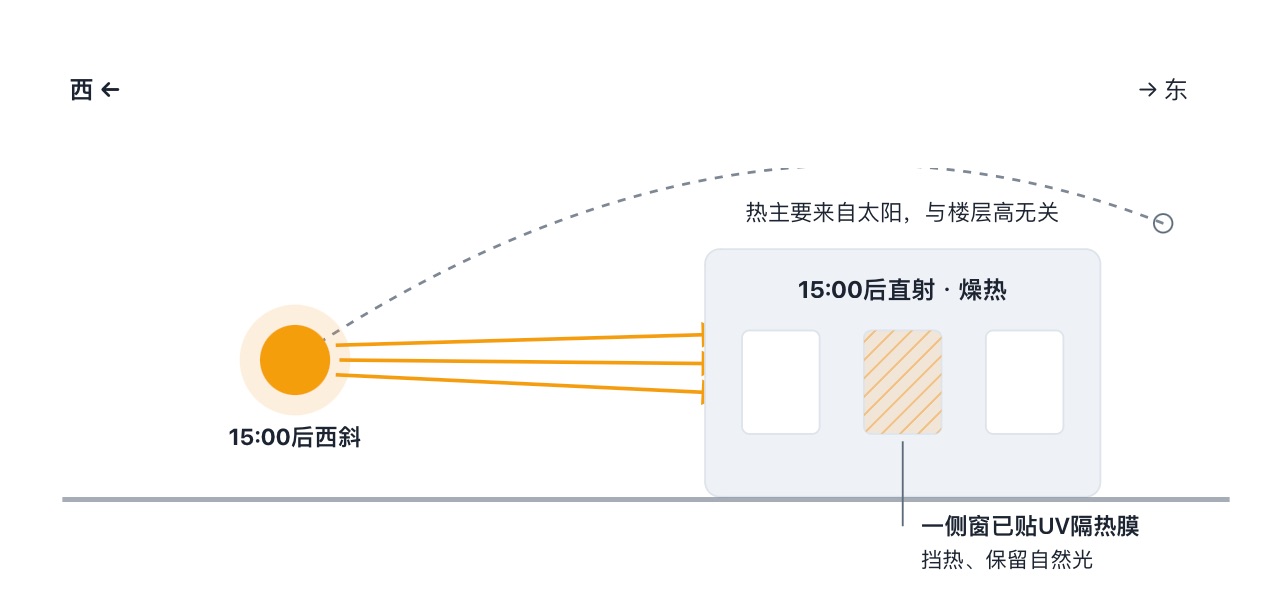
From 1500 onward, the sun would directly face their unit. The family told me that while they enjoyed that afternoon sunshine, it did make their apartment quite hot. Their solution was to apply a UV layer onto the windows that faced the sun.
Organisms
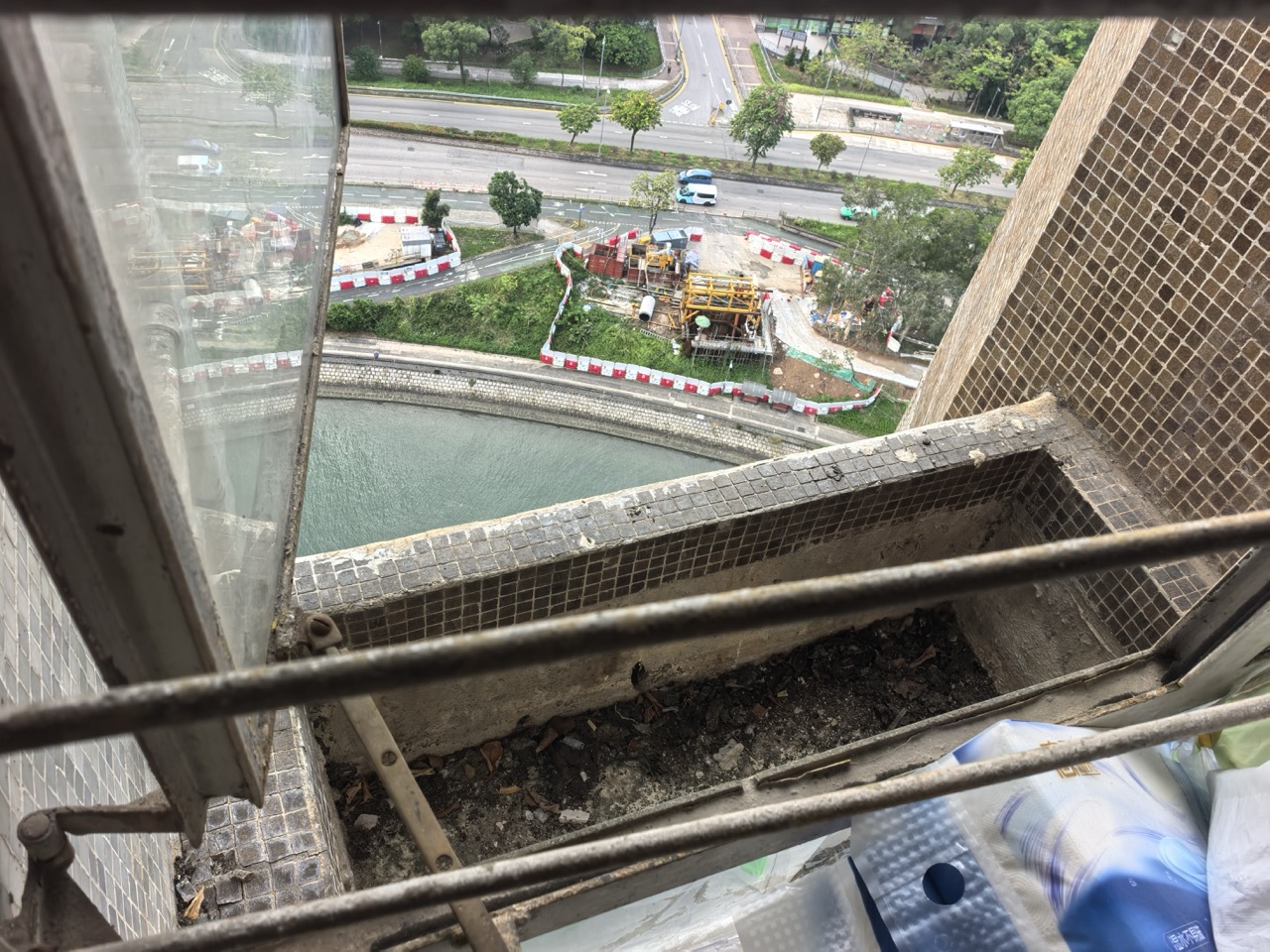
Cockroaches and rats are non-issues. What are issues are ants, mosquites, and pigeons.Ants were mentioned to be an issue especially during the summer, and the family couldn’t determine where they came from. Pigeons, as previously mentioned, were an issue because the family above them feeds pigeons resulting in them nesting there. Mosquites are also an issue because a family above keeps a small garden outside the windowsill.
Utilities
Water
No issues with water supply and its heating.
Electricity
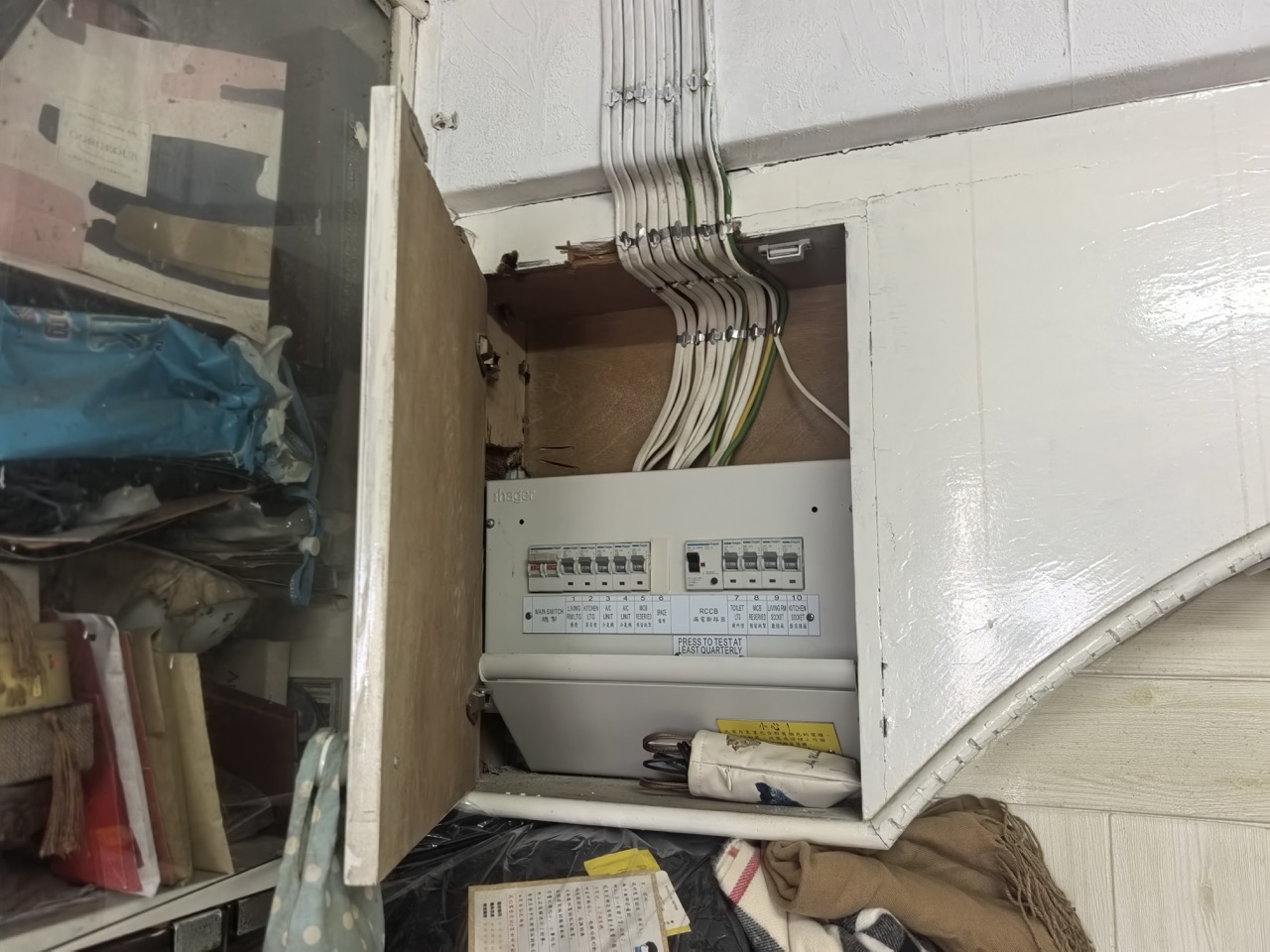
I was told how the government specifically redid the wiring in their apartment. The redoing was an overall positive, though it resulted in the wires lining the walls and ceiling. I was also told how the government can customize the wiring according to your specific needs. Outlets were reported to be insufficient, so extenders are used.
Network
Network is self chosen. You choose your own provider.
Space
Storage
Not enough space and not enough space to store were two of the most common complaints. The family I interviewed consisted of 4 members. I was also specifically told how public housing in Singapore, for the same rent, provides double the living space. I was told how the house’s layout was not uer friendly, and that remodeling flexibility is extremely limited with frequent official inspections. Remodeling flexibility depends on who inspects, with some being more lenient and some less so.In this specific household, the living room was used as the sleeping space for the family’s mother.
Flowlines
Doors, and more specifically their archways are the biggest obstacles to space. This family had removed most doors. The kitchen door remained due to mandated safety regulations, and the washroom door was replaced with a folding version.
Office Space
The family member who toured me mentioned she was grateful to have one of the bedrooms entirely to herself. This allowed her to format her bedroom in a way that allowed working from home.
Human Factors
Administration
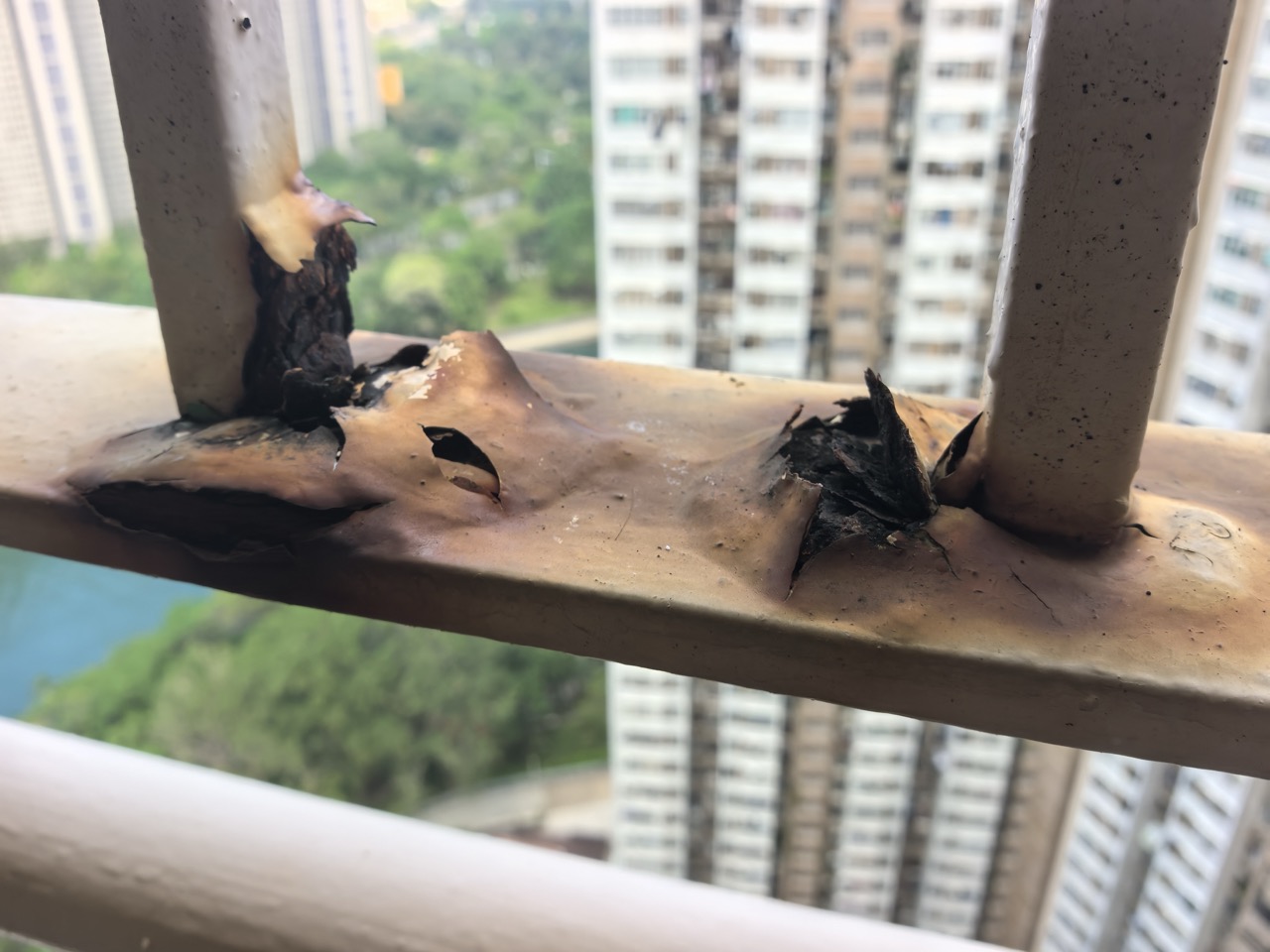
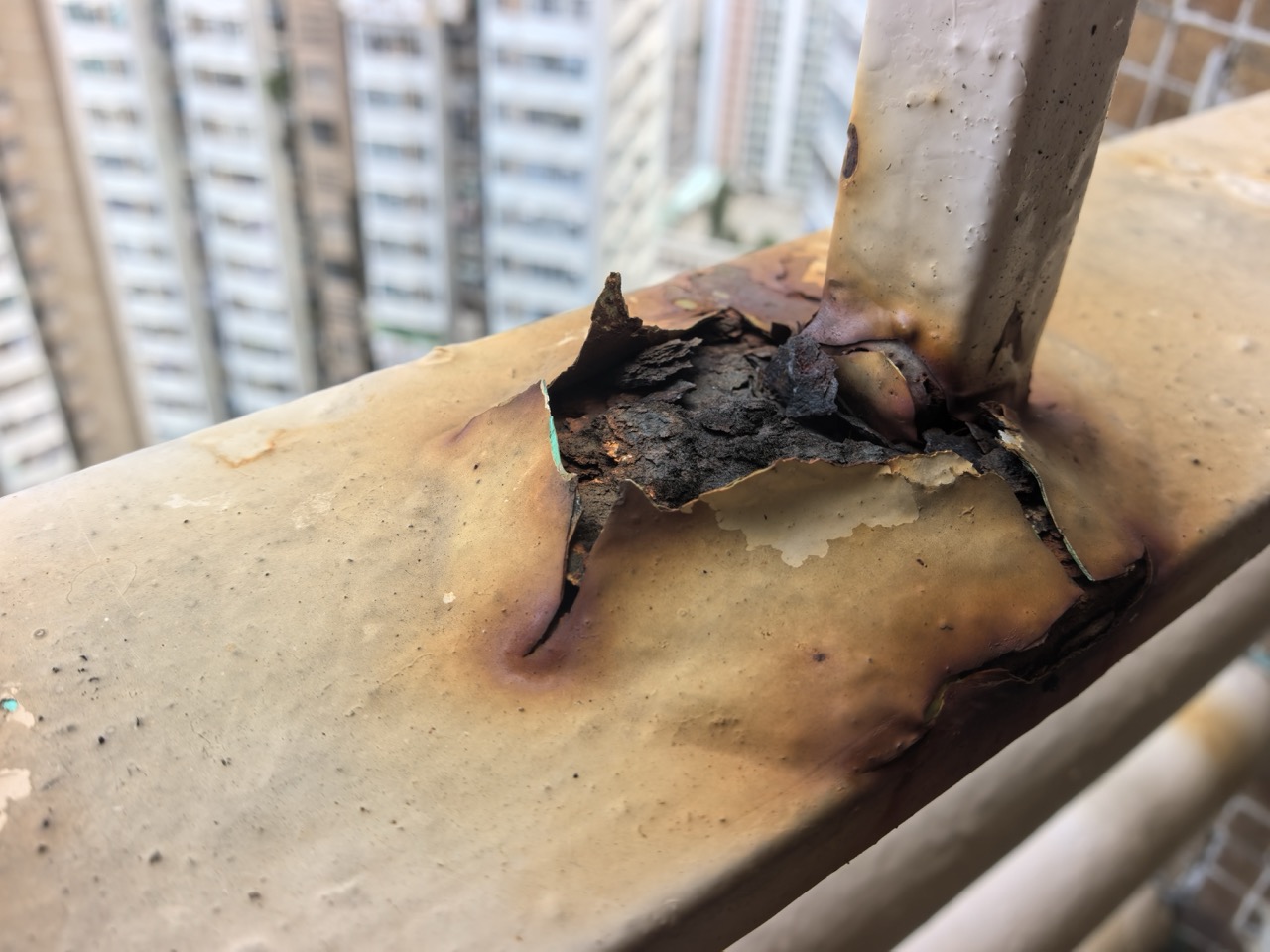
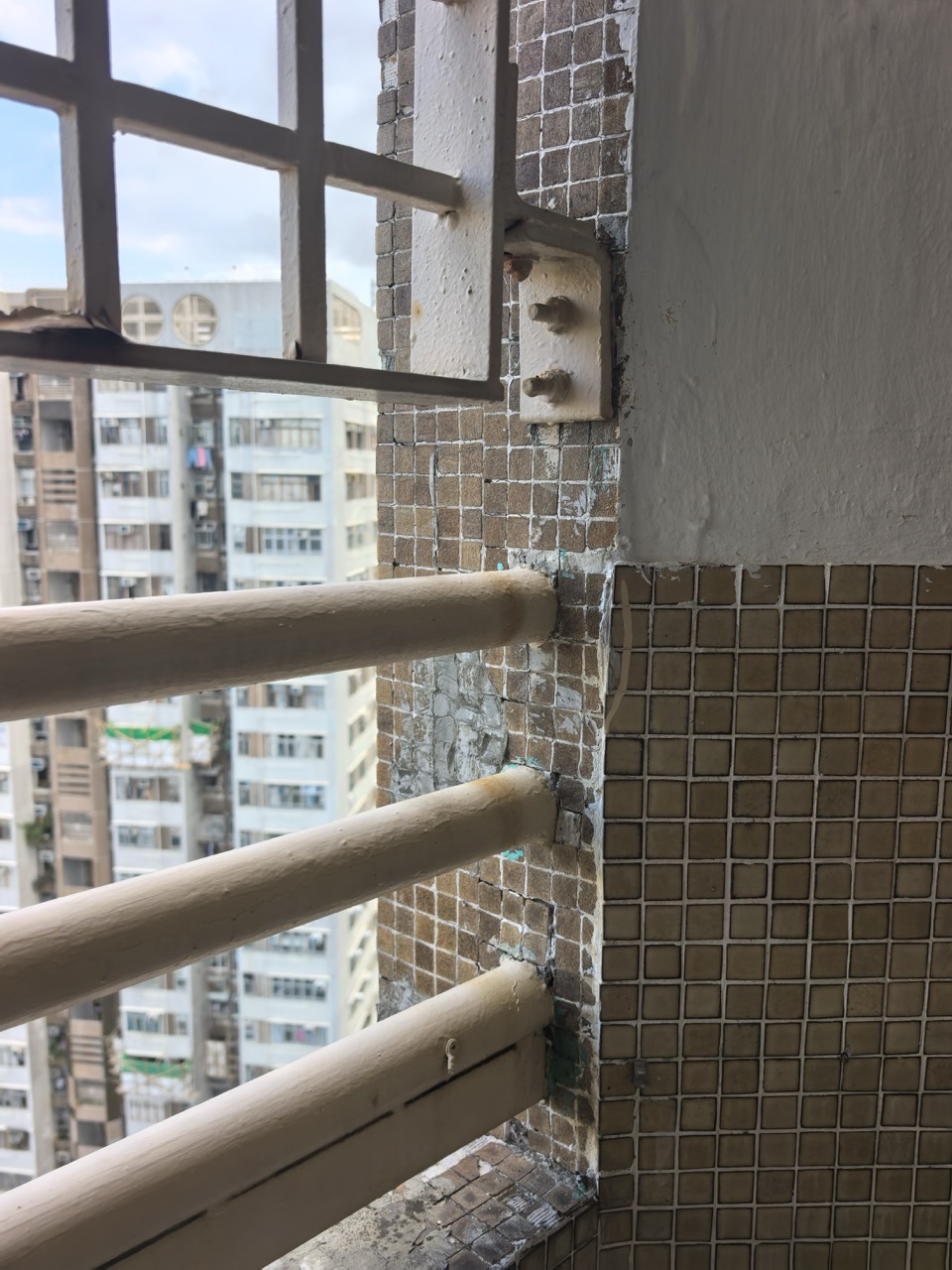
Maintenance works was mentioned to be an exteremely slow procedure, and that the family found it more efficient to just do the maintenance themselves.1. Report1. Wait couple of months for inspection. If fast, about 2 weeks. 1. Wait couple of months for repairRepairworks normaly fix the symptom, not the cause. For instance, this household had a water leakage problem which resulted in the iron bars inside the walls to expand from rusting. If proper repair works are undertaken, the entire room would have to be taken out of service. Instead, the family tiled the walls, and purchased a polishing solution from Taobao and applied it themselves to the exterior wall as a temporary remedy.
I noticed rust was generally prominent in this building.
Last-mile Tasks
Collecting parcels, deliveries, and buying groceries is quite convenient. Certain registered letters require the recipient to go directly to the post office to sign. This was mentioned as inconvenient, but not a major issue due to its infrequency.
Other Observations
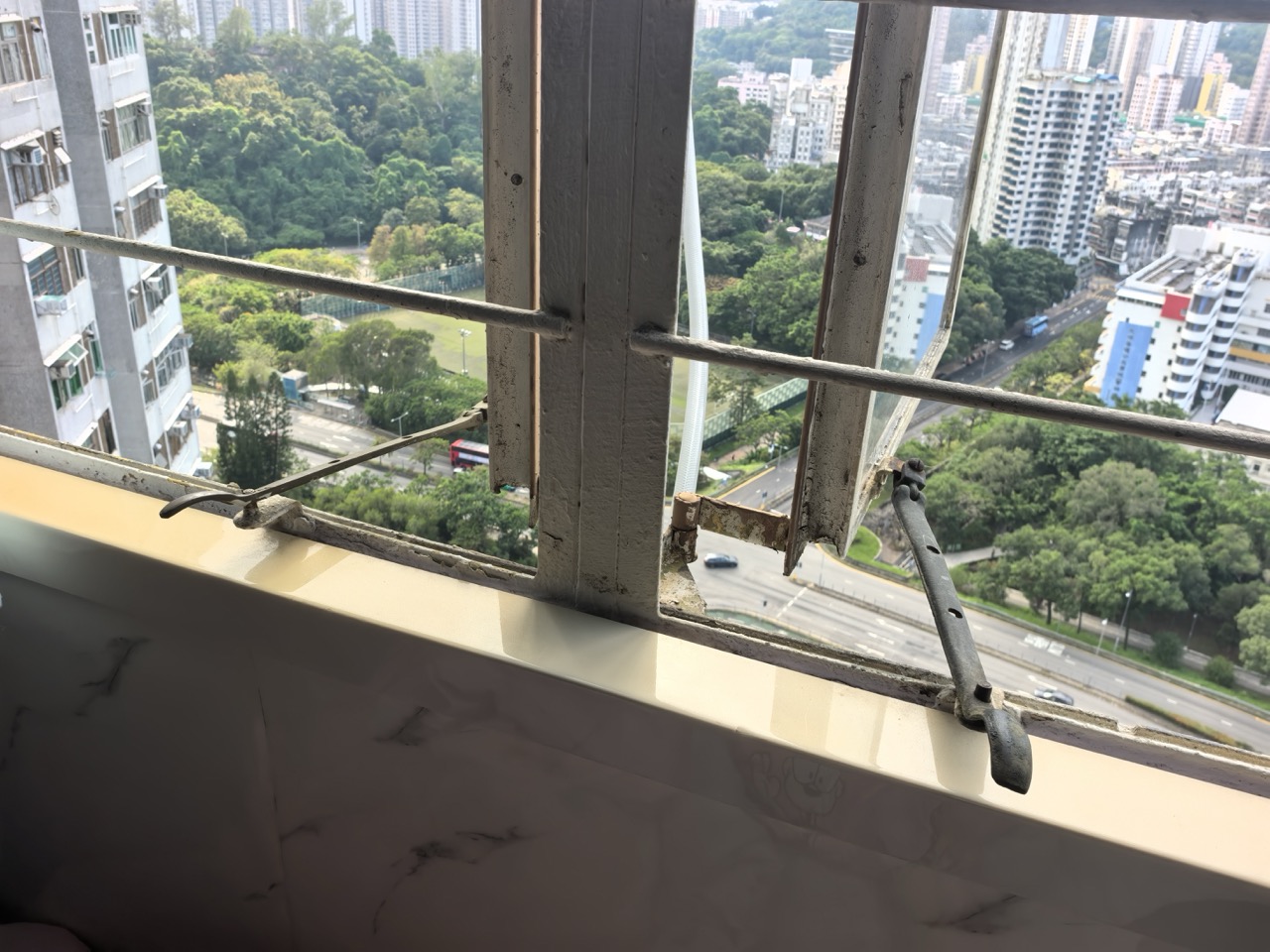
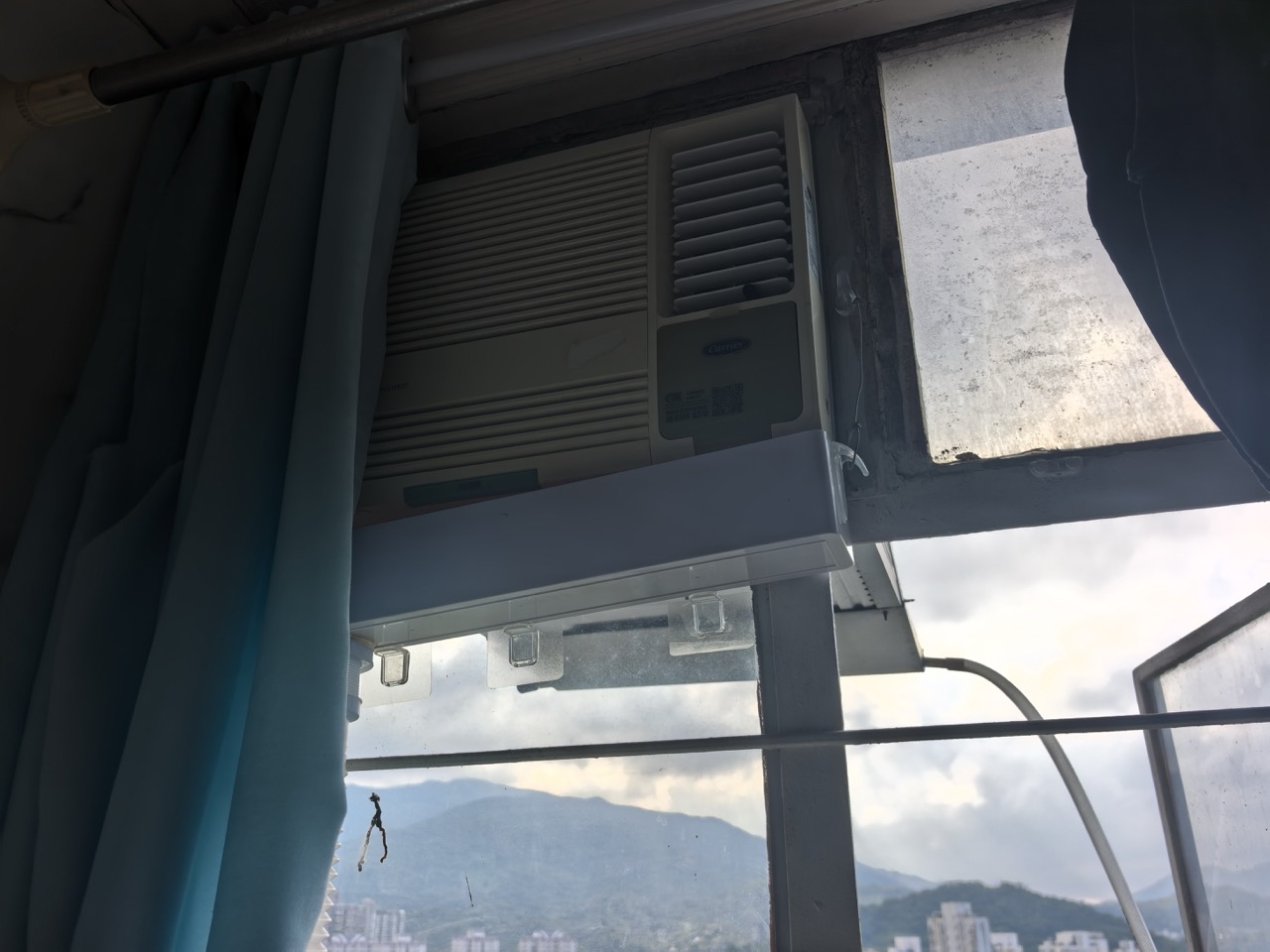
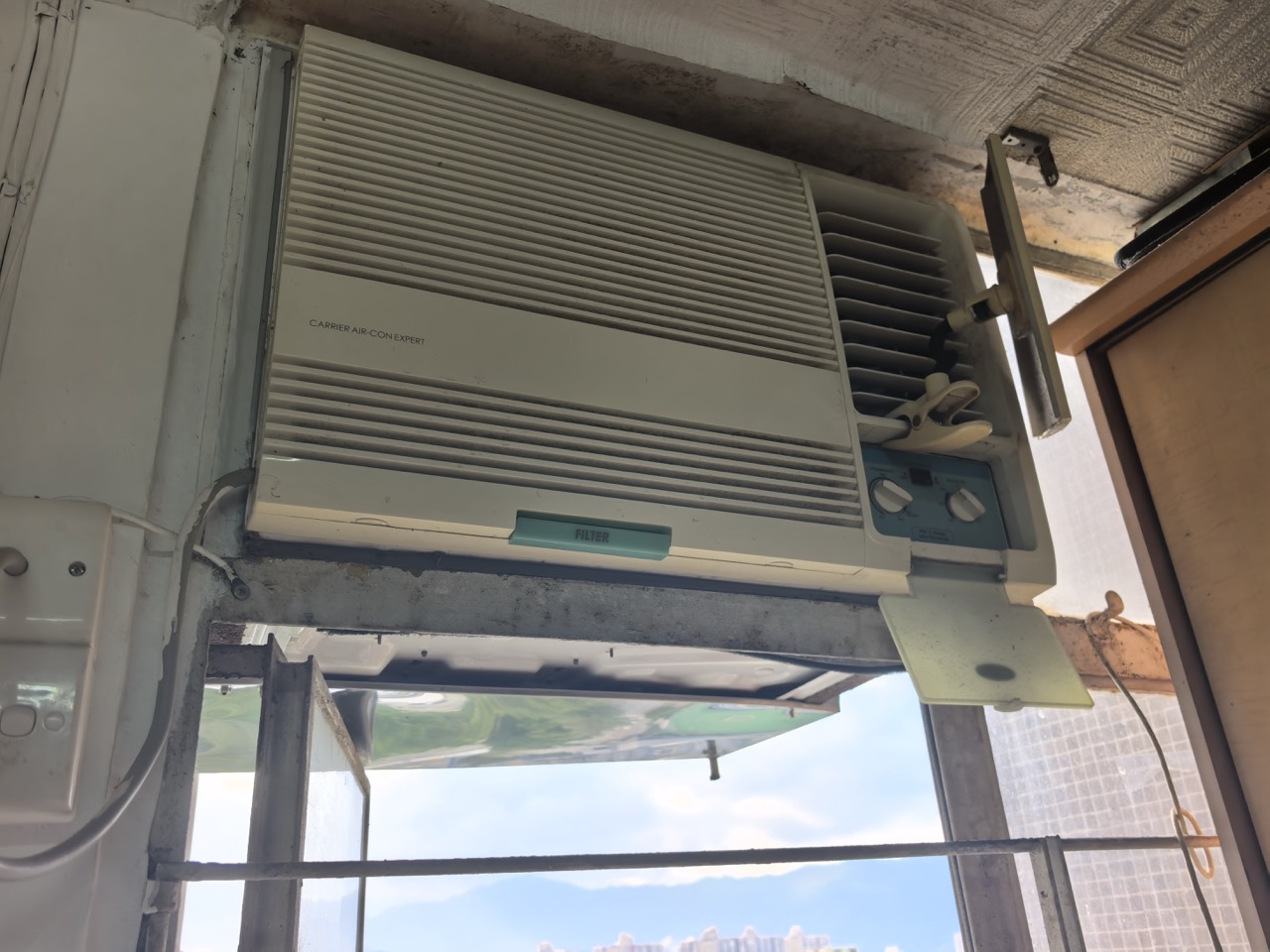
The window frame supports the entire weight of the AC units. Newer apartment complexes have dedicated concrete structures. If you see AC units supported entirely by a window frame, that’s probably a way to gauge the age of the building.
Bootcamp
A theme I observed frequently is that the product/technology/solution is never the issue in a startup. Rather, it’s confirming that there wll be customers who will buy. If nobody buys, why should it be sold.Personally, I found communication, as always, to be one of the biggest aspects.My team proposed a sound repelling panel for reducing noise in buildings. In our follow up, we were told two areas for improvement:1. How much is the customer actually willing to pay?1. What other competing solutions exist and how do they match up?Here’s a briefly annotated presentation. I’m still of the mind that the most important aspect is personal experience. Ideas, customers, and everything else flows natural from there when there is context. Otherwise, it’s just an isolated solution in search of a problem.
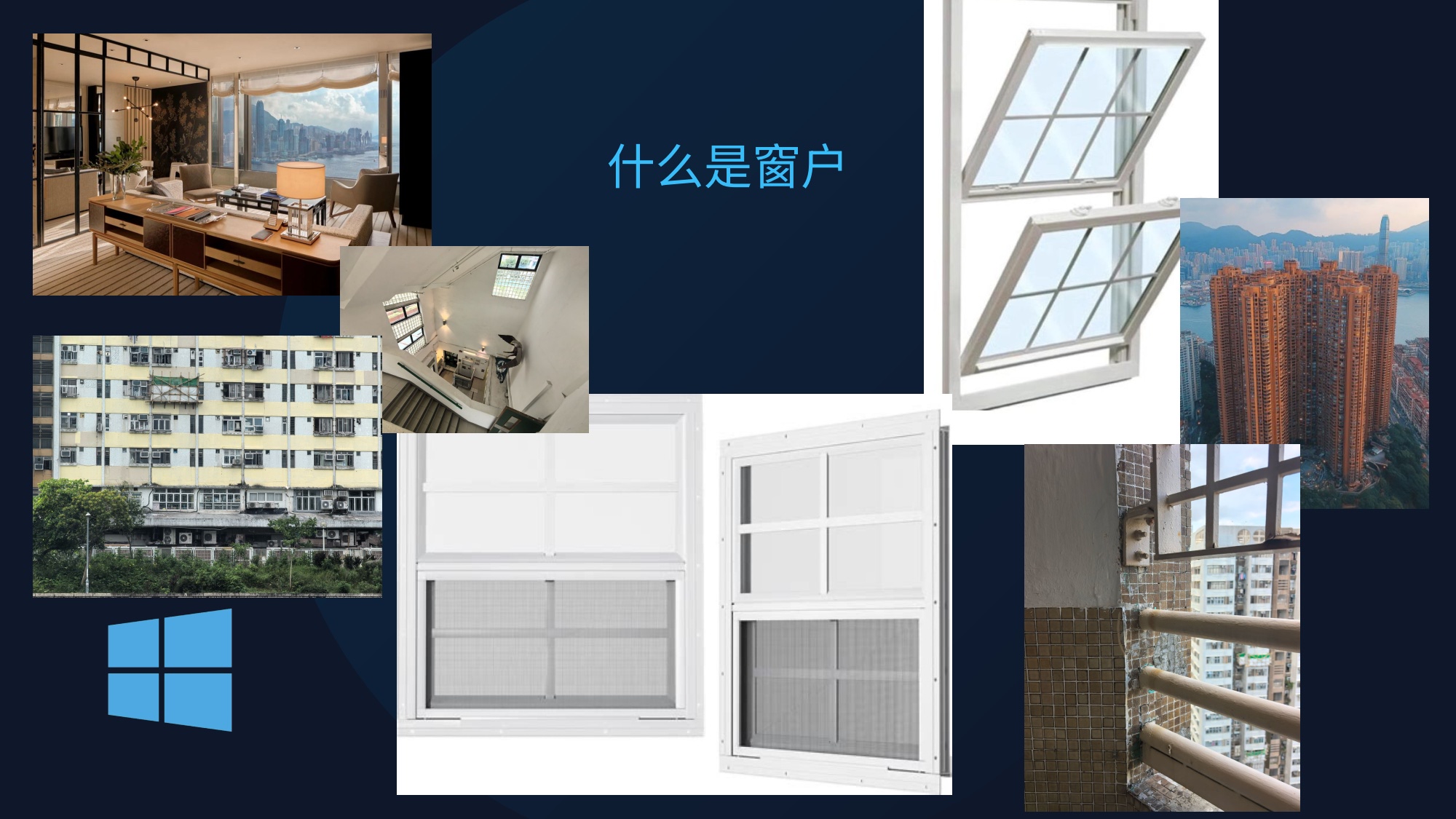
There are more humans than windows.
We can see this in the data. For every 59 people in Hong Kong, there are 100 windows roughly.
What is a window? A window allows the outside world into the ins. Scenery, wind, ventilation, light. It can also let the inside world out. Like beautfiying the exterior of a building.
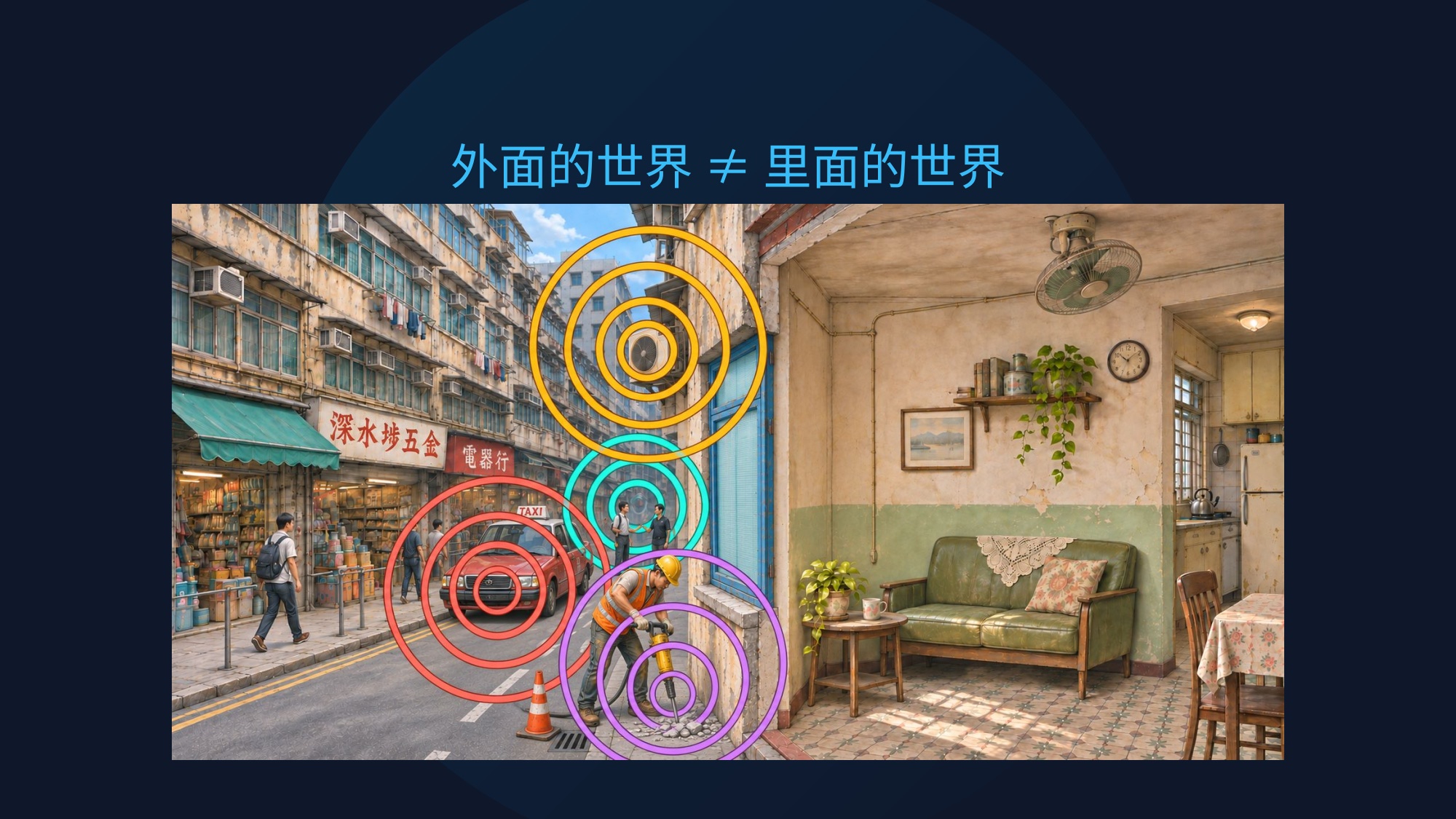
The outside world is not the same as the inside world. Often, we don’t want both mixing.
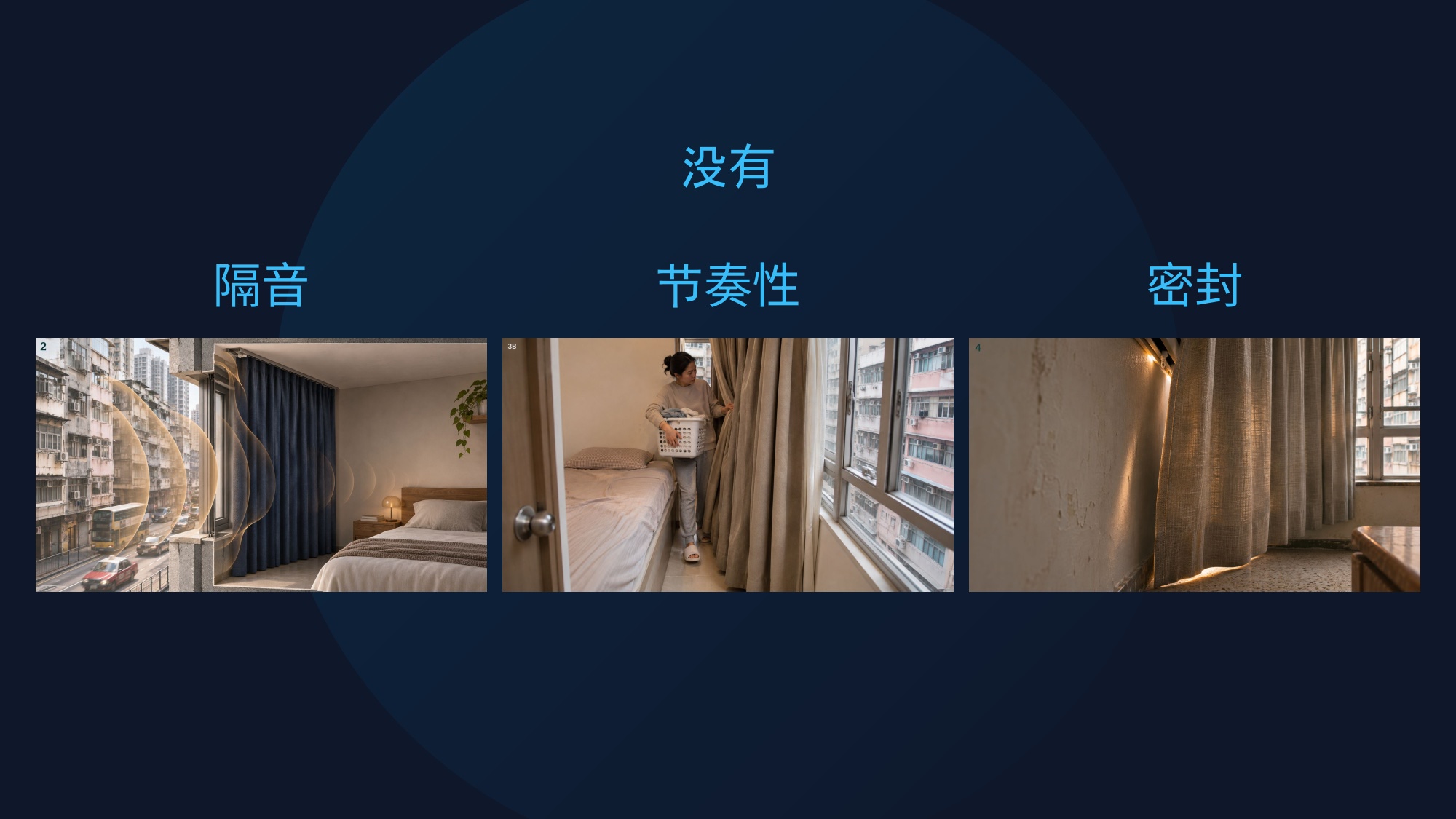
Curtains don’t have noise isolation, compactness, and perfect sealing.
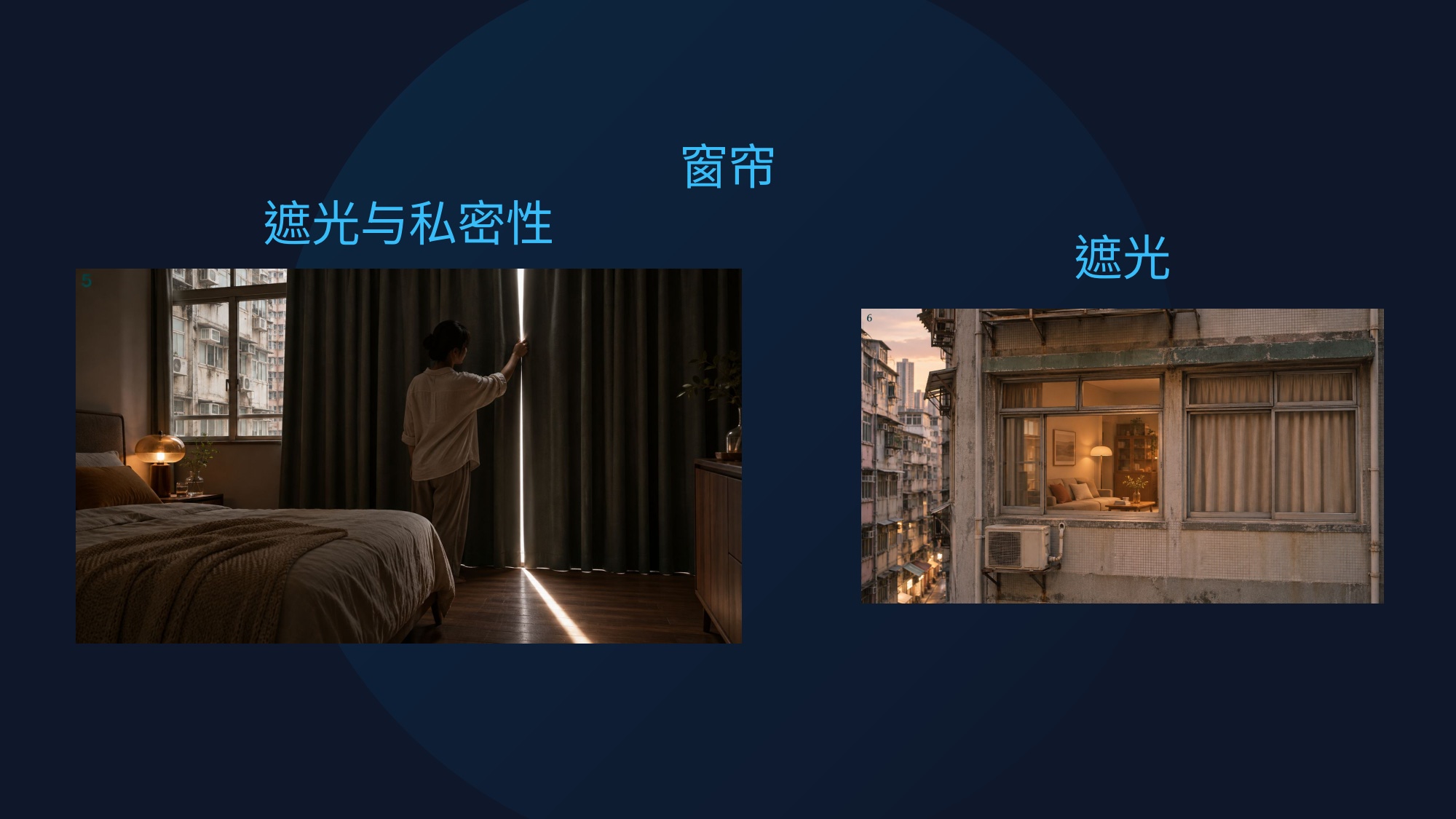
What curtains do have is light blocking, privacy, and coziness.
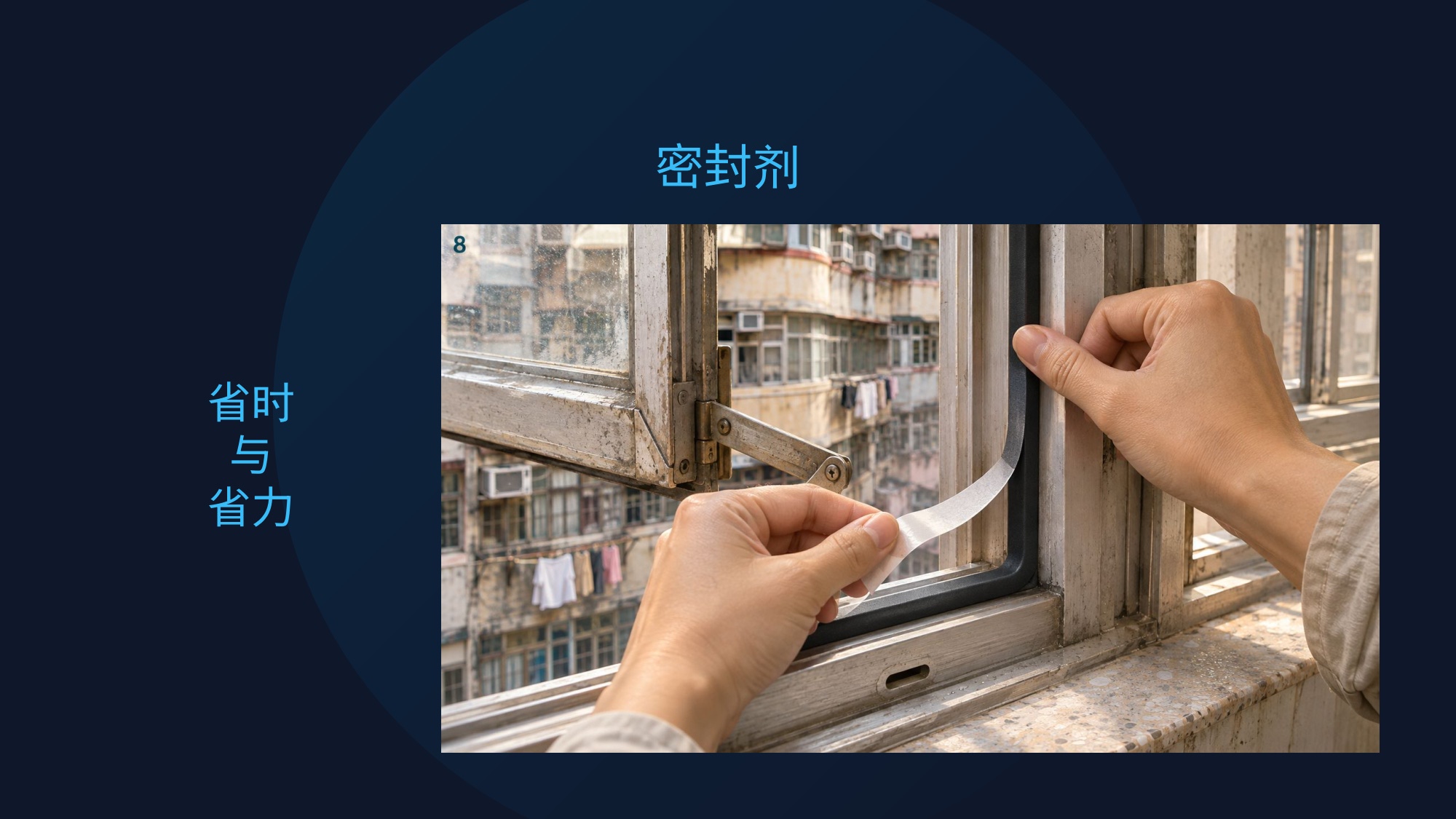
Sealants, are quick¹ and easy².
What if we have a curtain that also seals?
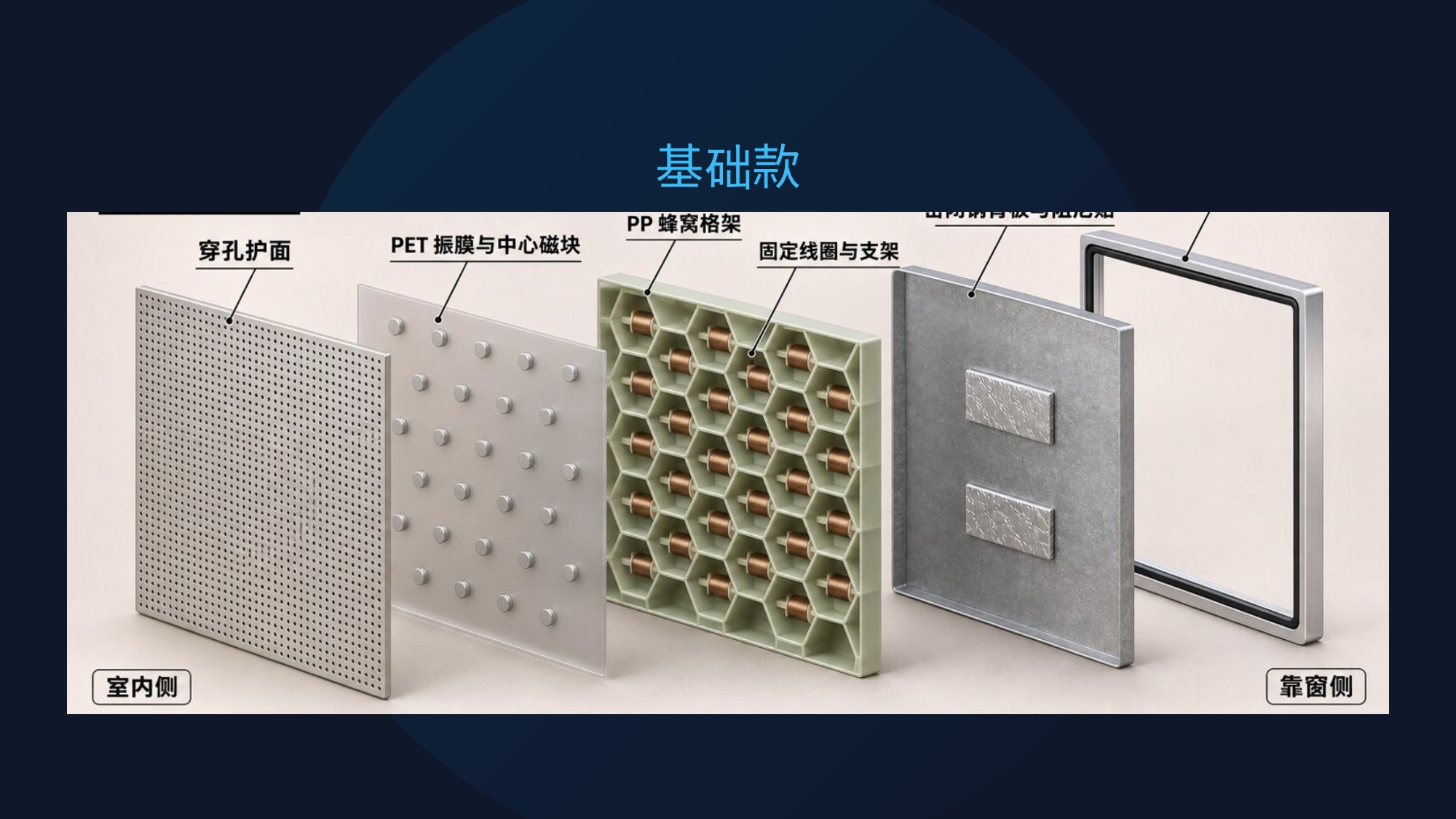
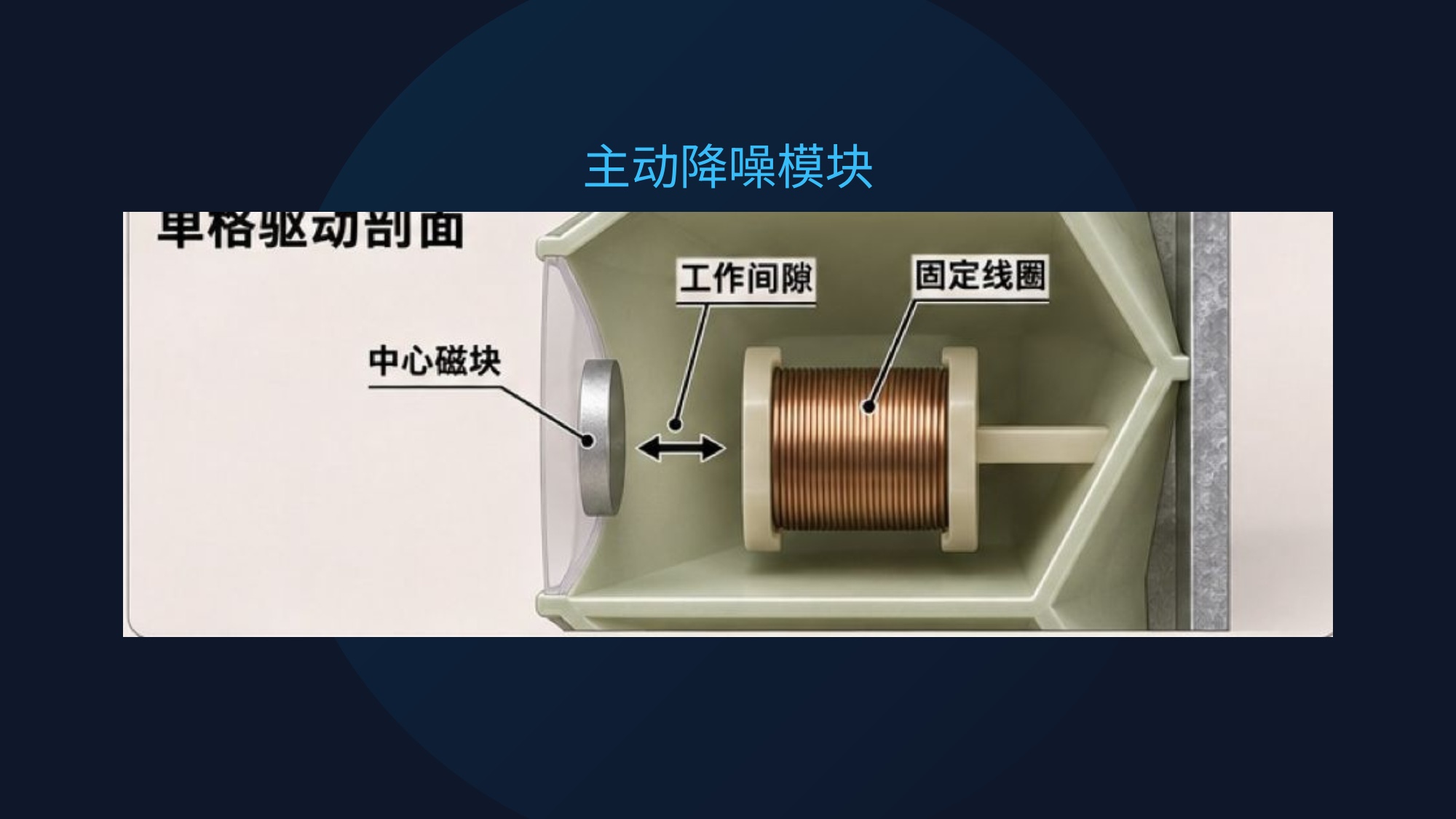
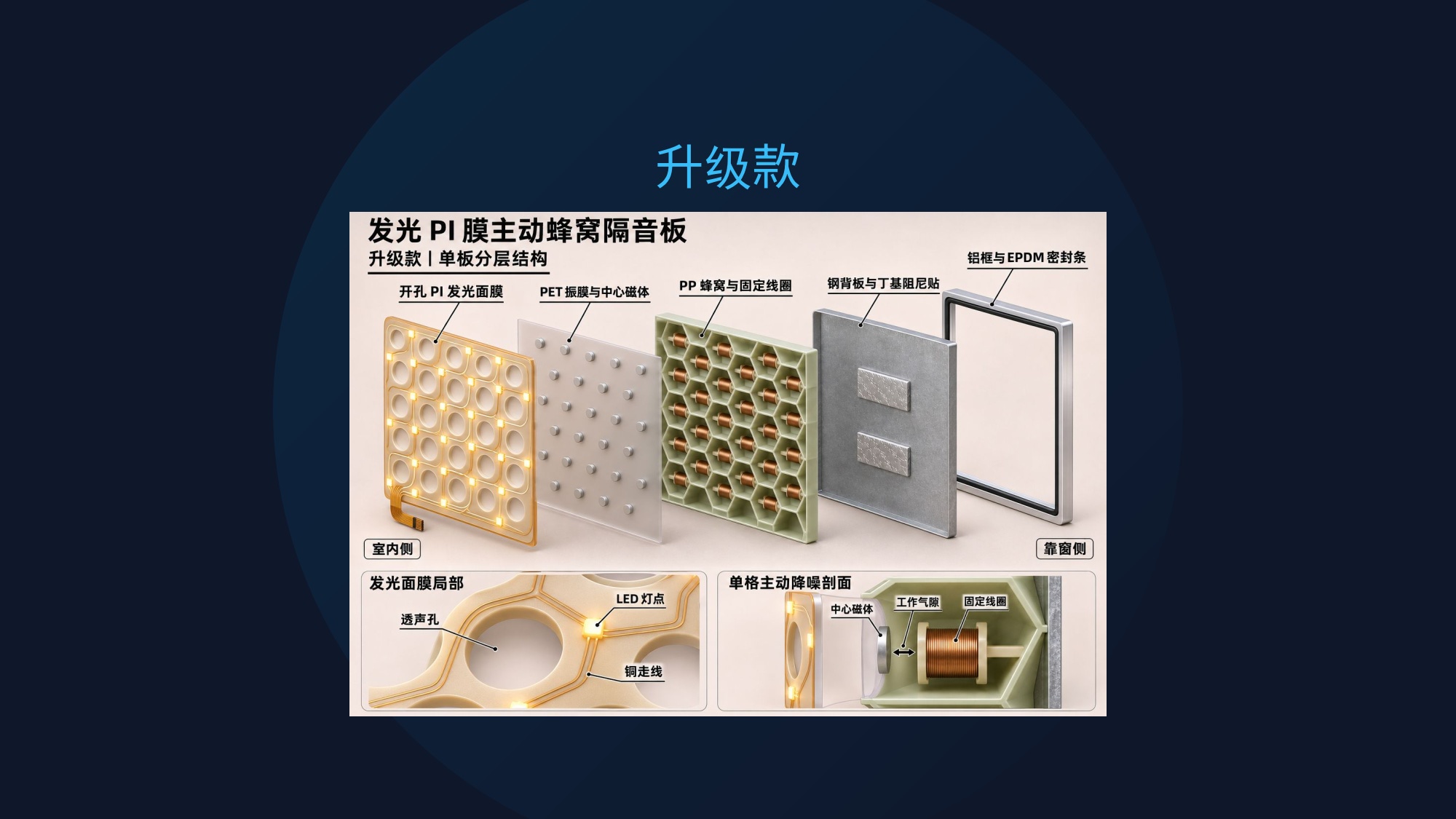
The technology. There’s also an upgraded model that emits light.(My teammates were more familiar on the hardware engineering side, so I’m not elaborating here).
Our solution is compact¹, reflects sound², and reflects light³.
This particular solution doesn’t exist.
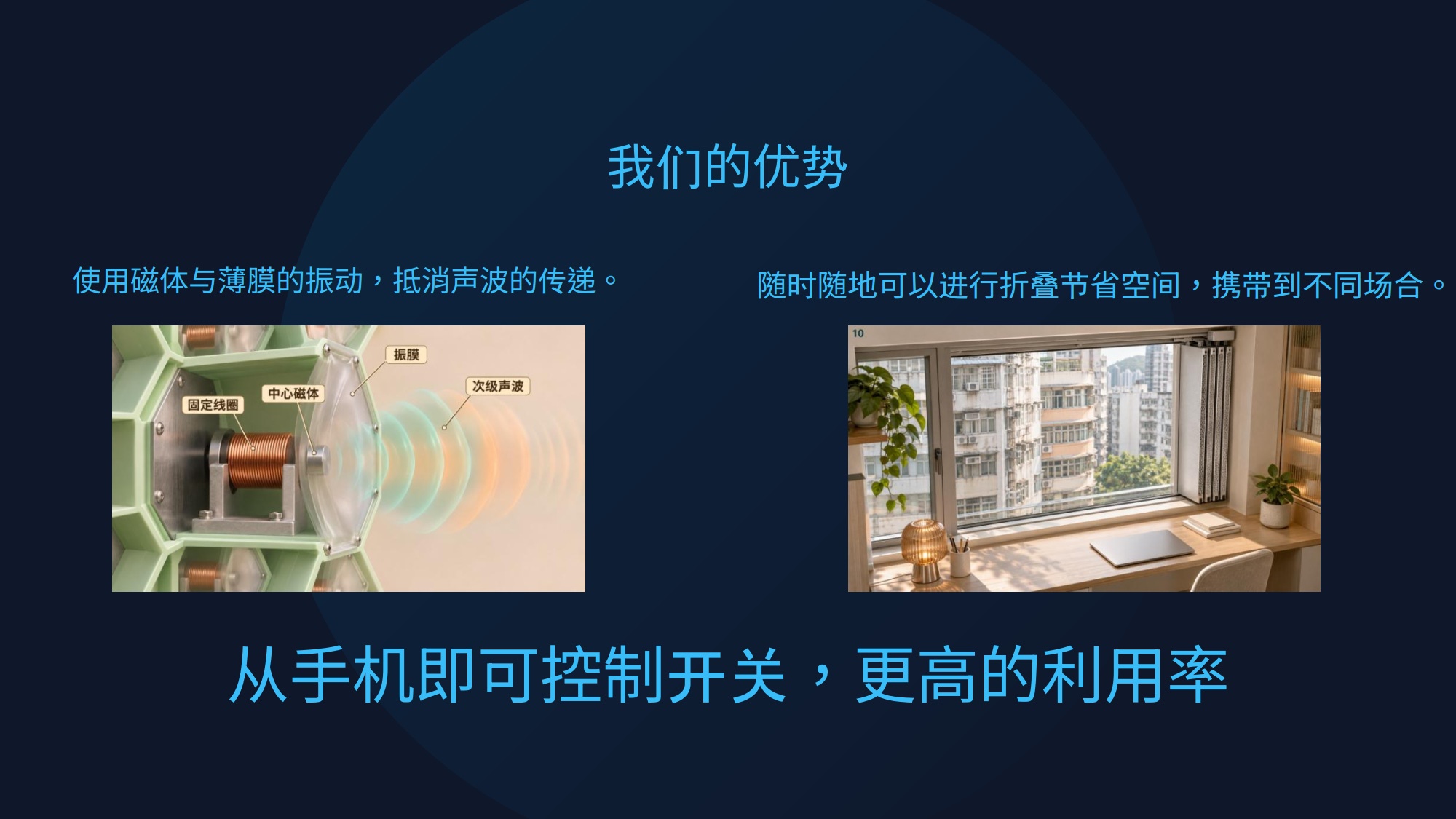
What makes our solution different from others? It’s compact and portable¹, it actively reflects sound², and it’s eletrically powered³, not manual.
What’s our advantage? Active cancellation¹, and its compactness².
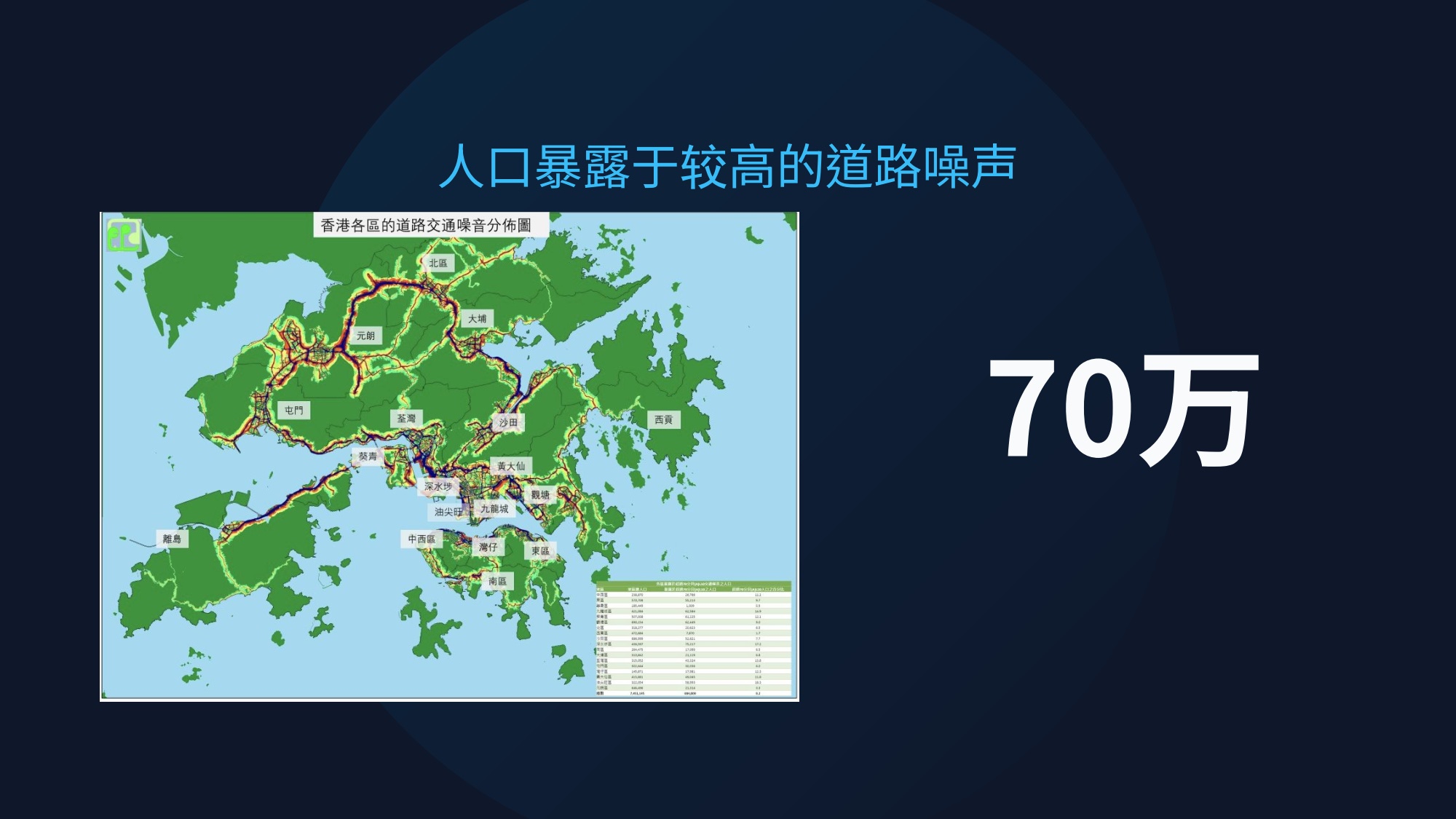
Roughly 700,000 residents are exposed to noise generated by main roads.
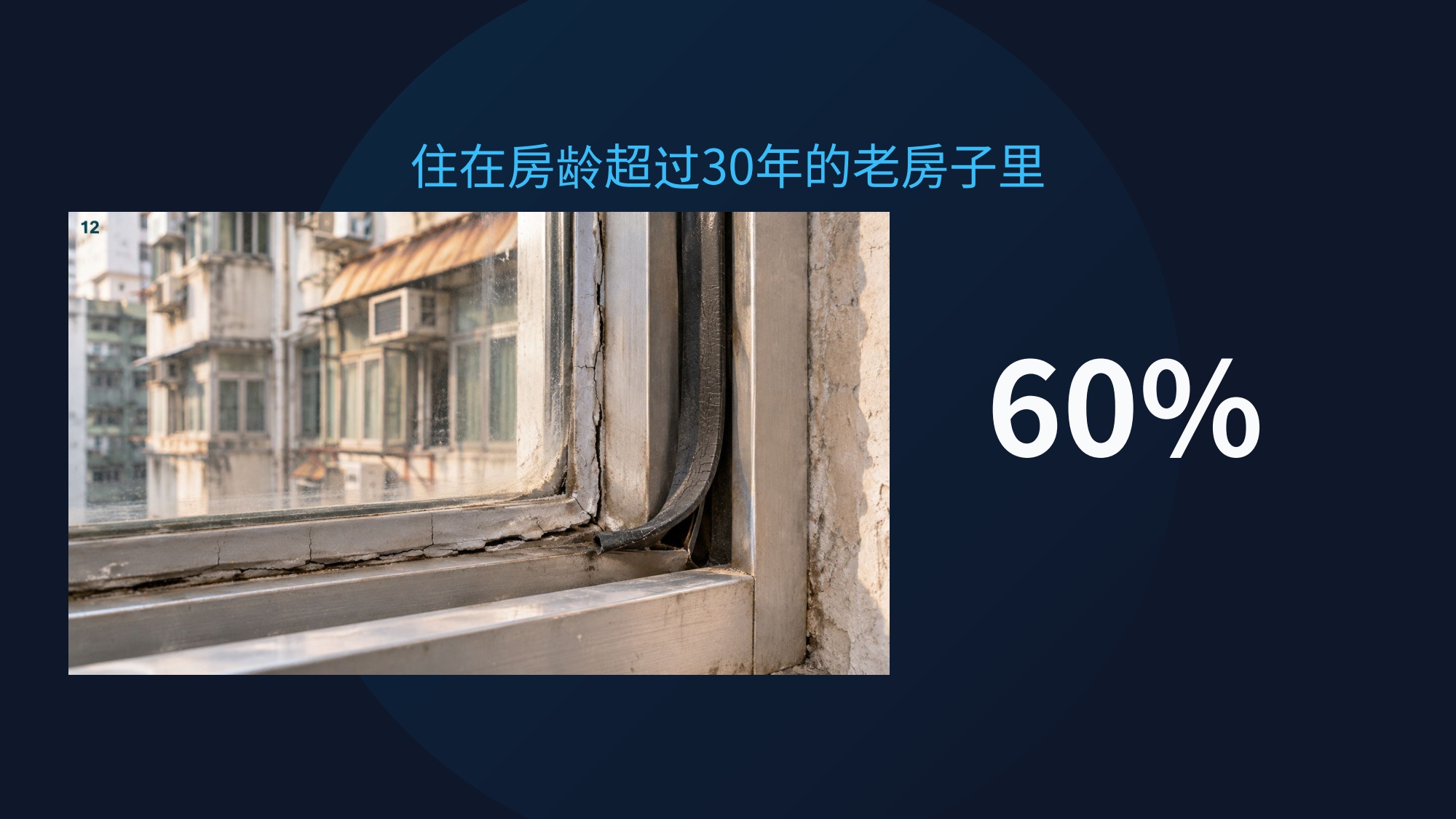
60% of Hong Kong’s population lives in buildings older than 30 years.
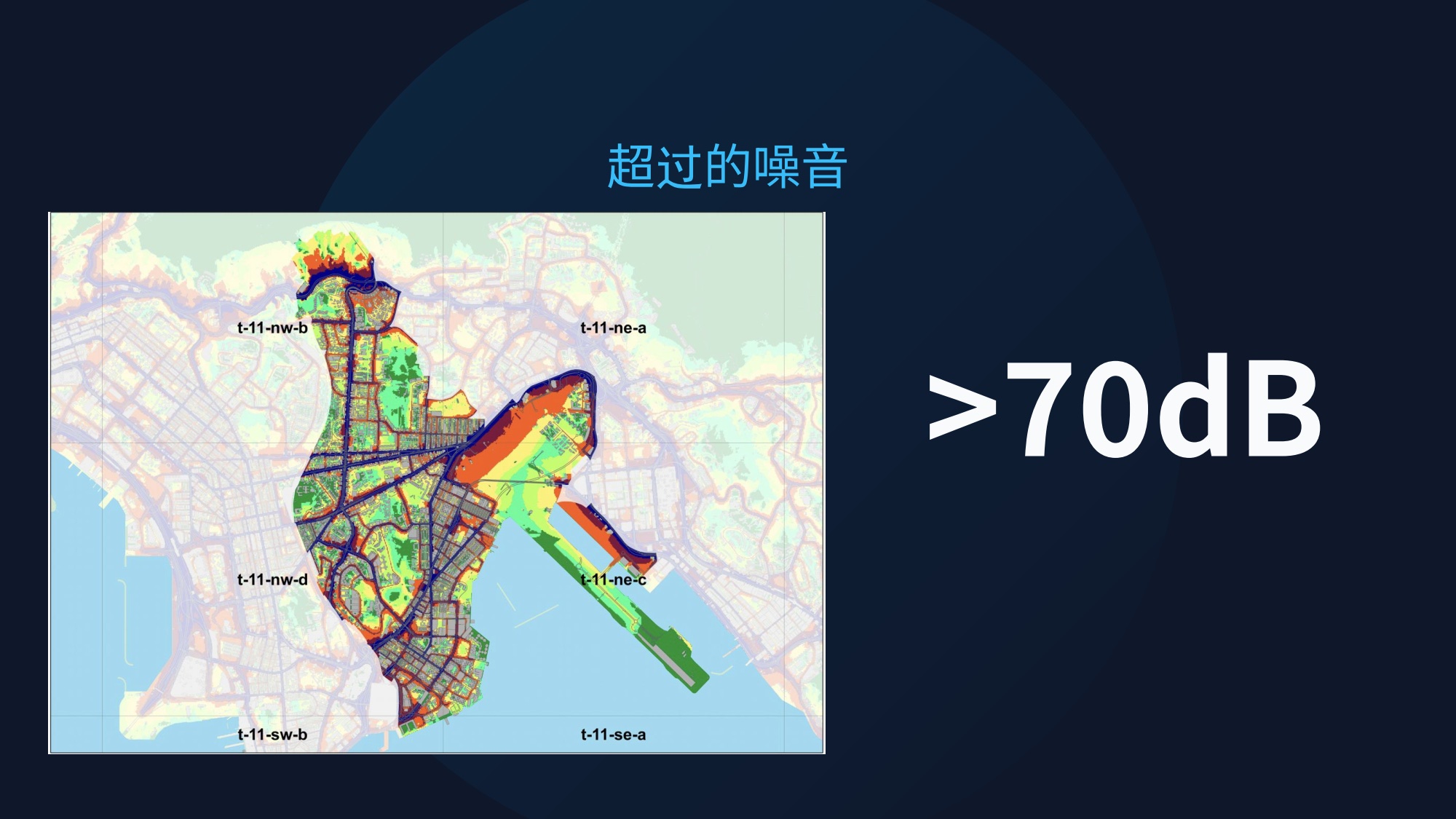
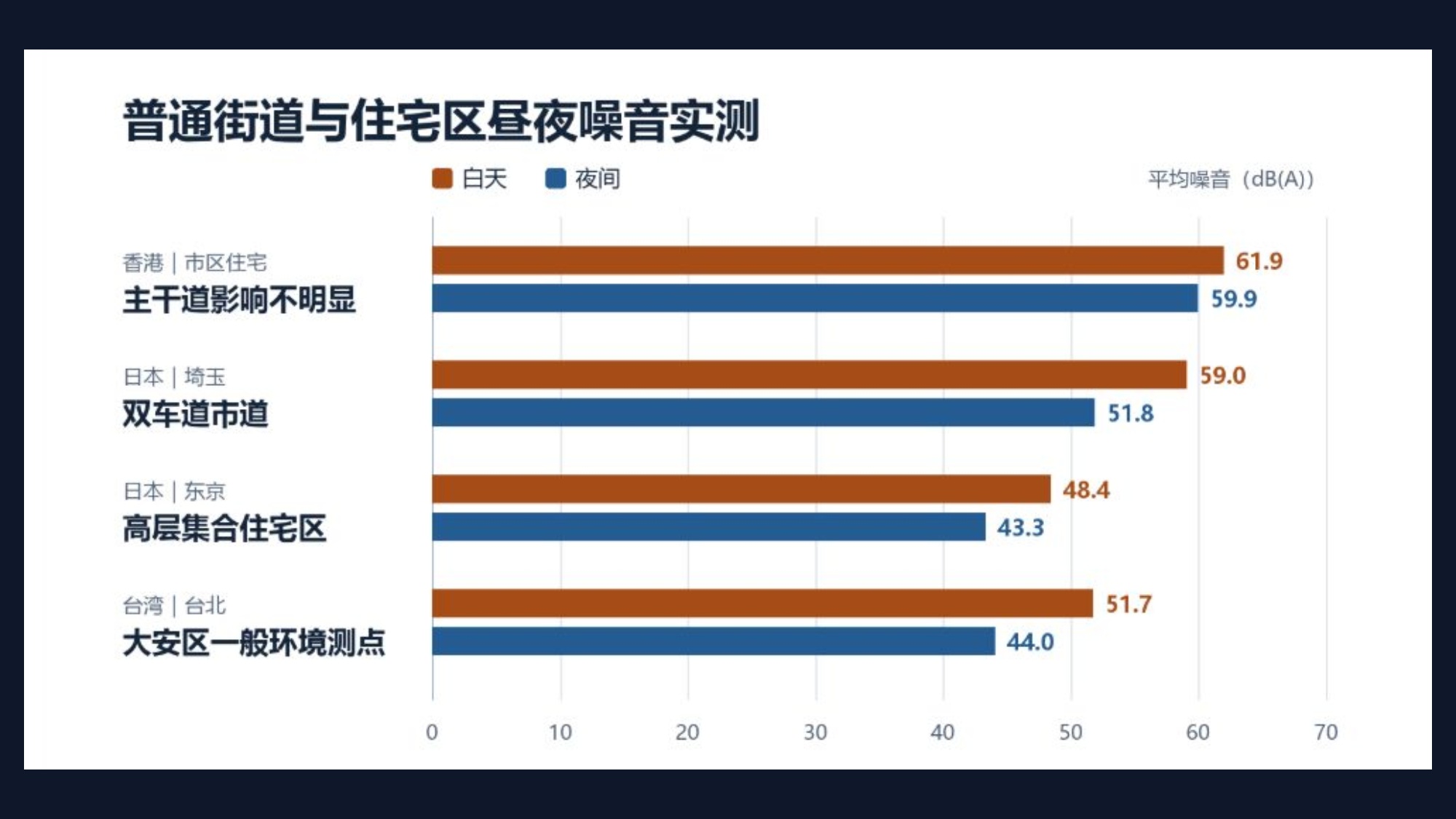
A siginifcant population of Hong Kong is exposed to noise exceeding 70dB.
Real data from real noise tests.
70dB is as loud as a double decker bus vrooming by, crowds passing on Nathan road, or a washing machine spinning.
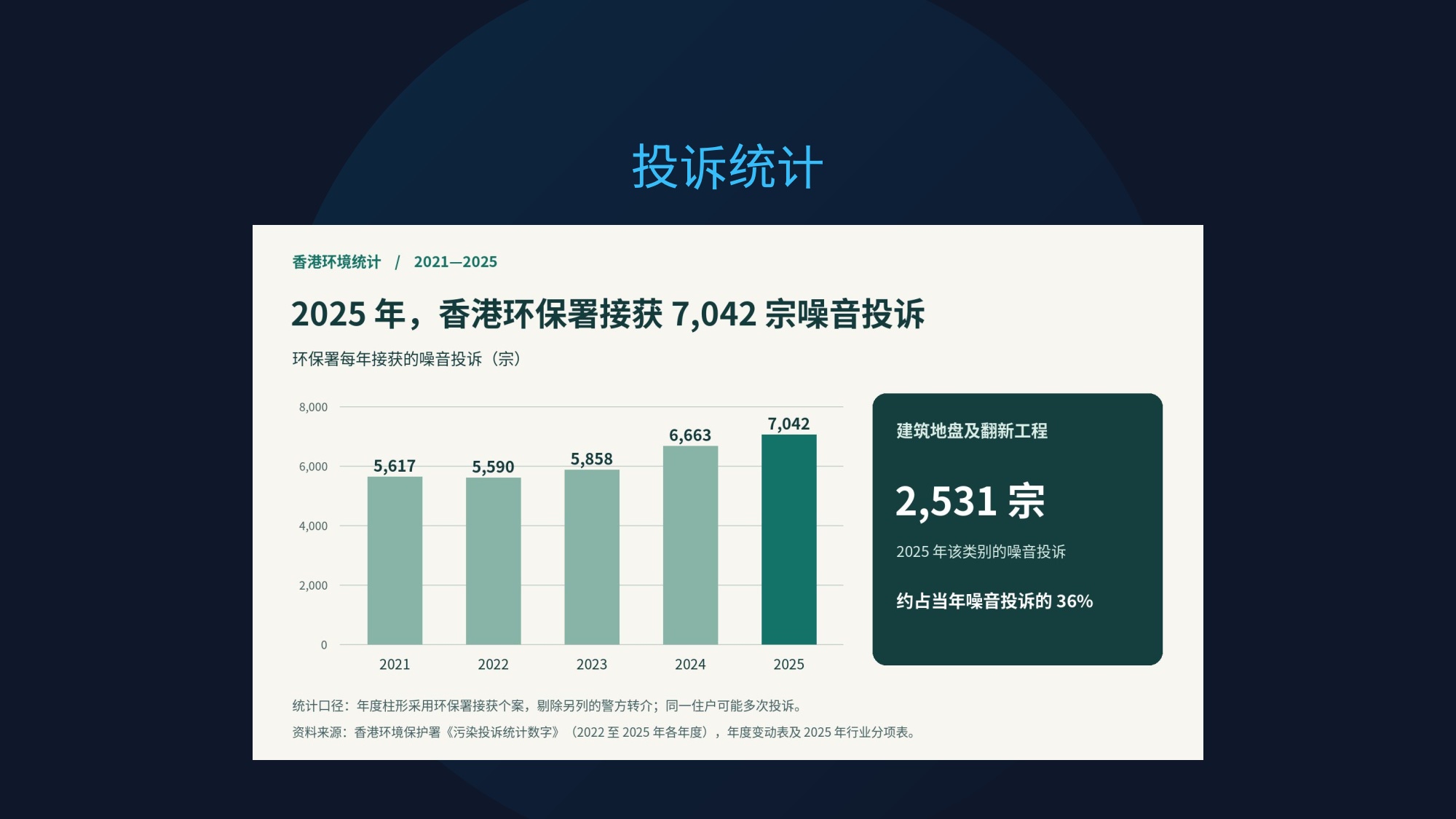
Noise complaint statistics. An increasing trend is seen.
From my visit to Kwong Fuk Estate, the family I interviewed mentioned four main causes of noise: pigeons, arguments, bicycles playing music, and construction works.
Three reasons not to choose us: we’re not a fancy solution but really practical down-to-earth solution¹, our idea still needs further on-the-field investigations², our solution is not a strictly robotic solution, but rather an ordinary mechanical machine³.
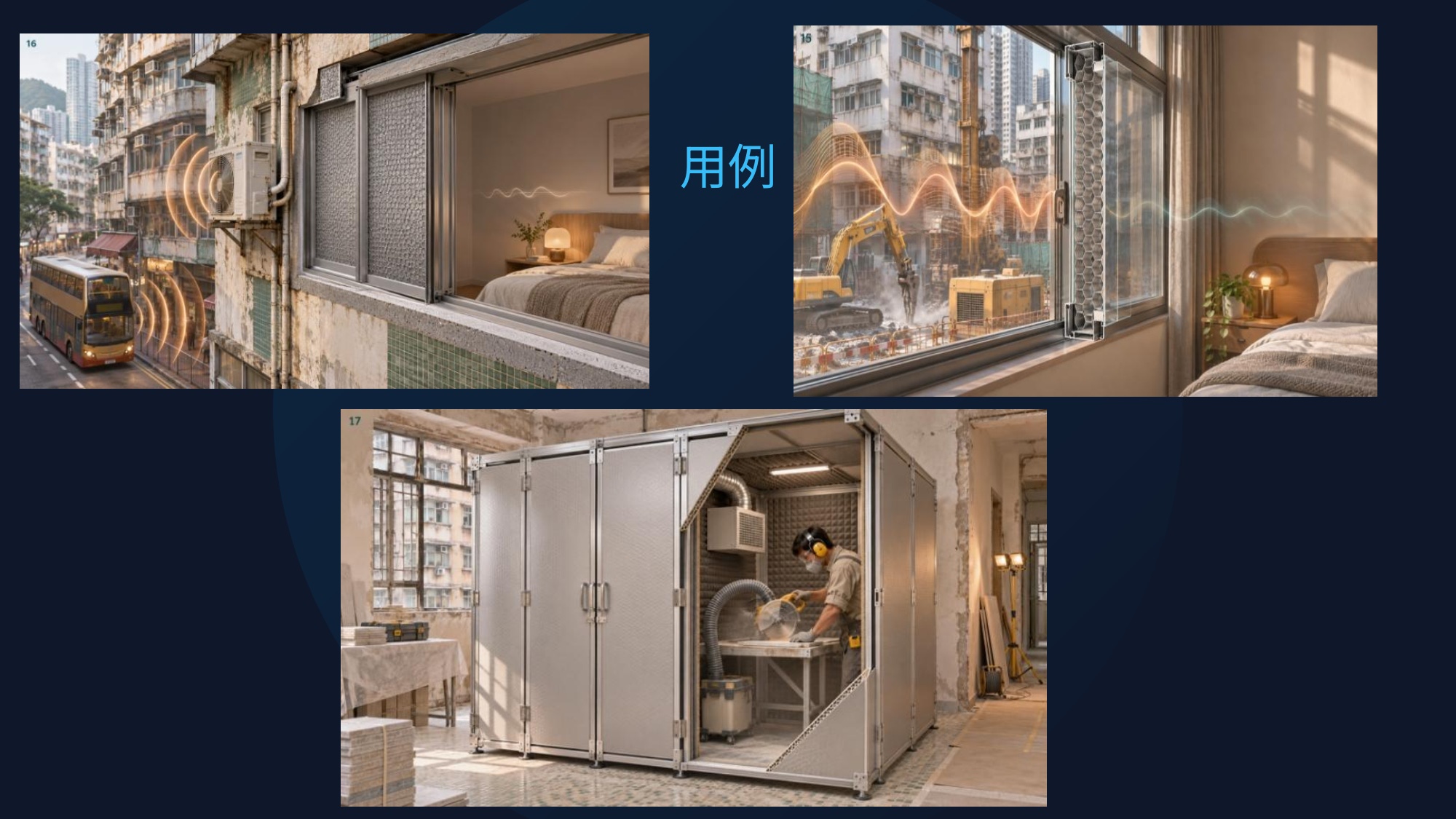
Our sound reflecting panel can be used to repel AC unit noise, passing buses, construction work, or even used to create makeshift rooms for heavy duty construction work.
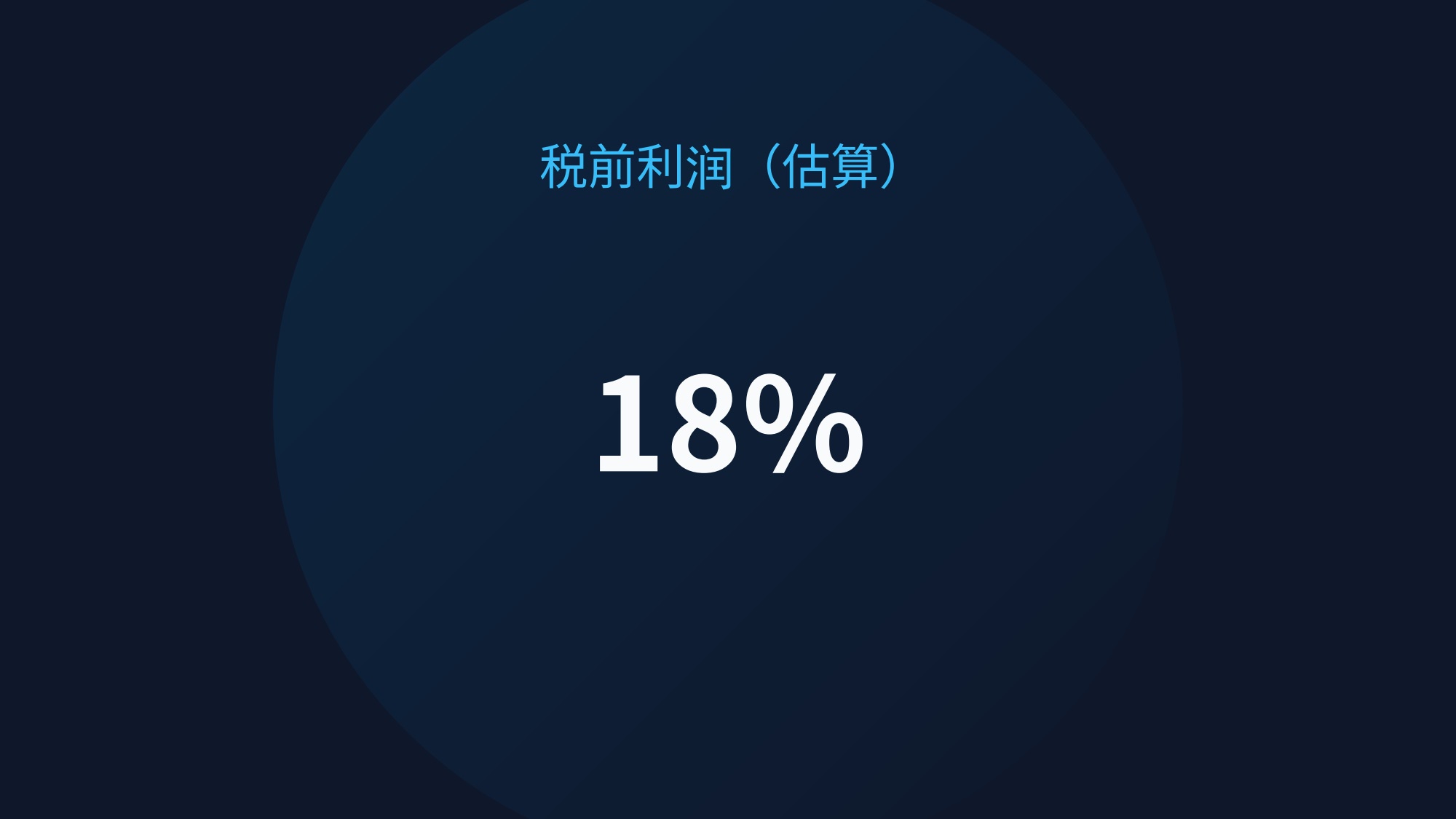
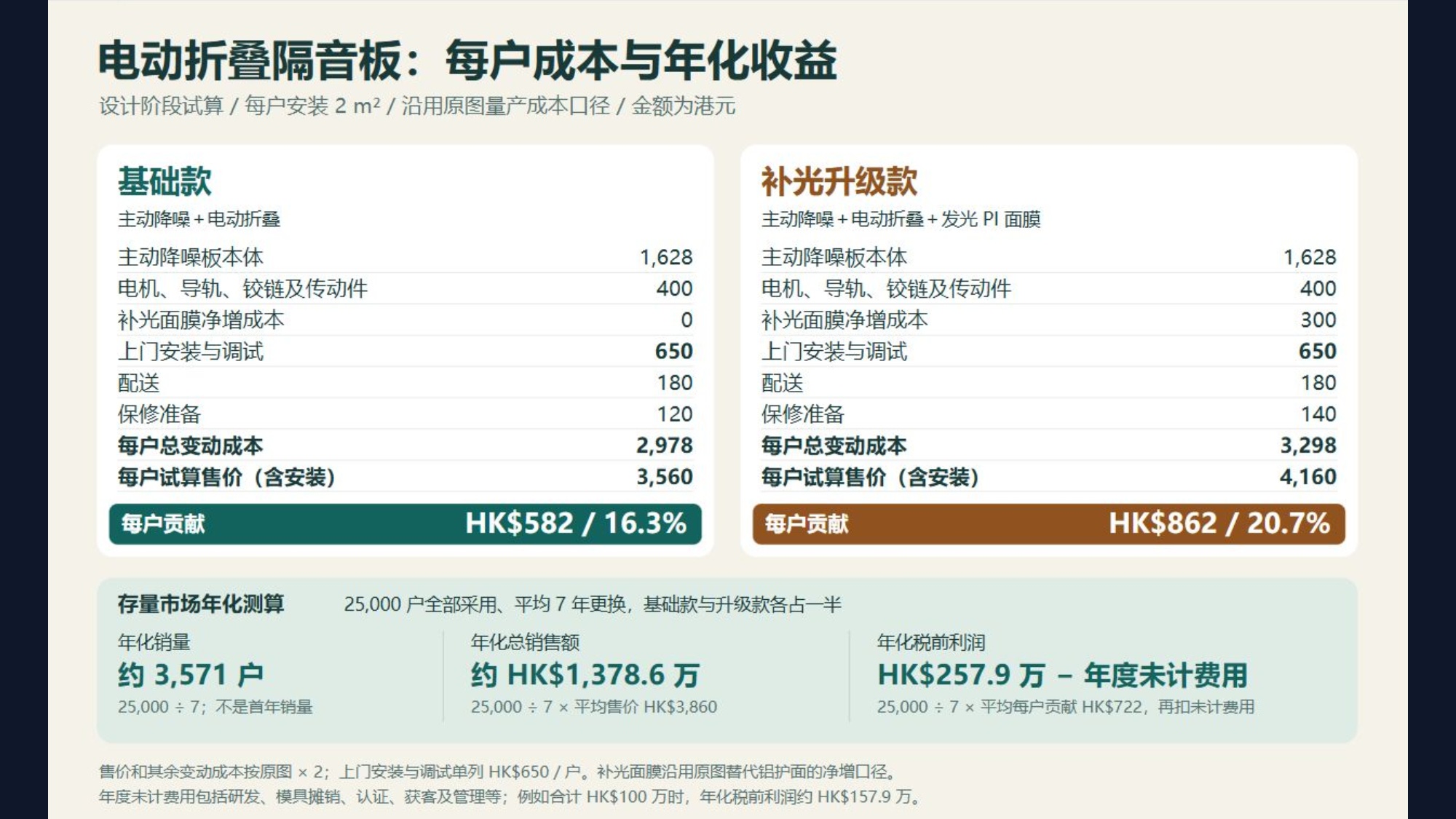
On average, an 18% profit margin.
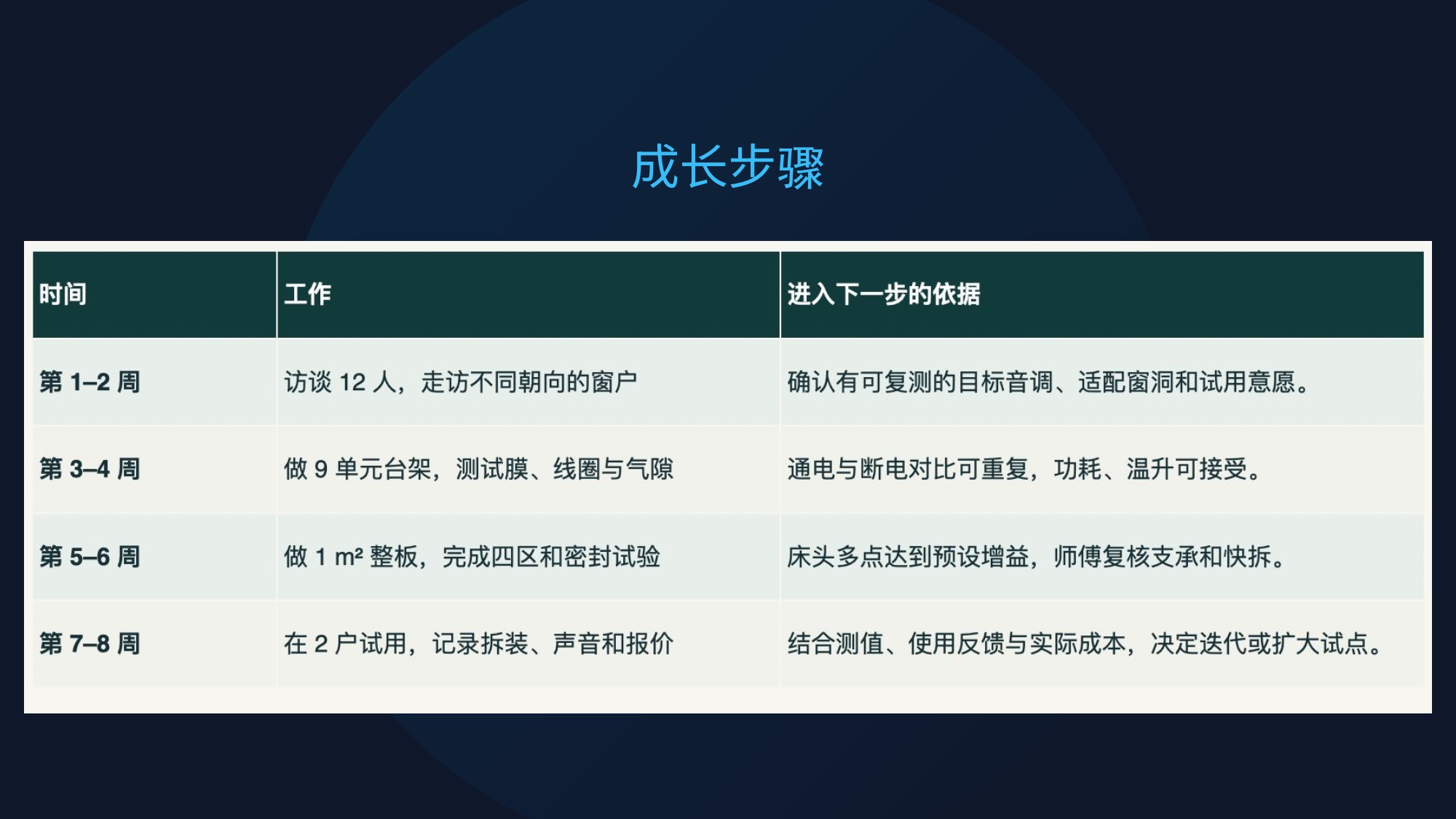
The 4 next steps we’ll take to grow:1. Interview more households to understand user needs the exact specifics of the windows available1. Rapidly prototype diaphragm, coil, and airgap1. Create a full panel and test1. Test in 2 households to determine the effect
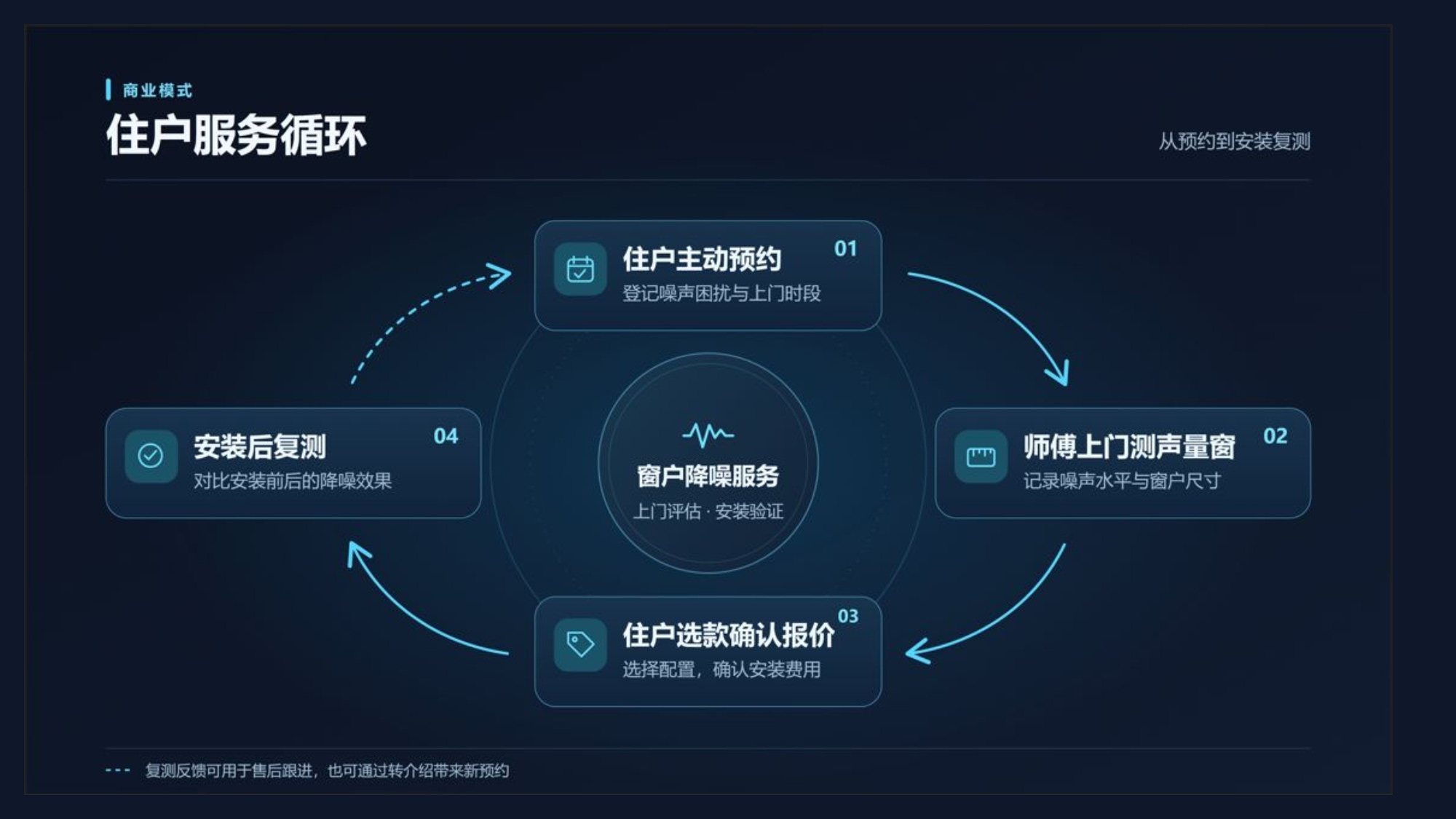
Our commercial model:1. User makes a booking1. Technician comes by and takes measurements1. Based on measurements and model, user confirms price1. Technician installs
Construction Innovation Expo 2026
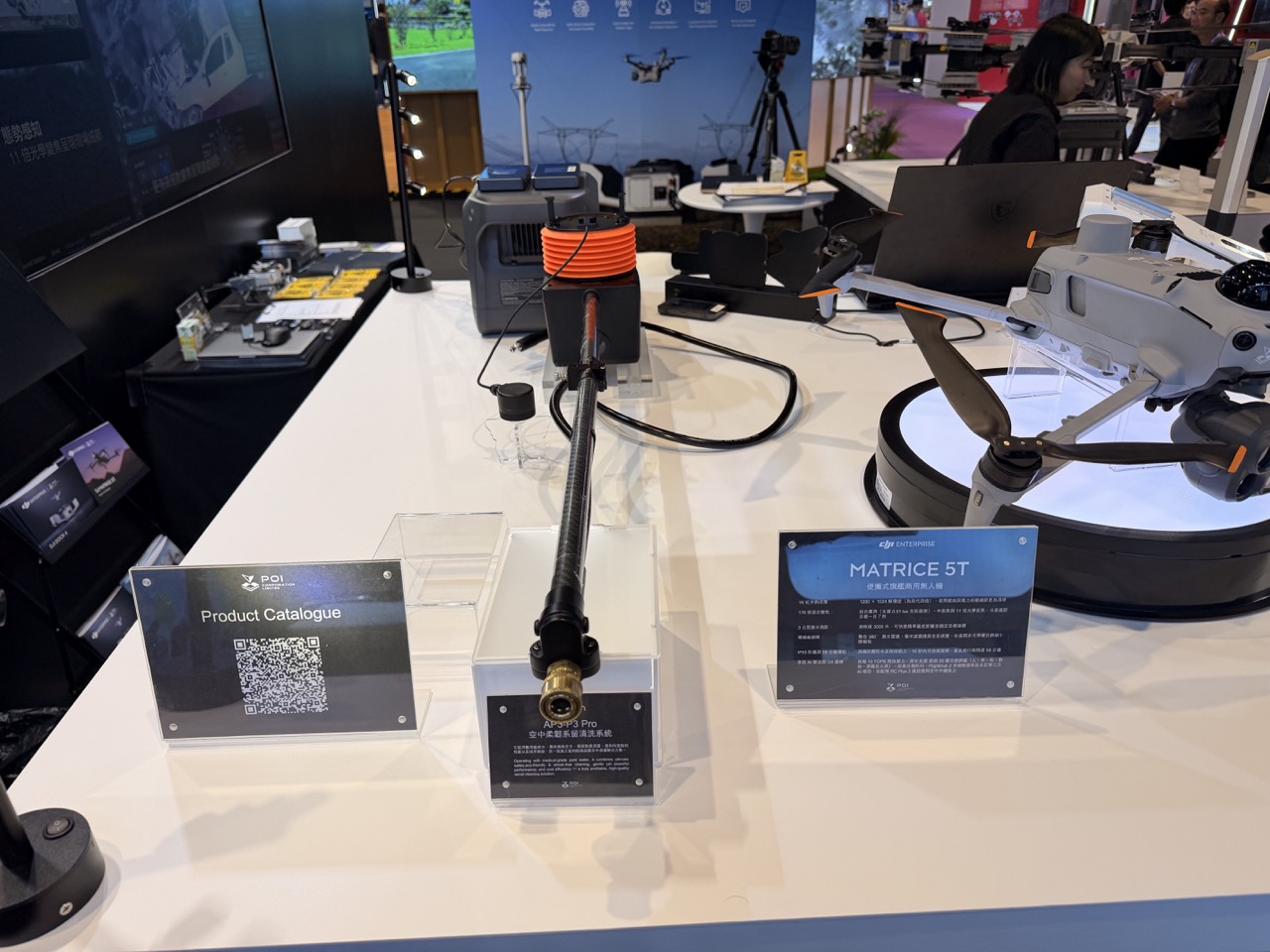
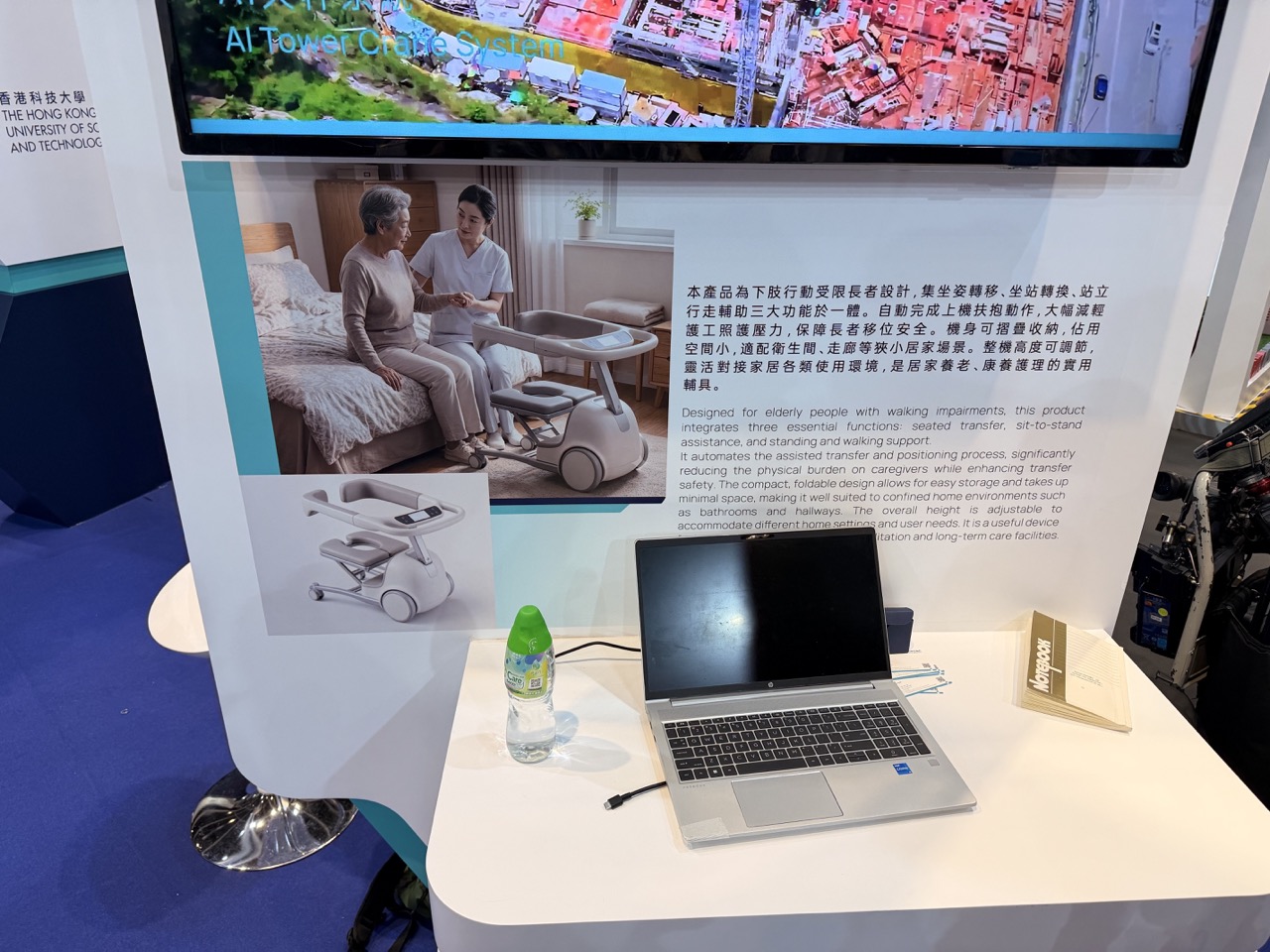
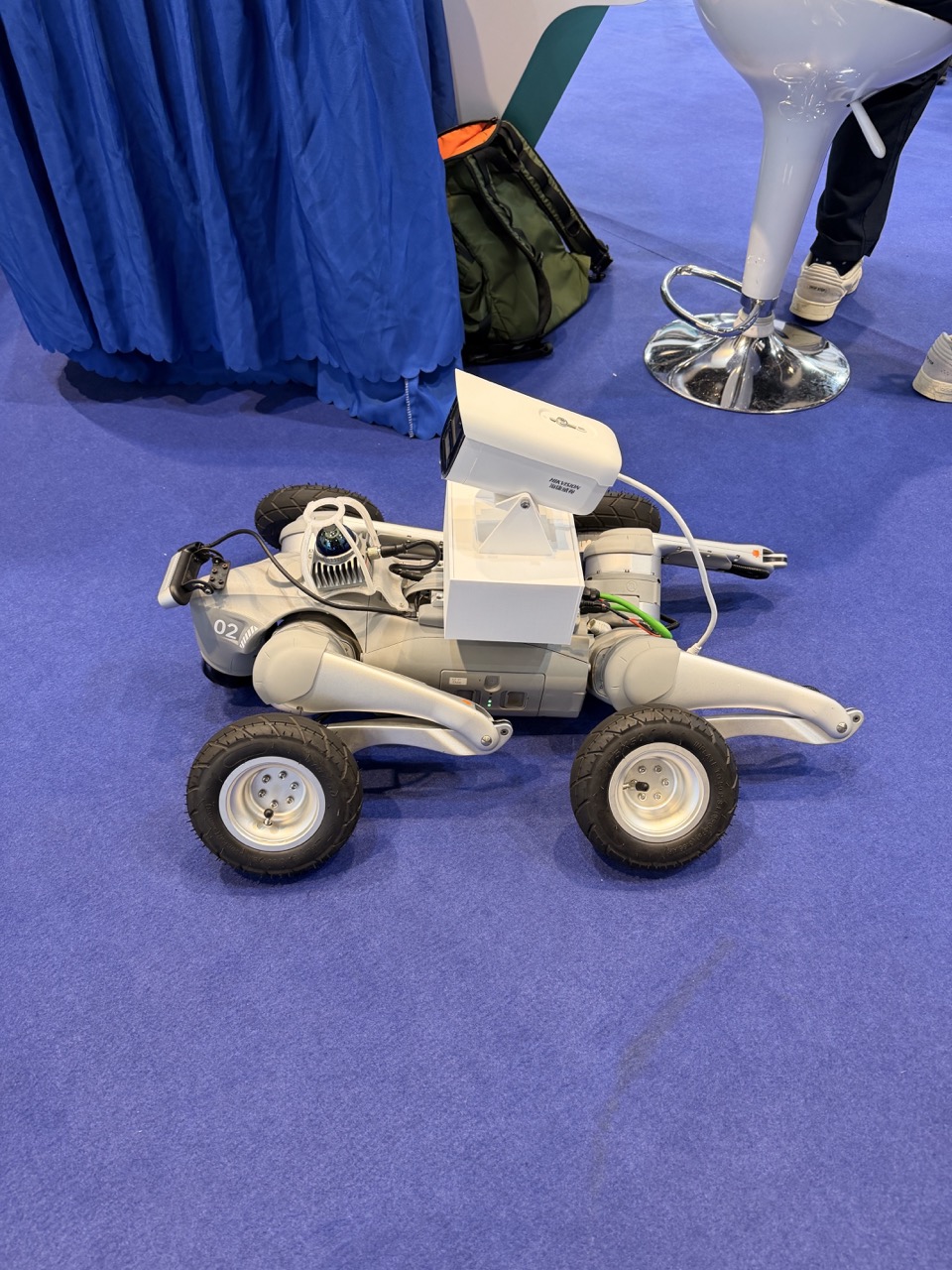
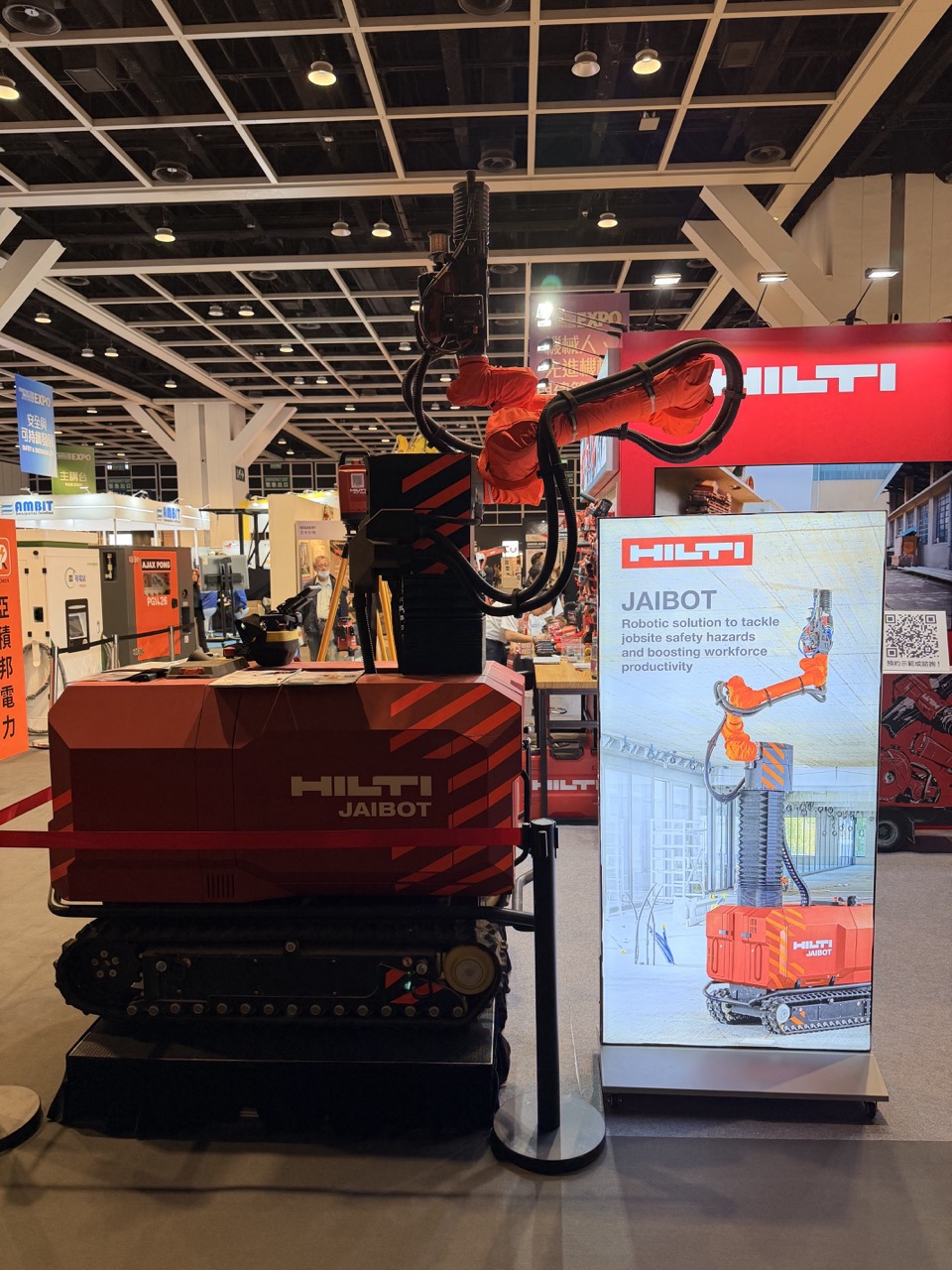
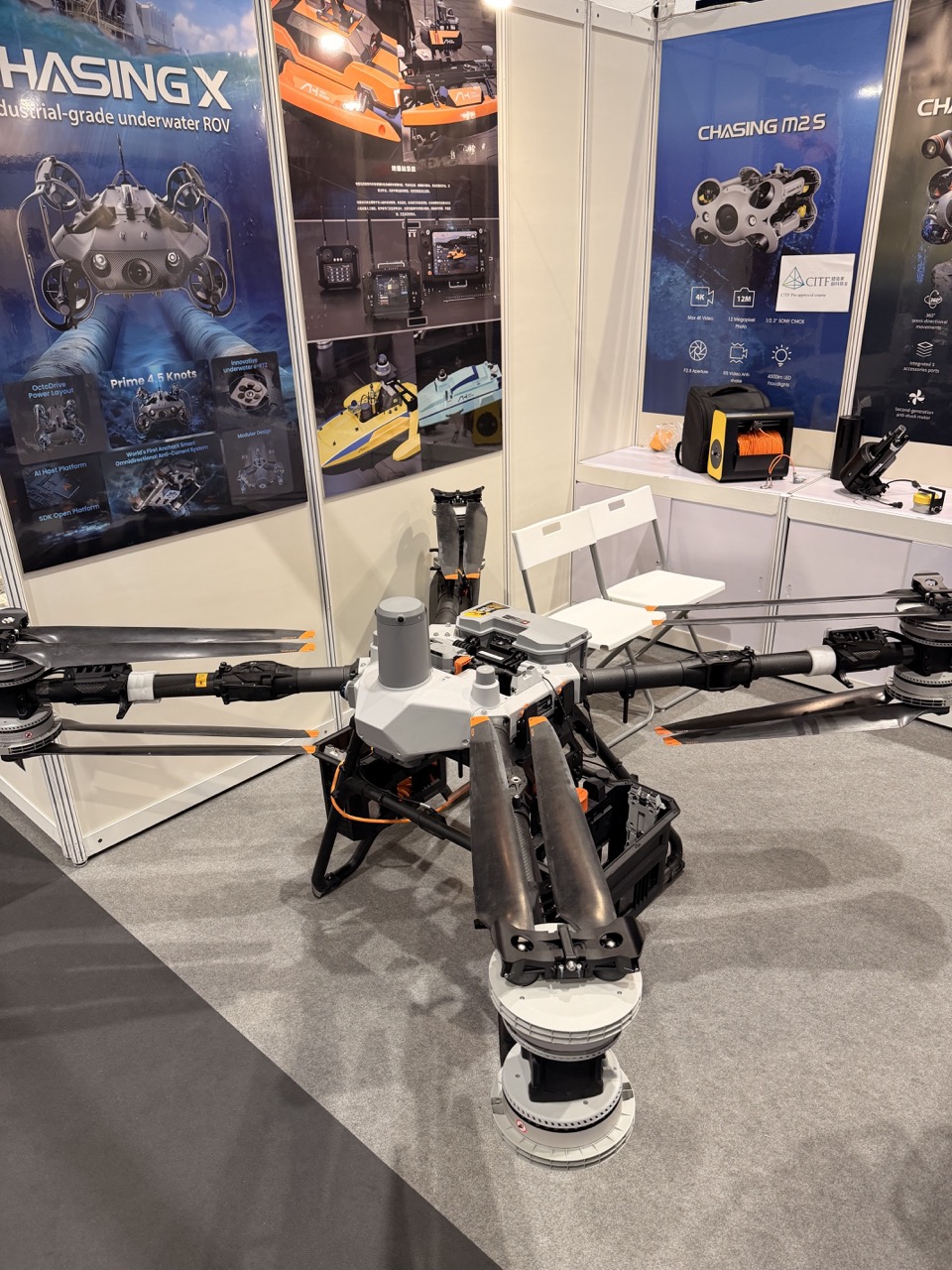
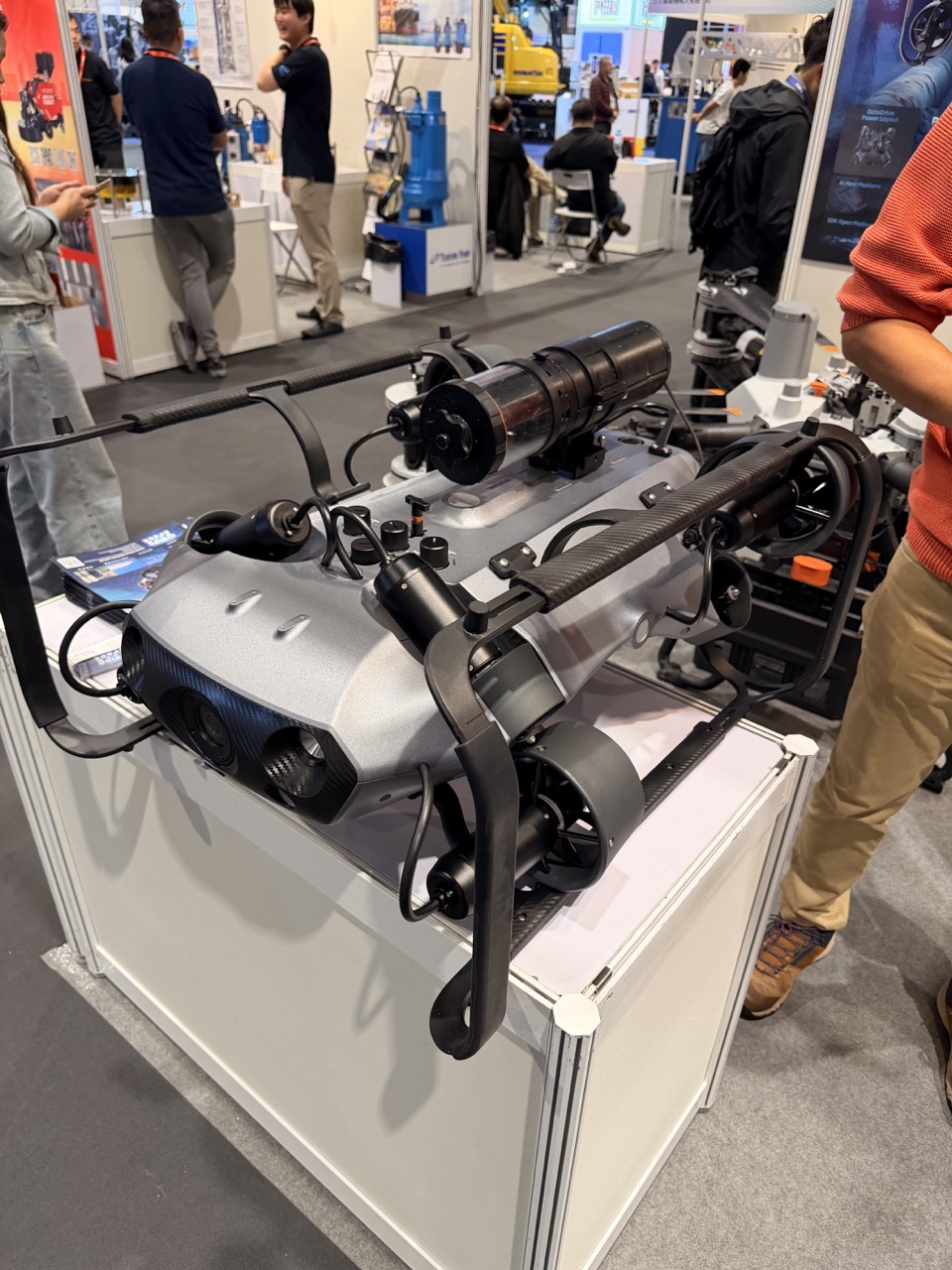
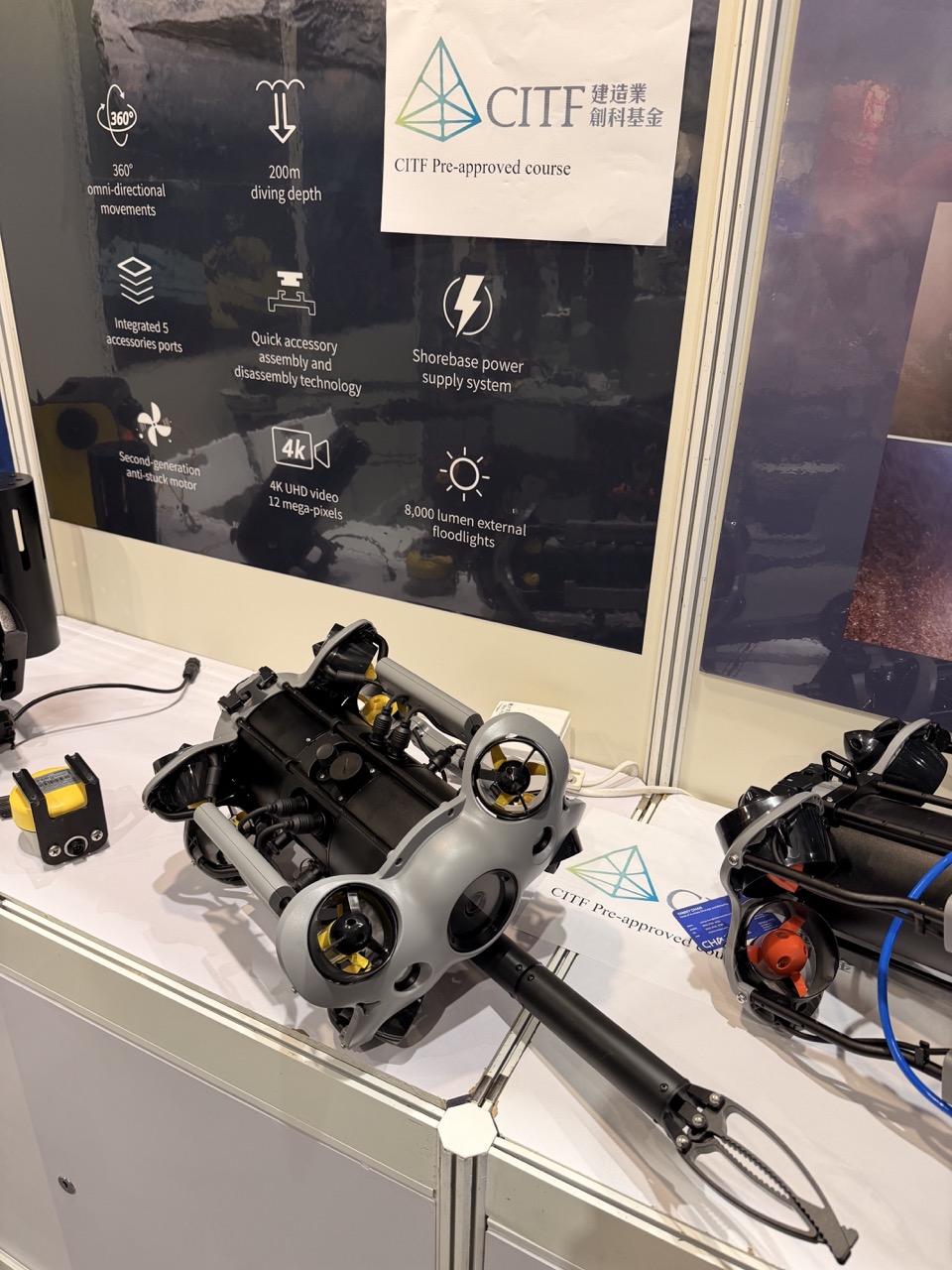
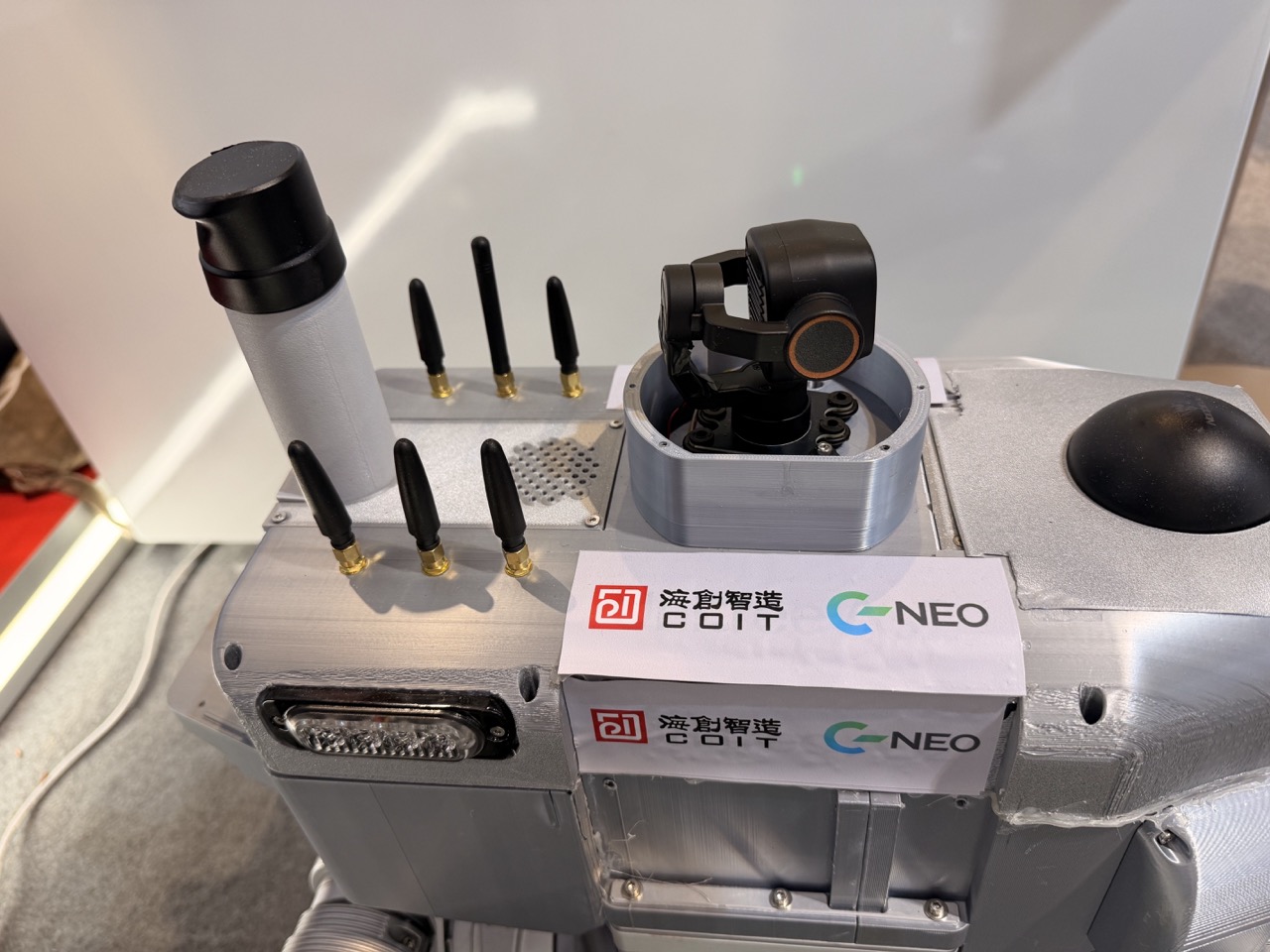
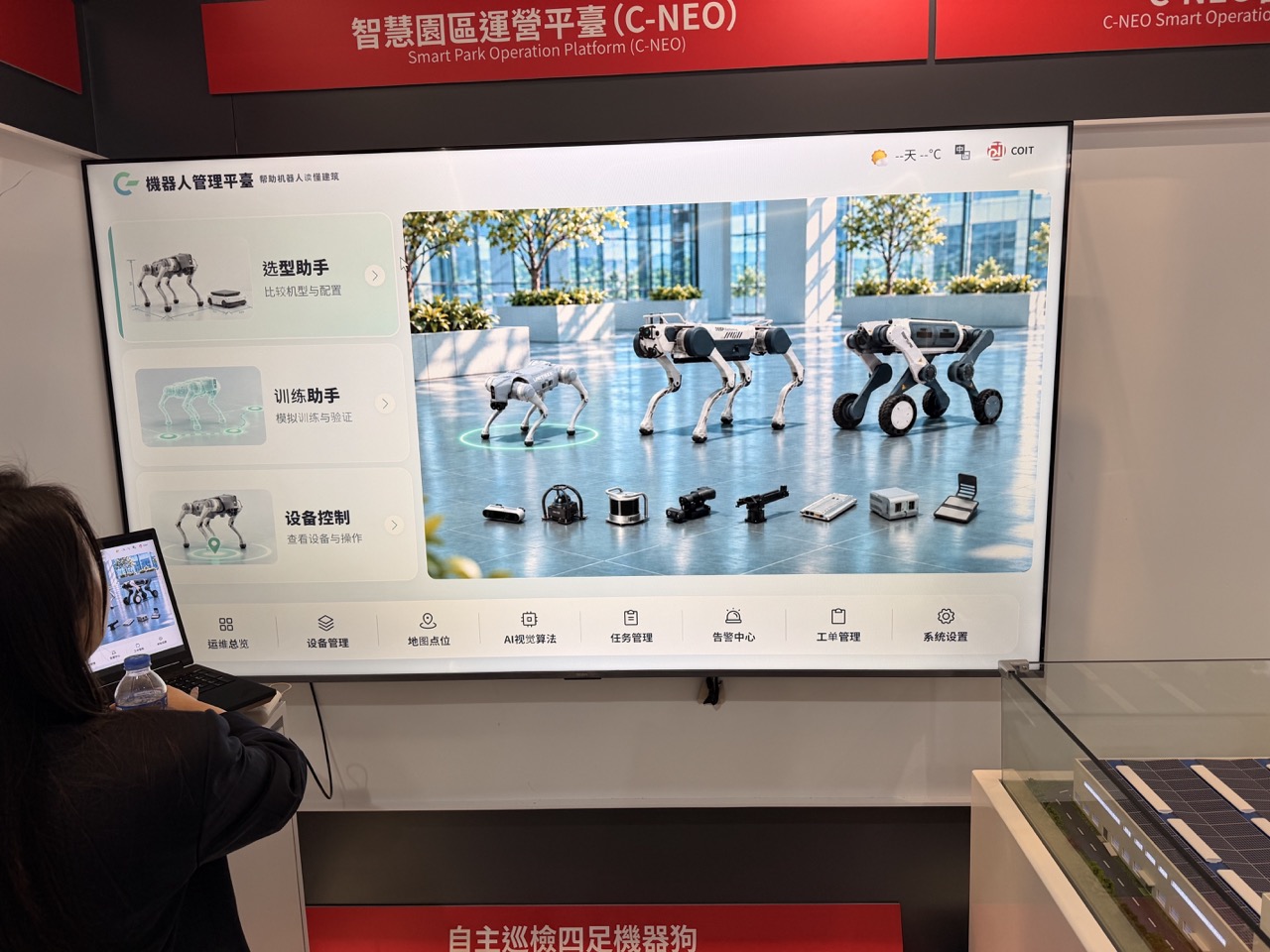
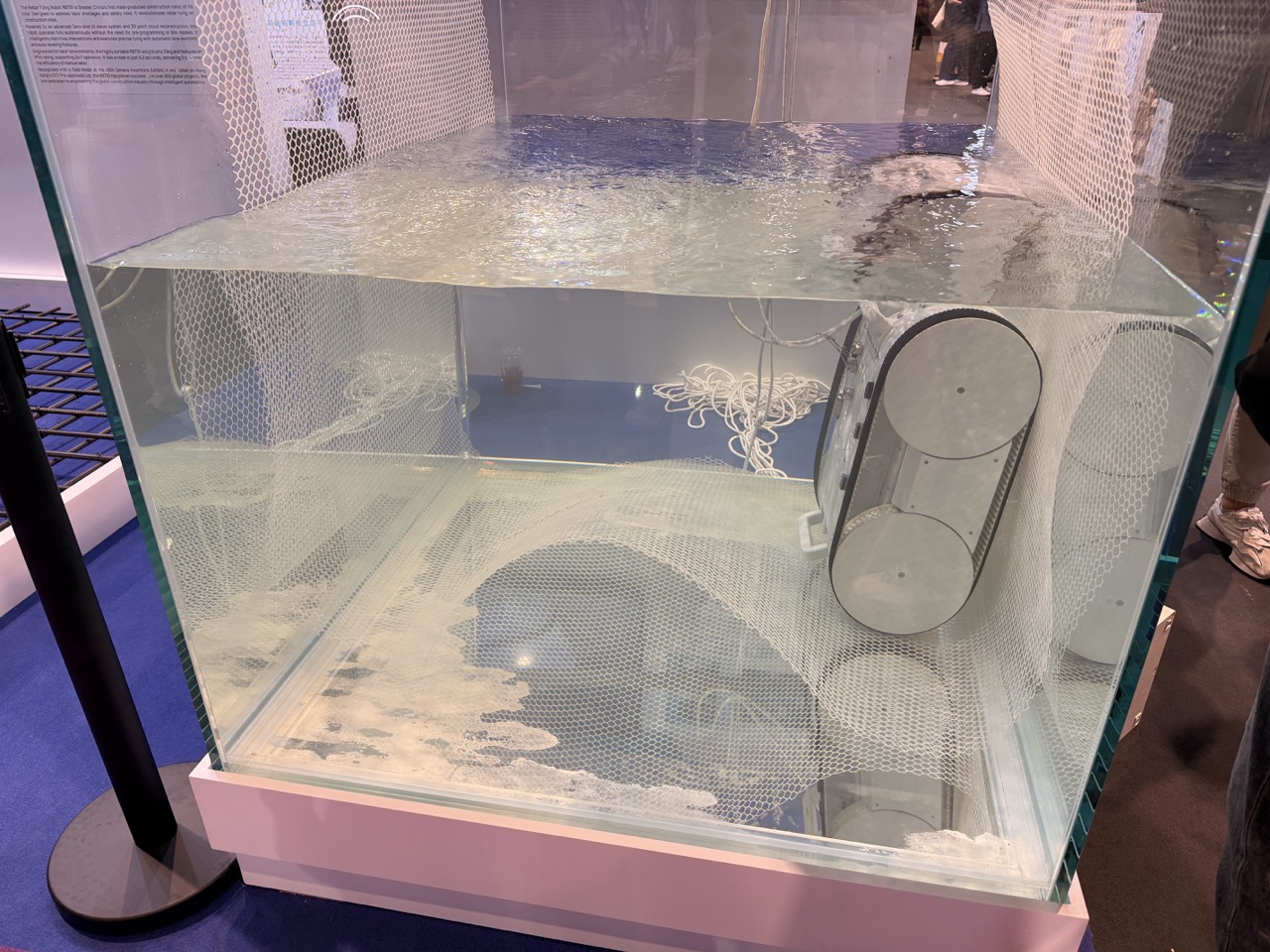
Observations:- Some booths advertise prefabbed parts- Big booths are just ads for products. Small booths are better for real discussions- I find browsing an exhibition to be like reading a book. I want to first inspectionally read to determine what the contents of the book is¹, and thus whether I want to read it². To determine those answers, I want to read the title page and preface, then the table of contents and index, then I want to first look at those chapters that seem related to the theme, or look important/relevant. Throughout the process, I want to answer what is being discussed¹, how it is being discussed², whether what is being discussed makes sense³, and how it is related to me⁴.- For most booths, it’s hard to determine what they’re about at a glance. Either because only the company name is displayed prominently, or because there are a bunch of really tiny exhibitions within the booth.- Just like most books aren’t worth reading, most booths aren’t worth viewing (and that can be for various reasons!). Just like most words in a book can be glazed over, most details in a booth can be glazed over.- Some booths don’t know the problem they’re solving. They just provide a description of a tool, and don’t describe the change they want to bring to the world. Astri was one company where they actual understood this, and played at my game.- Construction seems like a lowkey awesome sandbox for AI, robotics, and machinary. Plenty of interesting and practical scenarios!
Some products I found:- A rebar structure that is thinner and simpler to install. A side effect being more space is available in a room.- A self-compacting material preventing the need to wait for each layer to settle first before adding the next.- A coating that reduces heat transmission. There was a demo where I could physically feel the difference. It is significant. They also applied the coating to clothes, but I wondered what the long term health effects were, if any.- A pipe leak inspection device that is inserted at a valve. The device measures changes in pressure at either end.- A bunch of digital twin scanning solutions for remote inspections.
If you have any comments, questions, suggestions, feedback, criticisms, or corrections, please do post them down in the comment section below!